Guides
Best Performance Management Software for Shift Teams 2026

Performance management software is HR technology that connects goals, feedback, development plans, and review documentation — not finance “enterprise performance management” (EPM) and not IT application monitoring. For shift-based teams in hospitality, retail, and healthcare, the version that works ties short check-ins to certs, probation milestones, and employee records managers can find later.
This 2026 guide to the best performance management software for shift teams compares eight platforms with pricing, screenshots, and practical selection criteria. We cover goals and reviews — what buyers usually mean by performance management tools or a performance management platform for hourly crews. Need only appraisal forms? See our performance review software guide. Still fixing hiring and onboarding? Start with talent management software.
Best performance management software at a glance (2026)
What is the best performance management software? There is no universal winner — the right pick depends on desk vs hourly mix. An office SMB may shortlist Lattice or PerformYard; a 40-site restaurant group usually needs mobile check-ins plus reliable employee records. Use the table to cut to two options, then pilot on one busy site.
| Software | Best for | Starting price | Shift-team fit | Free trial |
|---|---|---|---|---|
| Ordio | EU shift teams tying reviews to files + ops | from approx. €89/location/mo | Strong (partial) | 7-day trial |
| Connecteam | Frontline mobile check-ins + HR hub | Free ≤10 users; paid from approx. $29/mo | Strong | Free tier |
| TalentReef | Hourly hiring with light development | Custom quote | Moderate–strong | Demo-led |
| BambooHR | SMB HRIS + performance module | from approx. $10–$12/employee/mo | Moderate | Demo-led |
| Lattice | Office performance + engagement | from approx. $11/user/mo | Light (office-led) | Demo-led |
| PerformYard | Structured review cycles | from approx. $5/user/mo | Moderate | Demo-led |
| 15Five | Weekly check-ins + continuous feedback | from approx. $4–$7/user/mo | Light–moderate | Demo-led |
| Leapsome | EU/GDPR-friendly reviews + goals | from approx. $8/user/mo | Moderate | Demo-led |
| Workday / SAP | Enterprise 500+ employees | Custom | Enterprise | Demo-led |
Prices approximate — as of September 2026. Confirm on vendor sites before purchase. Seat-based plans add up quickly for high-turnover hourly headcount; model per-location vs per-user math before you scale past a second site.
What are the five best tools for performance management? Rankings change by team type. For shift-heavy SMBs, five names that often surface in frontline shortlists are Connecteam, PerformYard, BambooHR, Lattice, and Ordio (when ops and employee files must stay in one stack). Match vendor to your floor reality using the profiles below — not a generic top-five list.
Note: Enterprise performance suites (Workday, SAP SuccessFactors) target global calibration and succession. For 10–200 shift workers per site, the SMB and frontline tools above are usually faster to adopt — and more likely to get completed.
What is performance management software?
Performance management software — also called a performance management system, performance management tools, or employee performance management software — digitizes how managers and employees evaluate work, set goals, and capture feedback. Typical modules include review templates, self-assessments, optional 360 feedback, goal tracking, automated reminders, and reporting so HR can see who finished — instead of chasing Word docs in email.
On shift floors, teams use it for probation check-ins, quarterly floor conversations, skills and cert milestones, and short development notes that survive peak season. That is different from a full HR software suite (payroll, scheduling, records) or a pure engagement survey tool. A practical frontline stack usually includes:
- Templates and cycles — probation, 30/60/90 days, quarterly, or continuous check-ins
- Multi-rater input — manager, self, and optional peer or 360 feedback
- Goals and competencies — role standards tied to floor behaviors, not only OKRs for desk teams
- Records and audit trail — signed outcomes stored with the employee profile in employee files
If your managers live on their phones mid-shift, prioritize mobile completion and short forms over enterprise calibration grids. Daily rotas and clock-ins still belong in workforce management software — reviews should pull from real attendance and role history, not try to replace operations systems.
How we evaluated these tools
We scored each platform on criteria that matter when managers run reviews between service peaks:
- Mobile / shift-lead usability — can a supervisor finish a check-in on a phone in under ten minutes?
- Continuous vs annual flexibility — probation, quarterly, and lightweight cadences without a six-week setup
- Cert and probation hooks — link reviews to skills, safety certs, and 30/60/90 milestones
- Integrations — HRIS, Slack/Teams, and paths to time tracking or payroll IDs
- Useful analytics — completion by site and overdue probation views managers will actually open
- Pricing transparency — clear per-seat vs per-location math for multi-site groups
We excluded pure enterprise succession suites from the detailed shortlist unless noted as an enterprise callout. Many US comparison pages on performance management software rank office-first tools — this guide prioritizes operators who run shift-based sites.
When you evaluate vendors, ask for a live demo of a floor supervisor finishing a probation review mid-shift — not only an HR admin configuring a yearly cycle. If the form cannot be shortened for hourly roles, completion will drop in peak weeks.
Also score how reminders reach managers. Email-only nudges miss supervisors who live in WhatsApp or Teams. Tools that notify inside apps people already open beat feature-rich portals nobody returns to after onboarding.
We captured vendor homepage screenshots in September 2026 and validated pricing on public plan pages where available. Ordio is our product — we still list competitors honestly and mark partial fit where reviews are not the core module. Rankings reflect shift-team fit, not affiliate payouts or vendor sponsorship.
The 8 best performance management software options for shift teams
Below are concise profiles with September 2026 homepage screenshots, strengths, limitations, and who should shortlist each tool. We ranked for shift-team reality — mobile completion, probation milestones, and manager time during service — not for the longest goal library in a demo.
Skim “best for / who it’s for,” then use the comparison table to cut to three. If hiring is still the bottleneck, fix that with TalentReef or your ATS before polishing review templates. If the floor runs fine but reviews live in email, start with Ordio, Connecteam, or PerformYard.
Ordio
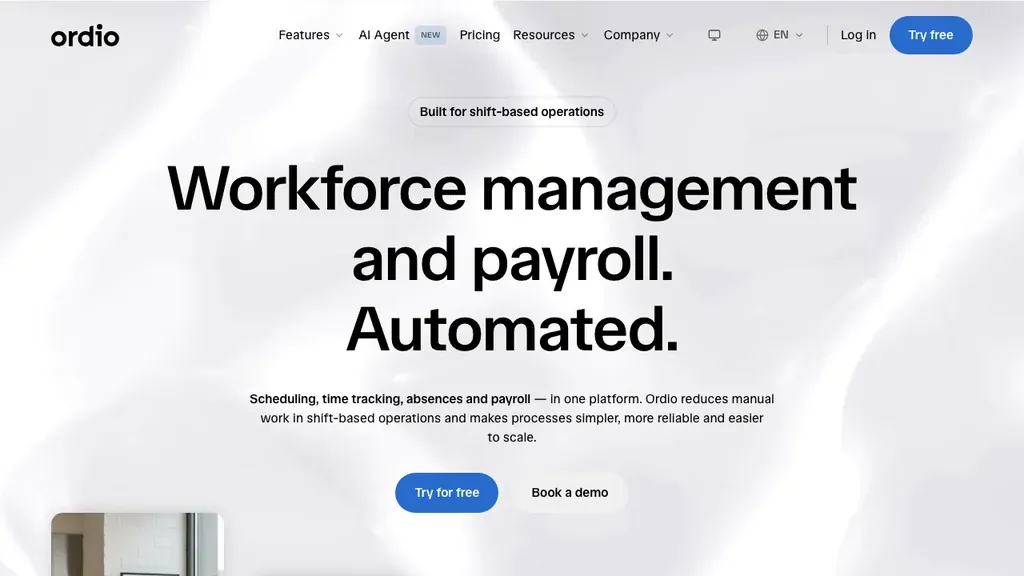
Best for: Multi-location hospitality, retail, and healthcare groups that need employee files, document management, and shift operations together — with light performance check-ins tied to real floor context.
Who it's for: Operators replacing folder-based reviews or split HR/scheduling stacks; HR leads who need compliant records without a six-month HCM implementation.
Ordio covers digital employee records, onboarding workflows, shift planning, time tracking, and absence management — so site managers are not chasing review PDFs in email while rebuilding next week's rota.
Pros: Strong EU labor-compliance narrative, location-based pricing, industry workflows for shift sites. Cons: Not a full performance suite — no native 9-box succession, deep OKR engines, or Lattice-class engagement surveys.
Verdict: A strong pick when shift operations and compliant employee records matter more than headquarters calibration modeling — pair with a specialist review tool only if you need continuous OKR culture for desk teams.
Try employee records and shift operations in one place:
Connecteam
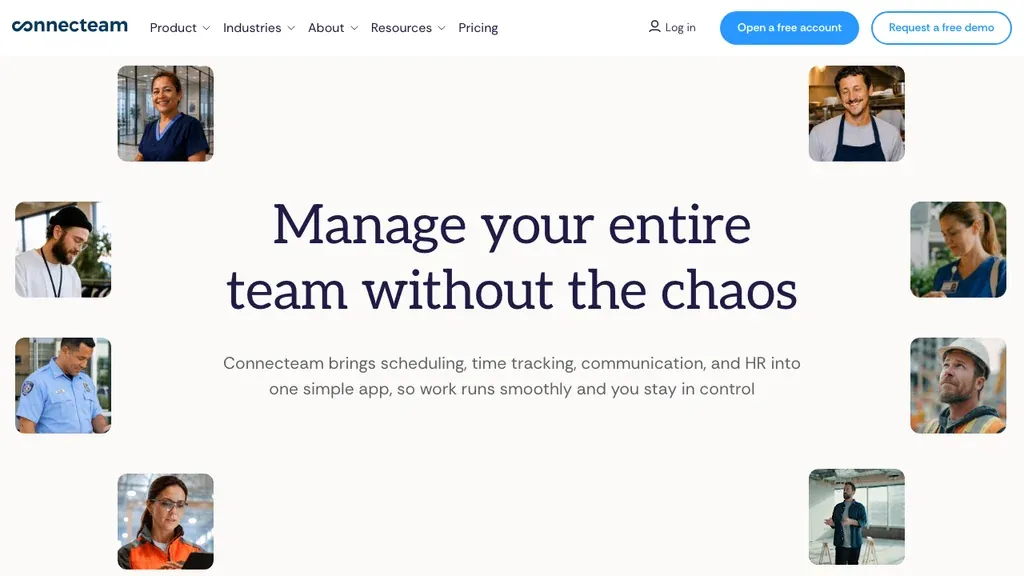
Best for: Deskless teams wanting mobile checklists, forms, chat, and lightweight performance tasks beside daily operations.
Who it's for: Field supervisors and ops leads who already coordinate via mobile and want review tasks in the same hub.
Pros: Generous free tier for small teams; strong frontline UX. Cons: Hub pricing grows with modules; lighter on deep multi-rater enterprise reviews.
Verdict: Connecteam fits when mobile completion beats a pure performance specialist — validate how review history exports into your HRIS for audits.
Teams that already run chat, task lists, and training in Connecteam often adopt review forms quickly because the habit already exists on the phone. If your buyer question is strictly compliance-grade performance documentation across EU jurisdictions, confirm retention periods and export formats early — hub tools can be lighter on long-term HR archives than dedicated HRIS platforms.
TalentReef
Best for: High-volume hourly hiring networks that also need light post-hire development for restaurant, retail, and franchise roles.
Who it's for: Talent acquisition and ops leads where time-to-hire is the primary bottleneck — performance maturity comes second.
Pros: Purpose-built hourly ecosystem; strong hiring funnel. Cons: Not a dedicated continuous-feedback suite like Lattice or 15Five; pricing is quote-based.
Verdict: Shortlist TalentReef when hiring velocity and early-tenure development matter more than polished goal frameworks — pair with a review specialist if you need deeper cycles later.
Franchise and QSR networks often start here because the applicant journey is mobile-first. Treat TalentReef as the early-tenure layer: hire fast, capture day-one readiness, then decide whether a dedicated review cycle tool is still needed once managers can actually complete probation forms on the floor.
BambooHR
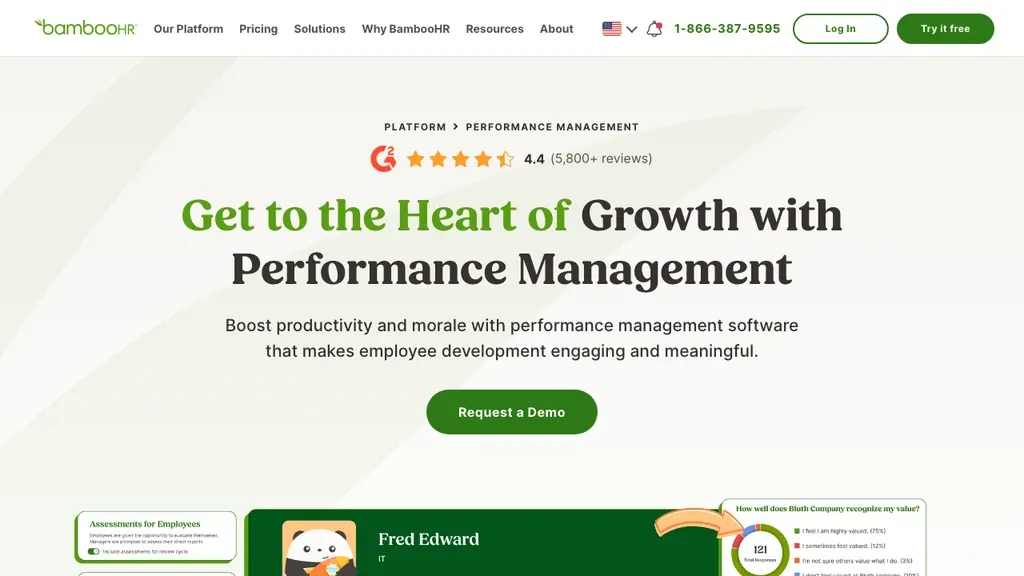
Best for: SMB teams with a mix of desk and frontline staff who want HRIS records, onboarding, and performance in one familiar US-market platform.
Who it's for: HR generalists at companies under ~200 employees — especially when hourly staff are a minority of headcount.
Pros: Mature integrations, approachable UI, solid review basics. Cons: Shift-floor workflows are not as specialized as Connecteam; EU compliance depth varies by module.
Verdict: BambooHR is the pragmatic pick for small and mid-size teams that want HRIS records and reviews in one familiar platform — without an enterprise implementation.
Choose it when HR already lives there and you need consistent templates more than a purpose-built hourly ops stack. Pilot one district that mixes desk and floor roles; if shift leads bounce off long forms, shorten templates before buying engagement add-ons. Confirm what sits in the base plan versus paid modules — packaging changes often (pricing noted as of September 2026).
Lattice
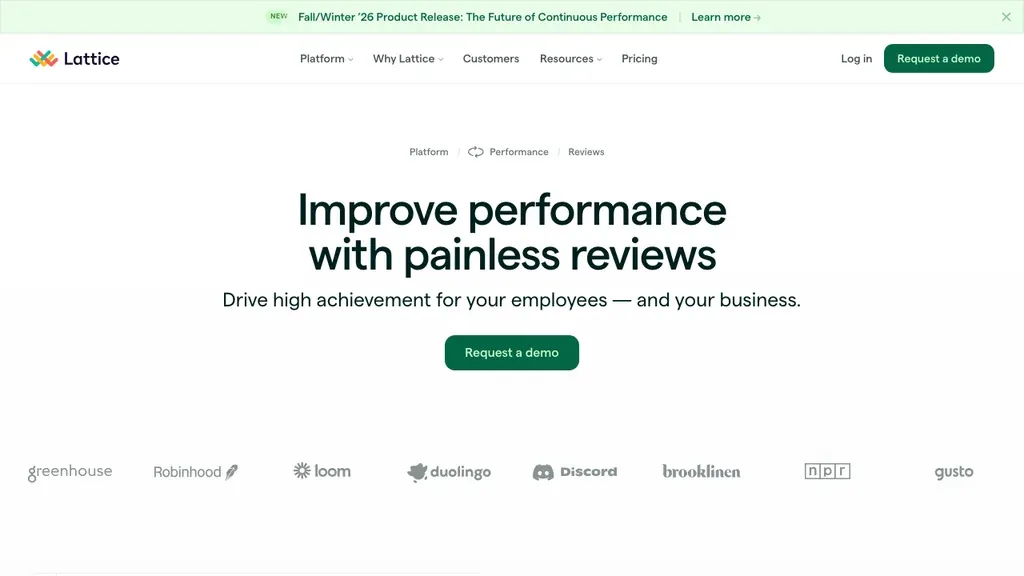
Best for: Culture-forward companies prioritizing continuous feedback, goals, and engagement surveys for knowledge workers and managers.
Who it's for: People ops teams building manager feedback habits at tech, professional services, or hybrid companies.
Pros: Strong performance and engagement UX; popular mid-market benchmark. Cons: Limited native hourly hiring stack; busy floor managers may not sustain weekly check-in cadences without simplification.
Verdict: Lattice shines for office-led performance programmes. It is a weaker sole system when you hire hundreds of hourly staff a quarter — simplify cadences for shift supervisors or forms will stall.
Many people teams expect Lattice on a mid-market shortlist. Keep it when HQ owns continuous feedback and engagement surveys; pair it with a frontline ops layer if you also need scheduling, time, and employee files. Ask for a mobile walkthrough with a real shift-lead persona before you assume weekly check-ins will stick.
PerformYard
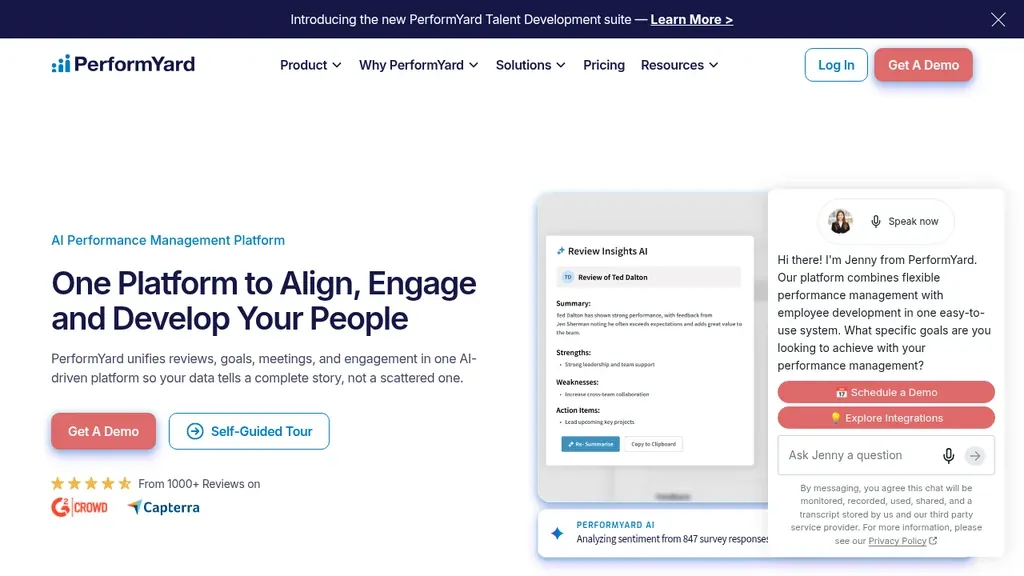
Best for: Mid-market organizations that want structured review cycles, custom forms, and HRIS integrations without enterprise HCM cost.
Who it's for: HR teams that already have hiring covered but need consistent templates across districts or brands.
Pros: Clear review workflows; flexible form design. Cons: Hiring and onboarding are not core — pair with an ATS or hourly hiring tool.
Verdict: PerformYard works when performance maturity and documentation are the gap — not applicant volume. Strong candidate when you need structured annual performance review cycles that can also support continuous check-ins.
Shortlist PerformYard when you need custom forms, reminder workflows, and clean exports for audits across multiple brands or regions. It will not replace an hourly ATS. Validate HRIS sync fields for job titles and locations so managers do not retype org data every cycle, and measure median form completion time on a peak-season week.
15Five
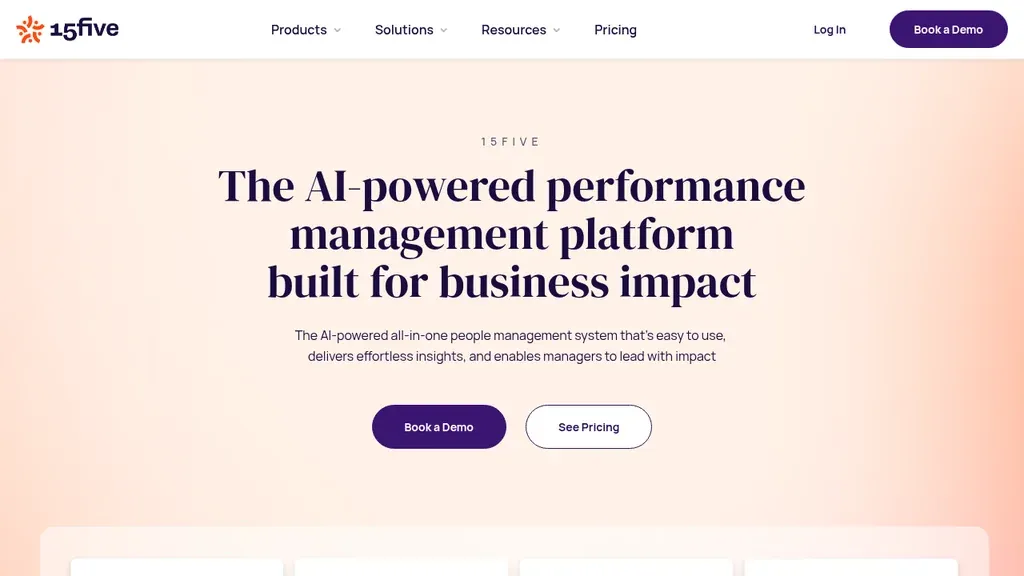
Best for: Teams that want weekly or bi-weekly check-ins, recognition, and lightweight continuous feedback instead of one heavy annual event.
Who it's for: People ops leaders building manager habits in hybrid or office-led organizations; less often the sole tool for high-volume hourly crews.
Pros: Strong continuous cadence; approachable manager UX. Cons: Weekly rituals can fail on busy floors unless forms are shortened; pricing is seat-based.
Verdict: Shortlist 15Five when your problem is feedback culture — then adapt cadence for shift supervisors (monthly or post-peak check-ins).
Office teams often love the weekly rhythm; shift teams usually need a lighter template and a longer interval. If you pilot 15Five with frontline managers, start with a five-question monthly form and only increase frequency once most reviews actually finish for two cycles in a row.
Leapsome
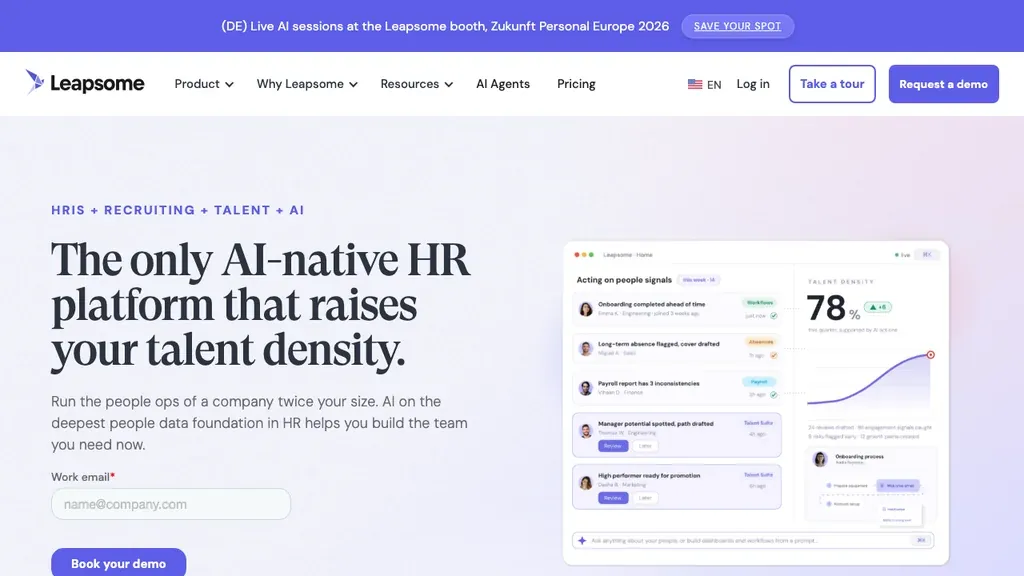
Best for: European and internationally distributed teams that want GDPR-aware performance, goals, and learning modules in one platform.
Who it's for: Mid-market people teams spanning DACH/UK/US with desk-heavy populations and growing floor teams.
Pros: Strong EU positioning; reviews + goals + learning. Cons: Not specialized for high-volume hourly hiring; implementation weight closer to mid-market HCM than a single-site café tool.
Verdict: Leapsome belongs on UK/EU shortlists when compliance narrative and continuous performance matter — validate mobile completion for shift leads.
Leapsome is a credible bridge for internationally distributed teams that want goals, reviews, and learning without jumping straight to Workday-class HCM. For hospitality or retail groups with UK/EU sites, pressure-test GDPR retention settings and whether floor managers can finish short reviews on a phone between services. If learning modules are unused, negotiate for the performance tier you will actually run.
Workday and SAP SuccessFactors (enterprise callout)
Enterprise performance suites such as Workday and SAP SuccessFactors own complex calibration, global compensation, and succession planning. They are rarely the fastest path for a 40-site hospitality group that needs mobile check-ins next month.
If you are already on Workday or SAP for core HR, use their performance modules and add a frontline ops layer for scheduling and files — do not rip out an enterprise stack for a lighter specialist tool. Shortlist them when multi-country compensation committees and board-level talent reviews are non-negotiable; otherwise treat them as a later-stage upgrade once review habits exist on the floor.
Rule of thumb: above roughly 500 employees with dedicated people-ops and IT integration capacity, enterprise HCM performance modules become realistic. Below that, implementation time and license cost often outweigh calibration features shift managers never open. If your RFP is driven by HQ but most headcount is hourly, split the evaluation — enterprise for salaried populations, mobile-first tools for sites.
Performance management software vs performance review, talent management, engagement, and HRIS
Buyers often mix nearby categories. Performance management software is the broader HR umbrella: goals, feedback, development, and often review modules in one product. Performance review software narrows to appraisal cycles and forms. Name the outcome you need this quarter so your RFP does not quietly become three products at once:
- Performance management software — cycles, feedback, goals, and documentation of development conversations (this guide).
- Talent management software — hire-to-retain lifecycle (ATS, onboarding, development, retention).
- Employee engagement software — pulses, eNPS, recognition, and culture surveys.
- HR software / HRIS — employee records, payroll hooks, and broad HR administration.
When each category should lead: Choose a review specialist when incomplete appraisals and missing signed records are the pain. Choose talent management when hiring volume and onboarding docs are broken. Choose engagement when you need pulse signal and recognition, not formal appraisals. Choose HRIS when employee master data and admin workflows are still in spreadsheets.
Start with this guide when your RFP says “performance management platform” or “performance management system.” Use the review guide when appraisals are the only gap; use talent or engagement guides when hiring or culture surveys are the bottleneck.
Lattice and BambooHR span multiple categories because modules overlap — shortlist by outcome (finished reviews, faster hiring, survey signal, cleaner files), not by vendor brand alone.
For shift operators, a durable pattern is ops plus files (Ordio or Connecteam) on the floor, with a lighter review module for HQ if needed. Revisit after two cycles before buying a full talent suite “just in case.”
Performance management vs competency management and 360 feedback
Competency management software tracks skills matrices, certifications, and role readiness evidence. 360-degree feedback software collects multi-rater input. Both can sit inside a PM suite, but they answer different questions: “Who is qualified for the next role?” vs “What did peers see?” vs “Are goals and reviews documented?” Link them — do not buy three overlapping products without an integration plan.
Use this quick map when procurement mixes categories in one RFP:
- Choose PM software first when the pain is unfinished reviews, missing goals, or no signed development history.
- Add competency management when certs, station qualifications, or care credentials must drive who can work — especially in healthcare and food service.
- Add 360 feedback for supervisors, store managers, and HQ roles — rarely for every hourly teammate during peak season.
- Layer analytics later when completion and headcount data need forecasting beyond form dashboards.
On shift floors, competency data should feed PM conversations (“ready for trainer badge”) instead of living in a separate spreadsheet. 360 cycles work best with short peer prompts and manager synthesis — not twenty anonymous essays per cook. If a vendor bundles all three, confirm you can turn modules off per role family so crew are not assigned HQ calibration workflows by mistake.
For analytics-heavy reporting on headcount and retention trends, see HR analytics software — operational PM tools rarely replace a people analytics warehouse.
Who should use performance management software?
A performance management system pays off when informal feedback no longer scales — multiple sites, probation risk, or audit questions about signed reviews. Typical buyers include:
- Multi-location operators — hospitality, retail, healthcare, and logistics groups that need the same review template across sites
- HR and people teams at 25–500 employees — enough headcount that spreadsheet reviews create compliance gaps, not so large that Workday-style calibration is mandatory on day one
- Managers with mixed desk and floor staff — one platform (or a deliberate two-tool stack) for supervisors, crew leads, and HQ
- Teams replacing annual-only rituals — moving toward quarterly or probation-driven check-ins without losing documentation
- UK, Ireland, and EU employers — groups that need retention limits, access controls, and exportable review history for GDPR-style requests (see FAQs)
Wait on a PM purchase if you still lack a single employee record per person, if every manager uses a different paper form, or if leadership has not agreed what “good performance” means for hourly roles. Fix employee management software or core HRIS first, then add performance modules.
It is the wrong category if you need finance planning or corporate budgeting (that is EPM, not HR PM) or if you only want annual engagement surveys without review documentation — use employee engagement software instead.
Continuous performance management, OKRs, and shift-floor cadences
Annual reviews concentrate judgment into one high-stakes conversation. They create recency bias, heavy admin spikes, and forms that sit unfinished when the floor is understaffed. Continuous performance management spreads feedback across the year — shorter check-ins, monthly 1:1s, or quarterly conversations — so managers correct course before peak season, not after.
OKRs (objectives and key results) often ship inside PM suites such as Lattice, 15Five, and Leapsome. They work well when teams already run quarterly goal rituals at HQ. On shift floors, translate OKRs into simple role outcomes — “pass food-safety audit,” “reduce late clock-ins,” “complete cert renewals” — instead of copying SaaS-style key results every crew member cannot influence. If your buyers only need lightweight goals, confirm the vendor supports short goal fields on mobile; if they need full OKR trees, shortlist continuous platforms and keep floor reviews on a separate short template.
On shift floors, “continuous” rarely means a weekly written essay. Practical patterns include:
- Probation 30/60/90 — short templates tied to role readiness
- Post-cert coaching — food safety, care credentials, or equipment training follow-ups
- Quarterly floor check-ins — five questions max, mobile-first
- Incident-triggered notes — documented coaching after guest or safety events
Pick software that supports those cadences without forcing an office OKR ritual onto every barista and care aide. A hybrid model works for many multi-site groups: continuous notes for hourly crew, plus one structured mid-year or year-end conversation for supervisors and salaried staff.
Whatever cadence you choose, prove two things in a pilot: managers can finish forms on a phone, and HR can retrieve a signed history later. If either fails, the continuous vs annual debate does not matter yet — fix completion first, then scale cadence.
Types of performance management tools
Performance appraisal software sits in the same product family as performance management software. Vendors use both labels for annual forms, continuous check-ins, or hybrid cycles. For shift teams, the useful taxonomy is cadence and who fills the form — not the marketing name on the homepage.
- Annual / cycle-based appraisal tools — structured forms, ratings, and sign-off windows (common in PerformYard and BambooHR-style HRIS modules).
- Continuous performance platforms — goals, 1:1s, and frequent feedback (Lattice, 15Five, Leapsome).
- Frontline / hourly ops stacks with review docs — mobile check-ins tied to roles, certs, and schedules (Ordio, Connecteam, TalentReef-adjacent workflows).
- 360° / multi-rater add-ons — peer and skip-level input; useful for supervisors, usually too heavy for every hourly role.
- Enterprise HCM performance modules — Workday and SAP SuccessFactors when global calibration is mandatory.
Most mid-size operators mix two types: a lightweight floor check-in plus a lighter annual summary for compensation or compliance. Pick the primary type that matches who actually opens the app on a Saturday night.
When vendors say “performance management software,” they often mean continuous platforms plus goals. This guide still focuses on performance management software — goal-setting, check-ins, reviews, and documentation that keep development moving — and points you to talent or engagement guides when the buying question is broader.
Example stacks: a café group might run Ordio or Connecteam for files and ops plus PerformYard for HQ review cycles; a US SMB with mostly desk staff might run BambooHR performance alone; a hybrid retailer might run Lattice for HQ and short mobile probation forms on the floor via a frontline hub. Decide which system owns signed reviews before you buy a second license.
How performance management software works
In practice, employee performance management software runs a short loop: HR sets a template, the system assigns reviewers, managers and employees fill forms on web or mobile, reminders chase incomplete items, and signed results land in the employee record.
- Configure — choose questions, rating scales, and who participates (self, manager, optional peers).
- Assign — map employees by location, role, or probation end date — critical for high-turnover hourly teams.
- Collect — push mobile-friendly forms; keep length under what a shift lead can finish mid-service.
- Discuss — use the form as a conversation guide, not a substitute for a five-minute floor talk.
- Store and act — save the signed output in employee files, then trigger training, schedule changes, or probation decisions.
Tools differ mainly in step two and three: whether assignment respects shift locations, and whether collection works offline or on a phone. If those fail, the rest of the workflow never starts.
Analytics come last: completion by site, overdue probation reviews, and average time-to-complete. Dashboards that ignore location and role usually hide the floor managers who need help most.
Self-assessments still matter for hourly staff when they stay short — three to five questions on a phone before the manager conversation. Skip long narrative boxes; use checklists and behavior examples (“handles guest complaints calmly”). Employees who see their input in the final record are more likely to sign off without disputes later.
Benefits of performance management software for shift teams
Software alone does not create a performance culture — but the right tool removes the spreadsheet failure modes that kill reviews after week one.
- More reviews finished — reminders and mobile forms beat emailed Word docs that vanish mid-service.
- Fairer documentation — the same template across sites reduces “manager favorite” free-text chaos.
- Faster probation decisions — milestones fire before the legal window closes, not after.
- Audit-ready history — signed reviews sit beside contracts and certs when disputes arise.
- Clearer coaching hooks — short check-ins surface cert gaps and role readiness before peak season.
Measure finished reviews on a busy site first — not how many goal fields appear in a vendor demo. If most forms still stall after two cycles, fix the template or change tools before you roll out company-wide.
Secondary gains show up in ops metrics: fewer missed probation endings, fewer “we never documented that” disputes, and cleaner handovers when a shift lead leaves. That is why frontline teams should not copy an office goal playbook without editing it for floor time.
Track a small scorecard in the pilot: review completion rate by site, median days to finish after assignment, probation outcomes documented before end date, and repeat coaching themes (lateness, guest service, safety). Many teams treat 70%+ completion on a busy site after two cycles as a green light to expand — if you are far below that, shorten forms or change reminders before adding seats.
Performance management software integrations
Even strong performance management tools fail when employee data is retyped every cycle. Before you buy, confirm how the product connects to the rest of your stack:
- HRIS / employee records — automatic sync of job title, site, manager, and employment status (BambooHR, Workday, or your employee management software system of record)
- Payroll and time — stable employee IDs from time tracking or payroll so reviews attach to the right person after turnover
- Collaboration — Slack, Microsoft Teams, or mobile push for reminders managers will actually see
- Learning and competency — export or native links to training when a review flags a cert gap (see competency management software)
- Analytics — CSV/API export to a warehouse when you outgrow built-in dashboards (often paired with HR analytics software later)
Ask for a written integration map in the pilot — “we integrate with everything” is not a data model. You need field-level sync, conflict rules when HR edits a title mid-cycle, and export of signed reviews if you switch vendors in two years.
For multi-site groups, test what happens when a worker transfers locations mid-cycle: does the review follow the employee, reset assignments, or break reporting? That edge case exposes weak HRIS mappings faster than a demo script.
Key features for hourly and shift-based teams
When you compare employee performance management software for deskless workforces, prioritize:
- Mobile-first completion — supervisors can finish forms mid-shift
- Short, role-based templates — different forms for hosts, cooks, nurses, and store leads
- Probation and cert milestones — reminders linked to tenure and credentials
- Manager load realism — skip weekly rituals that conflict with peak trading
- Audit-friendly storage — outcomes land in employee files, not personal email
- Integrations — HRIS IDs, Slack/Teams nudges, exports to payroll or learning tools
Pressure-test the product with real vertical paths: hospitality on a Saturday peak with service-standard language; retail with a district manager reviewing several stores in one afternoon; healthcare and care with clinical competencies and mandatory training beside performance notes — expired certs belong in employee files, not only in a comment field.
Also ask whether the tool supports different rating scales by role family. A five-level corporate scale that works for desk managers can confuse hourly crews. Many operators switch to behavior checklists (“meets service standard / needs coaching”) for floor roles while keeping numeric scales for salaried supervisors. Software that cannot fork templates by role forces one awkward form onto everyone.
Security and permissions belong on the same checklist: shift leads should see only their team’s forms; HR sees all sites; employees can read (not edit) signed outcomes. Confirm SSO, role-based access, and offboarding — leavers should lose manager permissions the same day they are deactivated in the HRIS.
Performance management software pricing (what teams actually pay)
How much does performance management software cost? As of September 2026, SMB seat-based plans commonly land between about $4 and $12 per user per month, depending on modules (reviews only vs goals + engagement). A 50-person team at $8/user is roughly $400/month before implementation. Location-based stacks (like Ordio) can cost less for high-turnover hourly headcount because you are not paying a full seat for every seasonal hire.
Illustrative math for a 120-person hospitality group with 30 seasonal peak hires: a $10/user plan can bill about $1,500/month if every seasonal worker gets a seat — even if they only need two probation reviews. Per-location pricing often looks higher on paper but wins when turnover is structural.
Budget for:
- Implementation and template design — often underestimated
- Module creep — engagement and learning add-ons
- Inactive seats — leavers who still bill until cleaned up
- Admin time — chasing incomplete reviews costs more than the license
Ask vendors for a quote on your peak seasonal headcount, not your quietest month. Request a written list of what is included in the base tier — “performance” marketing often hides paid goal, engagement, or analytics modules behind the list price.
UK and EU buyers: published list prices are often USD per seat; Leapsome and Ordio quote in EUR for DACH/UK deals, while US listicles anchor on dollars. Convert using your billing currency, include VAT where applicable, and ask whether data residency in the EU/UK is included or an add-on.
How to choose performance management software in 5 steps
- Define the outcome — probation completion, quarterly floor check-ins, or documentation for disputes — not “buy whatever won last year’s people-ops bake-off.”
- Map who fills the form — shift leads vs HR generalists; design for the real primary user.
- Shortlist three tools — one frontline-mobile, one SMB HRIS + reviews, one specialist continuous tool.
- Pilot for two cycles — one busy site; track finished reviews and median time-to-complete.
- Check integrations and data exit — you must export review history if you switch vendors.
Involve floor staff in the pilot. Software that only impresses in a head-office demo will fail on a peak Friday. Write a one-page brief before demos: roles in scope, form length, reminder channel, success bar (most reviews finished, median form time under ten minutes, no missing signed probation records), and who owns overdue items.
Before you sign, decide the system of record: where the signed PDF or digital acknowledgement lives, who can edit historical ratings, and how leavers’ reviews are retained. Those governance answers matter more than another AI writing assistant in the proposal.
Common mistakes when buying performance management software
Most failed rollouts share the same pattern: the tool was chosen for a demo audience that never fills the form on the floor.
- Buying for HQ taste only — continuous OKR suites look great in a people-ops workshop and stall with shift leads.
- Forms that are too long — if a review takes twenty minutes, it will not finish mid-service.
- Ignoring assignment by location — global “everyone due Friday” waves break multi-site schedules.
- No system of record — PDFs in email are not an audit trail; signed reviews need a home in employee files.
- Skipping the busy-site pilot — quiet Monday demos hide Friday-night failure modes.
- Letting AI draft ratings without manager review — automated summaries are fine for prep; signed records still need a human who was on the floor.
- Ignoring union or works-council rules — in EU markets, rating schemes and monitoring may need consultation before rollout.
Fix the process and template length before you blame the vendor. Software amplifies the cadence you already run — it will not invent manager time you do not have.
First 30 days: implementation checklist
After you pick a tool, the first month should prove completion — not configure every module. Assign owners: HR owns templates and reporting; IT or ops owns HRIS sync; area managers own completion on the floor.
- Week 1 — import one site’s employees; map roles and probation end dates; pick a 5–8 question template; document system of record for signed PDFs.
- Week 2 — train shift leads on mobile completion (15-minute huddle, not a one-hour webinar); set reminders; designate who owns overdue items per site.
- Week 3 — run the first cycle on that site only; measure completion rate and median time-to-complete; collect two verbatim manager complaints about form length.
- Week 4 — export a sample signed review; confirm it lands in the employee record; cut unused questions; present completion stats to leadership before site two.
Only then expand to a second site. If week three still leaves a large share of reviews unfinished, shorten the form or change the reminder channel before you scale licenses.
Where Ordio fits (honest guide)
Ordio fits well when:
- You run multi-location shift operations and need employee records, scheduling, and time in one stack
- Performance conversations should sit beside certs, contracts, and role history — not in a separate spreadsheet
- You want location-based pricing that does not punish high-turnover hourly headcount
Ordio is not the best fit when:
- You need enterprise 9-box succession, compensation calibration, or deep OKR programs
- Your only gap is office-led continuous feedback for knowledge workers (Lattice, 15Five, Leapsome)
- You want a pure review specialist with no ops footprint
Be direct in the RFP: Ordio is a partial fit for buyers comparing desk-first performance suites. It wins when review documentation must live next to real shift operations — and when location-based pricing matters more than per-seat goal dashboards.
Many operators run a hybrid intentionally: Ordio for files, scheduling, and time; a specialist review tool for HQ-driven cycles. That is fine — budget the admin of keeping employee IDs aligned, and decide which system owns signed reviews.
If you score Ordio only on continuous-feedback depth next to Lattice or 15Five, it will look incomplete. Score it on frontline documentation and ops adjacency — that is where it earns its place on this list.
Related guides for shift-based teams
If reviews are only one part of the people stack, these sibling guides each answer a different buying question:
- 360-degree feedback tools — multi-rater / peer cycles when manager reviews alone leave blind spots
- Talent management software — hire-to-retain workflows beyond the review cycle
- Competency management software — role readiness, certificates, and evidence of who can work which station
- Employee engagement software — pulses, recognition, and culture surveys
- HR software — broader HRIS umbrella and admin
- Workforce management software — rotas, labor cost, and compliance reporting
- Employee management software — records-first stacks before you add review cycles
- HR analytics software — headcount, turnover, and people metrics beyond form completion
- Performance review software — when appraisals alone are the gap
Product pages that often sit beside a review rollout: employee files, shift planning, time tracking, absence management, and Ordio pricing. For industry context, see hospitality, retail, and healthcare.
Conclusion: pick the right performance management software for your team
The best performance management software is the one managers actually finish — not the one with the longest feature list. Shortlist for shift-team fit, pilot on your busiest site, and keep reviews tied to roles, certs, and employee records.
If you need operations and files together, try Ordio. If office continuous feedback is the gap, compare Lattice, PerformYard, 15Five, or Leapsome on the same completion metrics. If hiring is still broken, fix that with TalentReef or your ATS first — performance tools will not fill an empty bench.
After 90 days, revisit pricing and completion rates. Keep the platform shift leads still use when the floor is full — and that HR can defend in an audit without digging through email.
Frequently asked questions about Performance Management Software for Shift Teams
What is performance management software?
Performance management software is HR technology that supports goal-setting, feedback, development planning, and often formal reviews in one place. Vendors also call it a performance management system, performance management platform, or employee performance management software. It is not finance enterprise performance management (EPM) or IT application monitoring — this guide covers workforce people performance for teams that need signed review history, not corporate budgeting tools.
What is the best performance management software?
There is no single best performance management software for every company. Office SMBs often shortlist Lattice, 15Five, or Leapsome; teams that need structured annual cycles look at PerformYard or BambooHR; frontline groups compare Connecteam and Ordio when reviews must sit beside schedules and employee files. Match the vendor to desk vs hourly mix, use the comparison table in this guide, and pilot on a busy site before you scale licenses.
What are the five best tools for performance management?
“Best” depends on who fills the forms. For shift-heavy SMBs, five tools that often land on frontline shortlists are Connecteam, PerformYard, BambooHR, Lattice, and Ordio when ops and records must stay together. For mostly desk teams, Lattice, 15Five, Leapsome, PerformYard, and BambooHR are common picks. Compare features in the comparison table in this guide, then run a two-cycle pilot on your busiest site — rankings from generic listicles rarely match floor completion rates.
What are performance management tools?
Performance management tools are the modules inside a platform — goal trackers, 1:1 templates, review forms, calibration views, and reminders. Some organizations buy a dedicated PM suite; others use an HRIS performance module plus ops software for shift teams. The label matters less than whether managers finish check-ins on mobile and HR can export signed review history for audits.
How much does performance management software cost?
As of September 2026, SMB seat-based performance management software often costs about $4–$12 per user per month for reviews plus goals, depending on modules. A 75-person team at $8/user is roughly $600/month before implementation. Location-based ops stacks can beat per-seat math when seasonal turnover is high — model peak headcount, not quiet-month averages, and confirm what is included in the base tier.
What is the difference between performance management software and performance review software?
Performance review software focuses on appraisal cycles, forms, and sign-off. Performance management software is broader — goals, continuous feedback, development, and reviews in one workflow. If appraisals are your only gap, read our performance review software guide; return here when buyers ask for a full performance management system or platform.
What is enterprise performance management (EPM) software?
Enterprise performance management (EPM) usually means finance planning, budgeting, and corporate KPI reporting — not HR goal-setting for employees. Search also mixes in corporate performance management and business performance management tools aimed at finance teams. If you need workforce development and review documentation, ignore EPM vendors and shortlist HR performance platforms from this guide instead.
What is the best performance management software for small business?
For performance management software for small business, US teams under about 50 seats often start with PerformYard, 15Five, or BambooHR modules. Deskless crews compare Connecteam; EU multi-site operators compare Ordio when files and scheduling must stay unified. Avoid enterprise suites until you need global calibration — implementation time often exceeds SMB benefit, especially when managers still run reviews on paper.
How is performance management software different from talent management software?
Talent management software spans hiring, onboarding, succession, and retention across the employee lifecycle. Performance management software focuses on goals, feedback, and development for people already on payroll. Many suites bundle both — see our talent management software guide when recruiting and succession are still the main pain.
Does performance management software include employee engagement surveys?
Some performance management software platforms bundle pulses and eNPS with review and goal modules (for example Lattice, 15Five, or Leapsome). Others ship review-only workflows without culture surveys. If engagement is the primary gap, start with employee engagement software; add PM when goal governance and signed review documentation are the missing layer.
What performance management software works for shift-based teams?
Shift teams need short mobile forms, probation milestones, and records tied to sites — not year-long OKR workshops. Ordio, Connecteam, and TalentReef-adjacent workflows fit floor reality; office-first tools can work for HQ staff only. Pilot completion on a peak service day before you roll company-wide, and store signed outcomes in employee files or your HRIS system of record.
Is performance management software GDPR-relevant in the UK and Ireland?
Yes. UK and Irish employers must store review notes and ratings with a lawful basis, retention limits, and access controls. Choose a performance management system with EU data residency options, exportable audit trails, and role-based permissions. Document who can see manager notes — especially when shift leads share devices on the floor — and align retention with your HR policy.