Healthcare & care
Healthcare staff scheduling Duty rosters and time tracking for care teams
Workforce software for 24/7 care, rotating shifts, qualifications, and cover in one place.

















Shift scheduling for health & care
Less planning stress
Fewer phone trees and paper lists, shifts and changes are visible to everyone.
More time for care
Less admin work, more focus on patients and teams on the floor.
Fully documented
Hours and shifts recorded clearly, the basis for payroll and internal audits.
Planning that fits everyday care
In health and care, shifts, skills, and cover change constantly, spreadsheets are not enough.
Ordio combines duty rosters, time tracking, and team communication so leaders see availability, shifts, and actual hours in one place.
That frees capacity for what matters: safe care and a resilient team.

Nursing rosters with real visibility
Plan early, late, and night shifts with qualifications, availability, and cover, in care homes, community care, or hospitals. Ordio brings deployment and duty rosters into one system so care leads and HR see gaps earlier. Fewer phone chains on short-notice absences, more predictability in 24/7 operations.
Time tracking for care staff
Care staff clock in on the app or a terminal. Breaks, premiums, and night shifts are captured automatically and stay documented. You compare plan vs. actual without duplicate Excel work. Data is ready for reporting and payroll prep, always validate processes against your policies and professional advice.
Payroll prep structured
With Payroll Plus, duty rosters and time tracking flow together, premiums, absences, and corrections reach payroll in a structured way. You cut manual transfers between care management, admin, and payroll. Especially with rotating shifts and turnover, that saves reconciliation time every month.
Digital employee files for care & HR
Contracts, qualifications, and documents live centrally in the digital employee file, for HR, care leads, and admin without disconnected tools. You find paperwork faster and keep track of credentials and master data. The employee file complements the operational rota with the structural side of workforce planning in healthcare.
Everything for your care team, in one place
Planning, absences, reporting, and handover checklists, for care homes, community services, and hospital teams.

Reporting and analytics
See labour cost, utilisation, and hours by unit or site, as a base for roster planning and management reviews. Reports do not replace clinical workforce planning, but they help with plan-vs-actual and bottleneck spotting. Less manual reporting from several lists.





Absence management
Holiday, sickness, and cover run centrally, staff see the live rota in the app and submit absences in a structured way. You react faster to last-minute absences without private chats as the planning channel. That makes life easier for care leads and admin in continuous operations.

Nano – planning support
Nano supports your Ordio workspace with recurring staffing questions, cover, open shifts, or the next planning step. People on site keep the final decision; Nano speeds up routine and research. Useful with complex shift patterns and several wards or teams.
Tasks and checklists
Handovers, hygiene, and care checklists live in the app, clear for the team on the ward. Fewer missed steps at shift change, less paper at the station. Checklists complement duty rosters and time tracking in daily care operations.
Real success stories
See how other businesses use Ordio in practice
In our spotlight videos, hospitality, retail and service teams share how they optimize employee scheduling and shift planning, capture time and organize people with Ordio: first-hand stories from teams who use it every day.

“With Ordio we see all working hours at a glance, qualifications, perfect shift coverage, one tool for everything. That saves time and money.”
Marco Cohrt
Managing director

“With Ordio we manage studio staff nationwide efficiently and scale new locations much more easily.”
Maria Graffelder
YTTP

“We use Ordio at LANXESS arena for our entire workforce organisation.”
Stefan Löcher
Managing director, ARENA Management GmbH

“It's an absolute relief for our practice day-to-day. No more paperwork or Excel chaos.”
Dr. Verena-Vanessa Lehmann
Zahnarztpraxis Lehmann Lötzerich
“Ordio saves us 40% of the time we used to spend on workforce admin each week.”
Fabian
HR & procurement lead
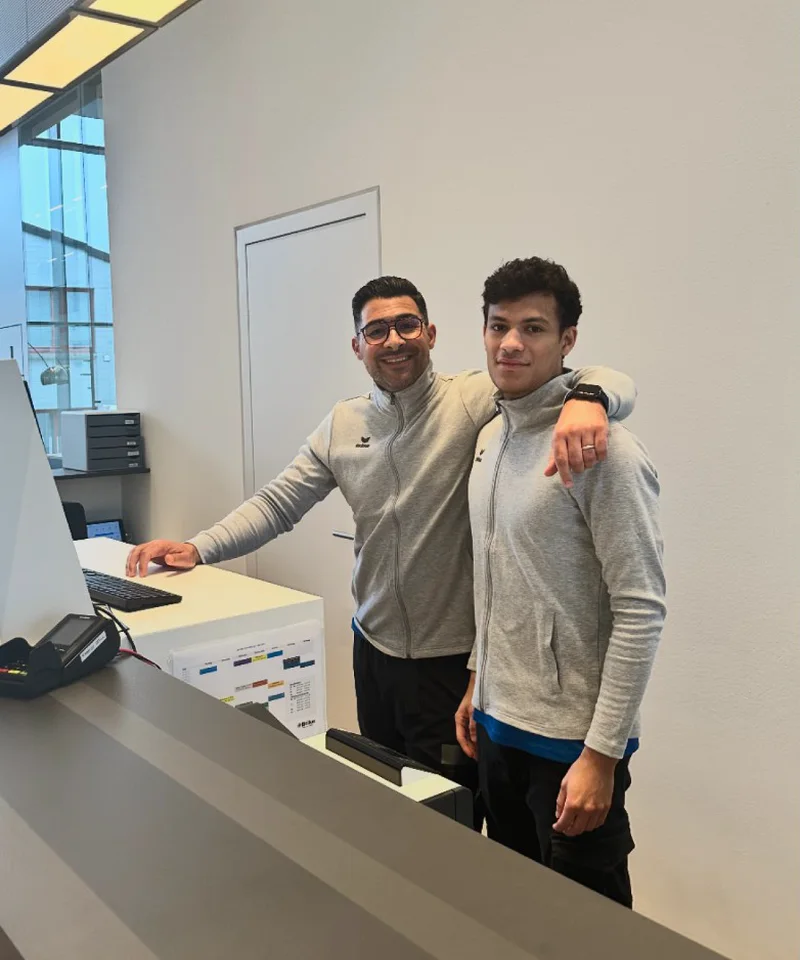
“Ordio makes shift planning easier for our diverse team of therapists and trainers, so we can focus on patient care.”
Bilal Al-Sarray
Praxis Bilal

“Ordio gives us efficient shift planning and better team communication, clear and easy to customise.”
Jenifer Patrix
Operations manager

“With Ordio I opened a second shop without losing oversight.”
Maren Ernst
ERNST Kaffeeröster

“Ordio makes our day-to-day easier, the team organises itself and admin work is much lighter.”
Meike Mirbach
Studio manager

“Ordio saves us hours of planning every week. That leaves more time for the craft.”
Grischa Herbig & Caspar Krings
Feinripp & Gold
“With Ordio we finally have software that meets the specific needs of our diverse services.”
Jörg Fischer
Head of social care
Connect your integrations

Frequently asked questions about healthcare workforce planning with Ordio
What does Ordio do in the healthcare sector - and for whom is it worthwhile?
Ordio bundles operational HR work in shift operation: duty and shift planning, time tracking, team communication and - depending on requirements - absences for nursing, clinics, practices or other medical facilities. This makes sense if you work 24/7 or rotating shifts, have several areas or locations and want to control the schedule, actual times and substitutions from one system - instead of paper, Excel and chat.
What is the difference between duty roster and shift plan in nursing and hospital?
Colloquially, many people mean the same thing: the planned deployment of teams over days and weeks. "Duty roster" often emphasizes the billable duty in the calendar, "shift schedule" the division into shifts (early, late, night). In Ordio, you create templates and rules and see conflicts early on - regardless of which term your company uses internally.
How do you plan staff for 24-hour operation or rotating shifts?
You define requirements per station or area, enter availabilities and qualifications and fill the duty roster with recurring patterns (incl. night and weekend shifts). Short-term absences are compensated for by substitutions - in Ordio you can see gaps early on instead of maintaining lists for each station. This keeps track of who is on duty and when.
Do working hours have to be recorded in care facilities and clinics - and how does Ordio help?
In Ordio's core DACH markets (Germany, Austria, Switzerland), employers must document working hours systematically and comprehensibly; details and organization continue to evolve with legislation and case law - including in the healthcare sector. With Ordio, you can record the start, end and breaks digitally and make them available for evaluations and payroll preparation. In-depth information (based on German rules): Guide: compulsory time tracking (German article).
How are shift schedules and time recording related in Ordio?
Scheduled shifts from the shift plan and stamped times from the time tracking are in one platform: you recognize deviations earlier and avoid duplicate maintenance. You can use the data for reports and - where set up - for payroll without making Excel exports standard.
How does Ordio support multiple locations, stations or divisions?
You create locations, teams or stations in Ordio and plan per area or across the board: roles, shifts and substitutions remain traceable in one system. Managers work with clear rights; the organization maintains an overview of requirements and staffing - less coordination in individual chats, more clarity in the duty roster.
Can employees view services and submit absences digitally?
Yes. Via the Ordio app, employees can see their shifts, swap or request shifts depending on the setting and submit vacation or sick leave in a structured manner. For the facility, this means fewer queries to the planning department and a faster response in the event of absences.
When is it worth using software instead of Excel or paper for the duty roster?
Tables are often enough for a small team with a stable rhythm - as soon as several stations, 24-hour operation or many part-time employees are added, the coordination effort increases. Software such as Ordio centralizes schedules, availabilities and times so that you need to ask for less and still remain transparent. Typically, it is worth switching if planning errors regularly cost you time, quality or peace and quiet in the team.
Where does Ordio stand between a pure time clock and a large HR suite?
Ordio focuses on operational staff in shift work: scheduling, recording, absences, app and extensions - without the need for a full enterprise HR suite. Simple time clocks often only cover recording; Ordio combines schedules and times so that you don't have to jump between isolated tools. You can usefully supplement broader HR processes with specialist areas or suitable integrations.
Are there interfaces or data flows in the direction of wages and payroll?
Is Ordio suitable for medical practices, pharmacies, outpatient care or laboratories?
Yes, as soon as you organize shifts, on-call duty or extended opening hours. Ordio is not limited to one type of facility: practices, pharmacies, outpatient care, inpatient care or clinics benefit from managing duty rosters and times centrally - instead of being optimized for just one location. You start with the modules that make your everyday life easier.
How does Ordio handle sensitive data in shift and time management?
Plan and time data belong in a system with role rights - not in open chats or unprotected tables. Ordio hosts in the EU, documents processing transparently and provides contracts for order processing. If you have any questions about storage or the works council, consult with data protection; you will receive technical details during onboarding.
What are the benefits of a shift planning app in nursing - and when is it worthwhile?
A shift planning app bundles tours, shifts and availabilities on the go - nursing staff can see their assignments, you can see gaps and qualifications earlier. It becomes useful as soon as several teams, on-call duty or changing shifts exceed the planning effort in Excel. Ordio combines shift planning with time tracking and absences so that planned and actual times are not stored in separate tools.
Is free care planning software enough - or when do you need more?
Freeware or free tools are often sufficient for very small teams with few shifts - as soon as qualifications, 24-hour operation, multiple locations or proof of payroll preparation are added, roles, exports and support are usually missing. Then a professional solution such as Ordio is worthwhile: central planning, time tracking and evaluations without disconnected spreadsheets between the station, office and payroll.
How do you get to the next step - consulting or pricing?
If you manage nursing or medical staff with complex services, it's worth taking a guided look at your day-to-day planning: and discuss specific scenarios (wards, night shift, substitutions). For commercial key data, you can see the packages under prices.
Get started for free & discover Ordio for healthcare
Create your free Ordio account in minutes, no payment details and no contract. Explore scheduling, time tracking, and team workflows directly in the product.
Questions or prefer to start together? Our team helps with setup and rollout, optionally as a personal walkthrough.