Employee app
The app your team loves
Your team handles shifts, time tracking and leave in the app. You save time, cut paperwork and focus on what matters.
- Shift
- Clock in
- Leave
- Team
Employee app
Mon, 12 Mar
08:00 – 16:00
Ready to clock in
3 days · 24–26 Mar

Max swapped a shift …
Shift
How it works
Your team works independently, you save time
Shift planning, time tracking, leave — it all runs through the app. Your team handles tasks themselves; you get more time for what matters.
Shifts always in view
Fewer questions, less coordination: your team always has the rota at hand. That leaves you more time for reliable, relaxed planning.
Reliable time tracking
Clock in and out via the employee app, tablet terminal app or hardware terminal.
Request leave in one tap
Your team requests leave in the app; you see balances live. Approve with a tap — no email chaos or paperwork.
Task management in the app
Checklists are completed digitally — with photo proof and digital signatures. Audit-ready evidence without folders of paper.
Documents stored digitally
Documents can be uploaded directly in the app and stored securely in the personal profile — always at hand, without paper or missing files.
Important updates reach everyone
Broadcasts go straight to the phone via push. No team meetings for simple updates, no email floods — everyone stays informed.
The app and Ordio Workspace share the same data — always in sync.
Shift planning without back-and-forth
Your team sees the rota, sets availability and applies for open shifts. You plan more efficiently without constant questions.
- Shifts are always up to date — no more “when do I work?!” calls
- Availability is captured directly in the system
- Shift applications fill gaps automatically
- Real-time updates help prevent double bookings
Minute-accurate time tracking
Staff record working time to the minute in the app. Breaks are tracked reliably — automatically or manually. That saves effort and supports correct payroll data.
- Simple clock in and out
- Breaks recorded automatically — fewer corrections
- Optional GPS-based time capture on site
- Recorded times are stored automatically on the employee profile
Request leave in one tap
Your team requests leave in the app; you see balances in real time. Approve or decline in a click — no email ping-pong or paperwork.
- Leave balance shown live — fewer “how much leave do I have left?” questions
- Requests land with you directly — no inbox chaos
- Approve or decline with one tap
- Status updates instantly — your team always knows where things stand
Documents & messages reach everyone
Important documents, checklists and broadcasts land on your team’s phones. Push notifications help ensure nothing is missed — without email overload.
- Upload documents once — everyone who needs them has access
- Push notifications instead of email floods
- Broadcasts reach everyone immediately — no meetings for simple updates
- Checklists completed digitally — compliance without paper
For you
What you get from it
Concrete benefits for founders and managers: more time for priorities, less admin, better planning confidence.
For founders & managers
- Up to 10 hours less admin work per week
- No manual time tracking — everything digital
- Data always current — no outdated spreadsheets
- Fewer calls and emails — your team finds answers themselves
- Audit-ready evidence without paperwork
- Smoother payroll runs — fewer corrections
- Save cost through leaner processes
For your team
- Easy-to-use interface
- Mobile use from anywhere
- Self-service for shifts, hours and leave
- Always informed about changes
- Works offline when needed
- Fast answers to common questions
- Simple to use — no training required
The comparison
Mobile app vs web-only vs manual
Why mobile matters: your team works flexibly while you keep oversight — without fixed terminals or office PCs.
Swipe horizontally to see all columns.
| Feature | Mobile app | Web only | Manual |
|---|---|---|---|
| Time tracking on the go | |||
| View shifts | |||
| Request leave | |||
| Push notifications | |||
| Offline features | |||
| Mobile optimization | Partially |
Seamless integration
Seamlessly connected to Ordio Workspace
What happens in the app shows up immediately in Workspace — and vice versa. Always in sync, no manual transfer.
Real-time sync
Changes appear instantly whether made in the app or Workspace — no delay, no manual updates.
Secure data
All data is stored securely on servers in Germany — GDPR-compliant and encrypted.
Cross-platform
Use the app on iOS or Android, or access Ordio Workspace in the browser — everything stays in sync.
Real success stories
See how other businesses use Ordio in practice
In our spotlight videos, hospitality, retail and service teams share how they optimize employee scheduling and shift planning, capture time and organize people with Ordio—first-hand stories from teams who use it every day.


“With Ordio we see all working hours at a glance — qualifications, perfect shift coverage, one tool for everything. That saves time and money.”
Marco Cohrt
Managing director

“With Ordio we manage studio staff nationwide efficiently and scale new locations much more easily.”
Maria Graffelder
YTTP


“We use Ordio at LANXESS arena for our entire workforce organisation.”
Stefan Löcher
Managing director, ARENA Management GmbH

“It's an absolute relief for our practice day-to-day. No more paperwork or Excel chaos.”
Dr. Verena-Vanessa Lehmann
Zahnarztpraxis Lehmann Lötzerich



“Ordio saves us 40% of the time we used to spend on workforce admin each week.”
Fabian
HR & procurement lead
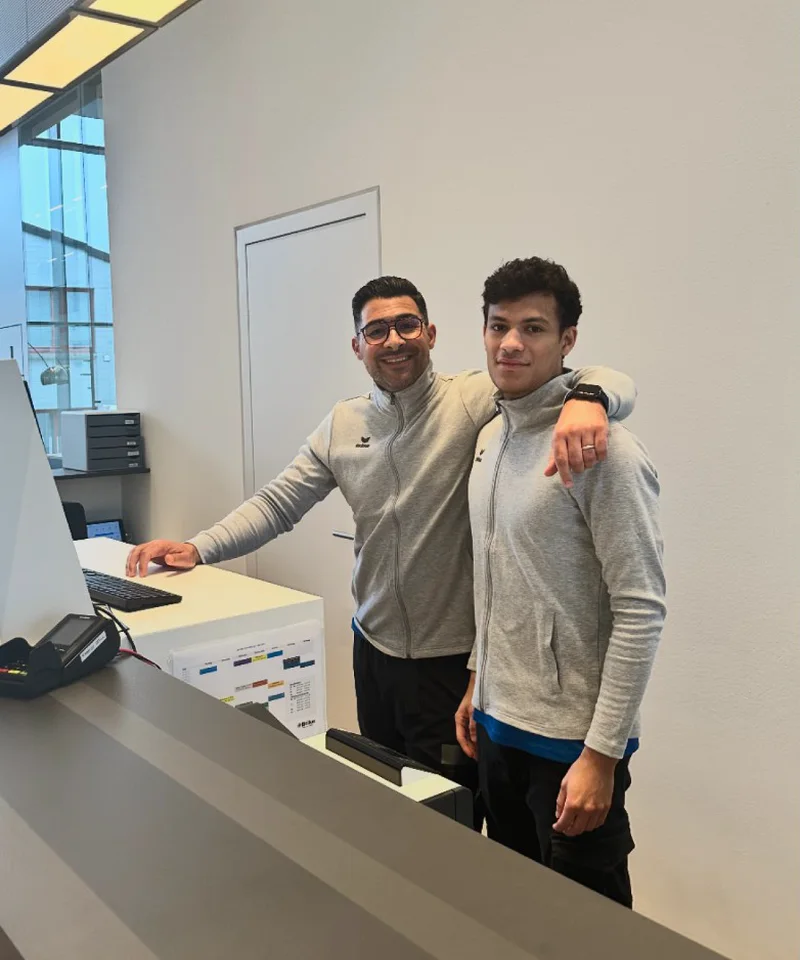
“Ordio makes shift planning easier for our diverse team of therapists and trainers — so we can focus on patient care.”
Bilal Al-Sarray
Praxis Bilal

“Ordio gives us efficient shift planning and better team communication — clear and easy to customise.”
Jenifer Patrix
Operations manager

“With Ordio I opened a second shop without losing oversight.”
Maren Ernst
ERNST Kaffeeröster

“Ordio makes our day-to-day easier — the team organises itself and admin work is much lighter.”
Meike Mirbach
Studio manager

“Ordio saves us hours of planning every week. That leaves more time for the craft.”
Grischa Herbig & Caspar Krings
Feinripp & Gold
“With Ordio we finally have software that meets the specific needs of our diverse services.”
Jörg Fischer
Head of social care
Customer story
From the floor

“We use Ordio for time tracking, shift planning, checklists and much more…”
Frequently asked questions about Employee app
What is the Ordio employee app?
The Ordio employee app is the mobile app for your employees: Your team sees shifts and schedules, records working hours, submits absences and completes checklists and documents - always synchronized with the Ordio Workspace in the browser. This way, the team works with the same live data as the administration and you reduce queries and media disruptions in everyday life.
Who is the Ordio employee app suitable for?
The employee app is aimed at employees and managers who manage shifts, times and HR tasks on the move - for example in the catering, retail, logistics or care sectors. Companies with rotating shifts or many locations benefit in particular because information is maintained centrally and everyone only sees what their role allows. Ordio remains a platform: the app complements the web and terminal without replacing them.
How does the employee app relate to Ordio Workspace?
App and Ordio Workspace share the same database. What you plan or approve on the web appears in the app - and vice versa, stamps, requests and completed lists flow back into the system. You can find additional interfaces and partner tools in the Ordio App Store if you want to network processes beyond Ordio.
On which devices does the employee app run and where do you download it?
The app is available for iOS and Android . Your team installs the app on their private smartphone via the respective app store; access is granted with the Ordio login data that you provide as an organization. You can also use Ordio in the browser - useful for back office and setup. This way, each channel remains consistent without you having to maintain separate stand-alone solutions.
What is the difference between Ordio Terminal and the employee app?
The Ordio Terminal is suitable for shared time clocking on a device in the company (e.g. with a PIN on the terminal). Each employee uses the employee app on their own smartphone with a personal login. Both channels record time on the same device - you decide for each role or workstation whether mobile, stationary or a combination makes sense. Details on rules and devices can be found on the working-time-recording page.
What tasks can employees perform in the Ordio app?
Typically, you can view shifts , record the start and end of work, take breaks and make corrections according to your specifications, request absences and view statuses. There are also checklists, documents, dashboard information and push notifications - depending on what you activate in the workspace. This keeps the team's day-to-day work in one interface instead of spread across chat and notes.
How do employees see their shifts and are informed about changes?
Shifts appear in calendar or list view with time, location and area as soon as the plan is in the workspace. When changes are made, push notifications and in-app notifications help to ensure that no one is working on outdated paper plans. For planning logic and fair distribution, the employee scheduling on the web is also worthwhile - the app shows the result in a way that is easy for employees to understand.
Can working hours be recorded via app?
Yes, employees can stamp working times on the move , map breaks and - depending on the settings - use location reference or correction processes that you define in the workspace. This does not replace legal assessments in individual cases; for requirements, evaluation and terminal topics, we bundle the depth on the working-time-recording page, while the app covers everyday life for the team.
Is the Ordio employee app GDPR compliant?
Ordio processes HR data in the EU under UK GDPR / GDPR ; hosting is in Germany (EU) , including for UK-based teams. Configure roles, access and DPAs with your organisation and DPO. App and workspace keep sensitive HR data out of unmanaged channels.
How do you get started with Ordio and the employee app?
First you set up Organization, locations and roles in Ordio Workspace and invite employees. The team then installs the app and logs in with the assigned access data. For a guided introduction to the system, you can arrange a demo ; test phases run via the usual Ordio onboarding processes; the sales or success contact will give you details.
What does Ordio including employee app cost?
The employee app is part of the Ordio scope of services of the plans - you do not pay separately per installed app, but according to the selected package and location model. Current prices, scope of services and terms can be found on the prices page. This allows you to keep cost planning and feature access transparent without expecting hidden app fees.
Are there any integrations besides the employee app?
Yes. You can use the Ordio App Store to connect partner tools and interfaces to your workspace - regardless of whether employees are working on the web or in the app. This allows you to connect payroll, accounting or special solutions without the team having to maintain separate logins for each system. You control the scope and activation administratively.
Where can you get help with questions about the employee app?
You can reach support and documentation via the familiar Ordio channels : Write an email to support@ordio.com or use the contact persons named in your contract or onboarding. Sales is responsible for commercial and contractual issues; support with access to your workspace can help with technical problems. This keeps the escalation clear - from the individual app to the platform.