Product updates

What's new in Ordio?

  • Shift planning & time tracking
  • Payroll & HR
  • Updated monthly

New features

Major releases with image, teaser and detail page — from shift planning to time tracking.

Other improvements

Smaller fixes, performance improvements and UX details from recent releases.

  • Improvement
    Desktop

    Send birthday greetings to your team

    From the birthday widget on the dashboard you can now send birthday greetings to your employees with one click. Of course you can customise the message before sending.

  • Improvement
    Desktop

    Absences in the employee plan export

    Absences are now included in the plan export too. Better overview, simpler planning, faster decisions.

  • Improvement
    Desktop

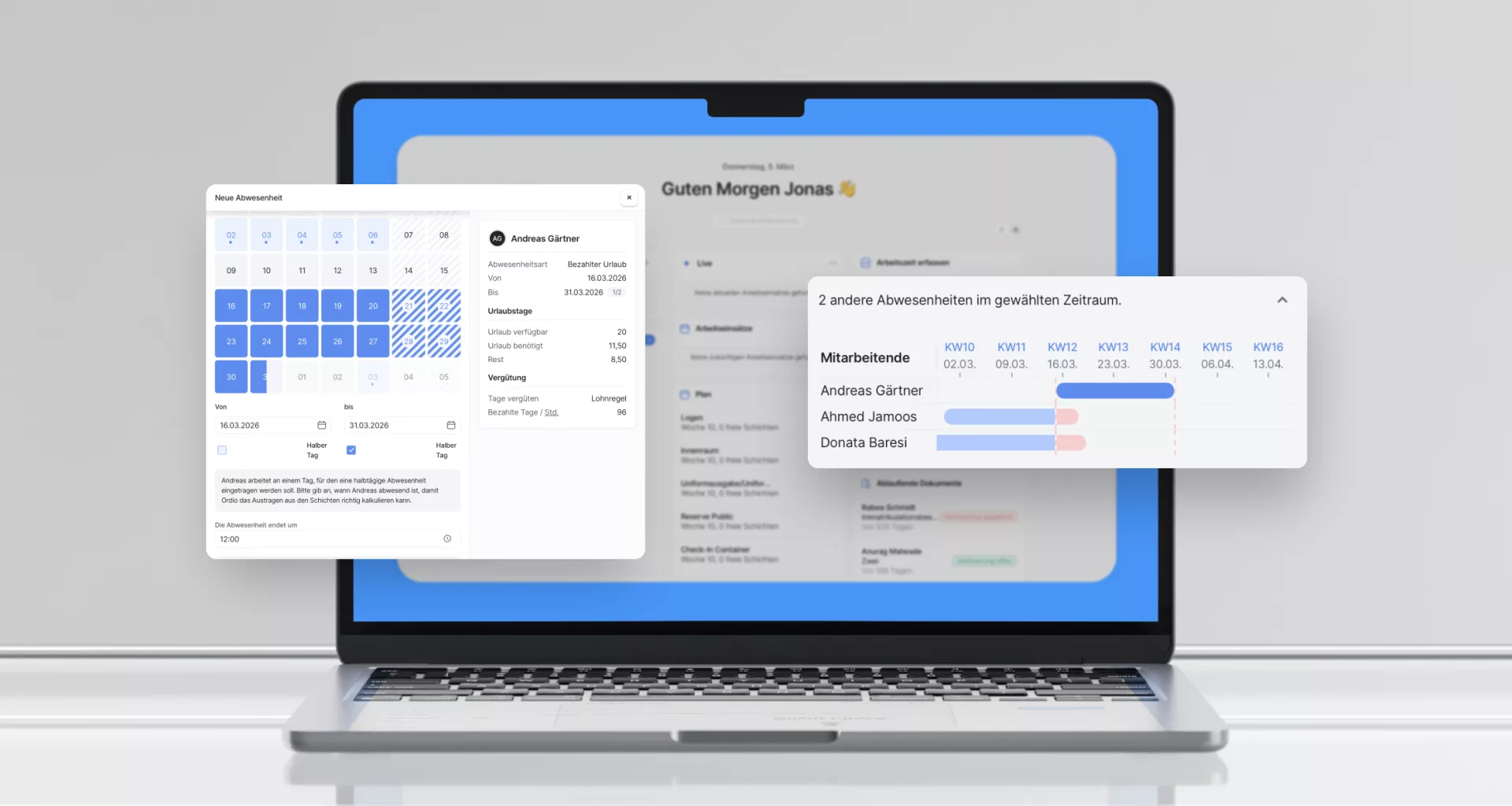
    Auto-remove employees from shifts during paid absences

    For paid absences, employees are now automatically removed from all shifts in the absence period. Manual selection is no longer needed.

    That simplifies the workflow and prevents employees staying on shifts despite an approved absence.

  • Improvement
    Desktop

    Control who sees the working-time account

    Working-time account permissions are now split into access levels: myself, same work areas, same locations or all. You decide who can see which account information.

    The setting applies to shift assignment, account columns and exports in the employee list, as well as payroll insights in the employee profile.

  • Improvement
    Desktop

    Set probation periods faster

    When creating or editing an employee you can now pick predefined probation periods — for example 3 or 6 months. No more manual date calculation.

  • Performance
    Desktop

    Asynchronous employee list

    The employee list now loads asynchronously — just like the working-time overview. Smoother experience, especially for larger teams.

  • Improvement
    Desktop

    First work area selected automatically

    When creating a new shift, the first available work area is now pre-selected. One less click in daily scheduling.

  • Improvement
    Desktop

    Plan export with layout preview

    The plan export now shows preview images of available layouts directly in the modal — so you know exactly what you are exporting.

  • Improvement
    Desktop

    Scroll position preserved in week and month views

    When switching between work areas in the week or month view, scroll position is now saved. The plan no longer jumps back to the top — especially helpful for larger teams.

  • Bug fix
    DesktopMobile

    Absence hours bug fixed

    Hours for absences paid according to the schedule were sometimes incorrectly set to 0. That is now fixed — the correct hours are shown and counted again.

    Important: calculation is always based on the originally planned shift.

    We still recommend: remove employees from shifts in the final step of the absence request.

New Ordio features for your business?

You're reading our product updates — we'll call and show what's relevant for shift planning and time tracking right now.

Outstanding ratings

Thousands of businesses rely on Ordio—and independent platforms recognise the product.

Google Reviews
4.8

40 reviews

OMR Reviews
4.8

77 reviews

OMR Reviews — Leader Workforce Management, Q1/2026OMR Reviews — Leader Workforce Management, Q2/2026OMR Reviews — Top Rated Employee Scheduling, Q2/2026