An HRIS system (human resource information system — also called HRIS software) stores employee records and runs core HR processes — onboarding, absence, time, scheduling, and payroll hooks — in one place. For small and midsize businesses with shift workers, the right HRIS also connects daily rotas to hours worked, not just desk-based HR admin.
This 2026 guide defines what an HRIS is, how it differs from HR software and HCM, and compares eight of the best HRIS systems for SMBs and shift-based teams — with pricing, screenshots, and an honest fit guide. You will find notes for hospitality, retail, and healthcare, plus deeper sibling guides on HR software, workforce management, scheduling, and time tracking.
Need a shortlist first? US desk-light SMBs often start with BambooHR or Gusto; US hourly teams lean toward Homebase or Connecteam; EU and UK shift operators often evaluate Ordio or Deputy when employee files must sit beside rotas. The table below compares all eight.
What is an HRIS system?
A human resource information system (HRIS) is software that maintains, manages, and processes employee information and core HR workflows. Classic definitions from vendors such as ADP and Oracle emphasize accurate record-keeping, standardized processes, and reporting. In practice, a modern cloud HRIS is the single source of truth for who works for you, which documents apply, and how time and leave are approved.
What is an HRIS used for? Day to day it replaces scattered folders and inbox threads with structured modules. Typical HRIS modules include:
- Employee records — contracts, roles, contact details, certifications
- Recruitment and onboarding — offer letters, checklists, e-signatures
- Time, attendance, and scheduling — clock-ins, breaks, rotas, overtime
- Absence and leave — holiday, sickness, cover requests
- Benefits and payroll hooks — native pay runs or clean exports
- Compliance and reporting — audit-friendly history, policy acknowledgements
- Integrations — accounting, POS, identity, and communication tools
Desk-based companies may buy an HRIS mainly for hiring and performance. If your team works rotating shifts across sites, prioritize vendors that treat scheduling and time as core HRIS modules — not optional add-ons bolted on after go-live.
Two practical tests help you know whether a product is a real HRIS for your team: (1) can a manager open one employee profile and see contracts, upcoming shifts, and approved leave without switching apps? (2) can payroll or your accountant receive hours without re-typing timesheets? If either answer is no, you still have a spreadsheet problem — even if the vendor markets “HRIS” on the homepage.
Best HRIS systems at a glance (2026)
What are the top HRIS systems? There is no universal winner. The right HRIS system depends on headcount, payroll region, and whether staff work at desks or on the floor. The table compares eight options for SMBs and shift-based teams. Prices are starting points — confirm on each vendor site.
| Software | Core HRIS modules | Scheduling & time | Pricing (from) | Best for |
|---|---|---|---|---|
| Ordio | Employee files, absence, HR workflows | Integrated shift planning & time | from approx. €89/location/mo | EU shift ops expanding UK/IE |
| BambooHR | Full SMB HRIS, onboarding | Add-on time/off; light shifts | Custom quote (per employee) | Desk-light SMB HR admin |
| Rippling | HRIS, IT, global payroll | Workforce modules available | Custom (scales mid-market) | 50–500+ with IT+HR bundle |
| Gusto | HR + US payroll bundle | Basic scheduling/time | from approx. $40/mo + per person | US payroll-first SMB |
| Homebase | Team records, hiring basics | Scheduling & time (US) | Free basic; paid from approx. $24/location/mo | US hourly SMB |
| Deputy | Profiles, leave, compliance templates | Auto-scheduling & time | from approx. $5/user/mo | US/UK/AU multi-site hourly |
| Connecteam | Directory, forms, training | Scheduling & time clocks | Free ≤10 users; paid from approx. $29/mo | Deskless mobile hub |
| When I Work | Light employee profiles | Scheduling & clock-in | from approx. $2.50/user/mo | Small hourly teams |
Prices approximate — as of July 2026. Source: vendor pricing pages; verify before purchase.
Note: Enterprise HRIS/HCM suites (Workday, UKG, Oracle HCM, SAP SuccessFactors, ADP Workforce Now, Paycom) target large programs with dedicated HRIT teams. Search also surfaces Taleo, Banner, or Salesforce — usually education, enterprise, or CRM-adjacent stacks, not hourly SMB shortlists. For 10–200 shift workers, the eight SMB tools above are usually faster and more affordable — see the honesty section below.
How we evaluated these HRIS systems
We evaluated each platform on what SMB and shift operators actually need from an HRIS system — not marketing feature counts on a corporate HCM checklist:
- Employee data integrity — one record tied to roles, documents, and hours
- Core HRIS workflows — onboarding, absence, self-service, and reporting
- Scheduling and time depth — planned vs actual hours without spreadsheet exports
- Compliance support — breaks, rest periods, audit-friendly records (US FLSA / UK Working Time / EU rules)
- Multi-site control — central policies with local execution
- Payroll path — native pay or clean exports when you need an HRIS without payroll
- Rollout speed — live in weeks, not a six-month integration program
We excluded pure enterprise HCM evaluations built for 5,000-seat headquarters. Many US roundups on best HRIS systems rank Rippling and Workday for IT-led procurement. Our shortlist balances classic SMB HRIS (BambooHR, Gusto) with tools where floor operations are first-class.
We also weighted total cost of ownership: a cheap per-user scheduler that forces managers to keep a second employee spreadsheet costs more than a slightly higher subscription with one source of truth. That is why Ordio, Deputy, Homebase, and Connecteam appear alongside traditional HRIS brands — even when some listicles label them as “workforce” tools.
How we researched: We reviewed public pricing pages (July 2026), captured homepage screenshots, and compared module lists against SMB and shift-operator checklists. We did not run paid mystery-shopping or access every sandbox. Confirm quotes and compliance claims with each vendor before you sign.
The 8 best HRIS systems
Below are concise profiles with July 2026 homepage screenshots, strengths, limitations, and who should shortlist each tool.
Ordio
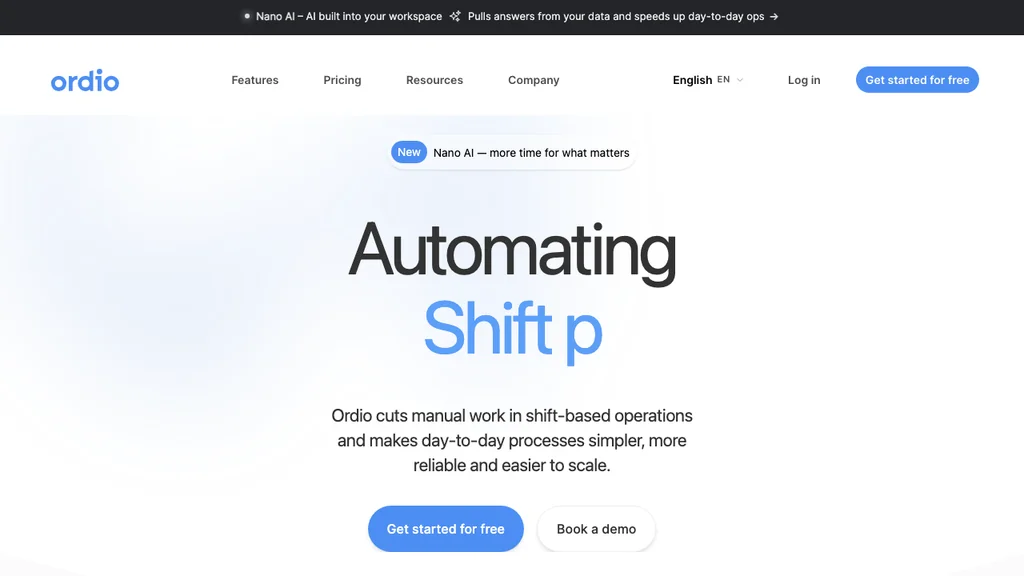
Best for: Multi-location hospitality, retail, and healthcare teams (often 10–200 shift workers) that want employee records, scheduling, time tracking, and absence in one EU-friendly HRIS — especially groups replacing Excel rotas plus a separate HR folder, or expanding from DACH into the UK or Ireland.
Ordio combines shift planning, time tracking, absence management, and employee files so managers are not juggling a rota app, a clock-in tool, and a separate spreadsheet for HR. Teams approve swaps on the employee app while one employee record stays tied to each shift.
Operators with mixed salaried and hourly staff should confirm how each module prices different contract types. Ordio’s location model can simplify sites where headcount swings seasonally but the number of physical locations stays stable — a common pattern in hospitality and retail.
Pros: Strong shift-ops depth, location-based pricing, industry workflows. Cons: Not a US-native payroll engine like Gusto; not a full enterprise talent suite like Workday.
Verdict: A strong pick when your HRIS must run the floor — not when you only need desk-based performance reviews at a 2,000-person HQ.
Try HRIS workflows with shift planning and time tracking in one place:
BambooHR
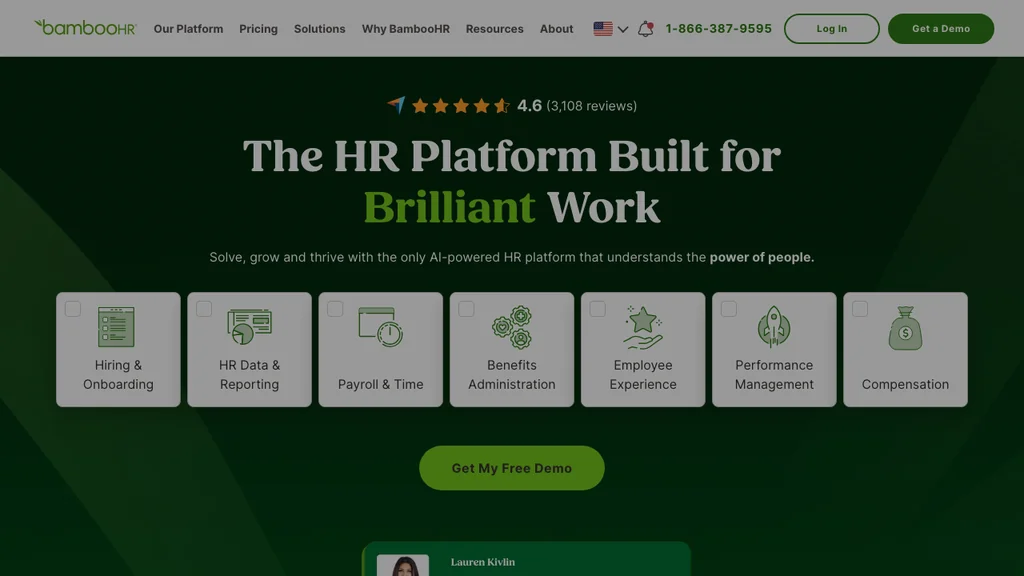
Best for: Growing SMBs that want a polished core HRIS for employee records, onboarding, and HR reporting — Forbes Advisor’s 2026 pick for ease of use among office-heavy or mixed teams where HR owns the employee lifecycle and scheduling is lighter or handled elsewhere.
BambooHR is the classic SMB HRIS: clean employee database, hiring workflows, and self-service. Time and attendance are available, but deep multi-site shift planning is not its primary strength compared with ops-first tools. Many buyers pair BambooHR with a scheduling product — workable, but you must own the integration and keep terminations and role changes in sync across both systems.
If your HR lead lives in onboarding packets and performance notes more than in last-minute cover shifts, BambooHR usually feels faster to adopt than a floor-first stack. If most of your managers’ week is building rotas, start elsewhere — or budget for a serious companion scheduler from day one.
Pros: Intuitive HRIS UX, strong onboarding, clear SMB positioning. Cons: Shift operations may need a companion scheduler; pricing is quote-based.
Verdict: Excellent when “HRIS” means employee data and HR admin — add a scheduling specialist if you run dense hourly rotas.
Rippling
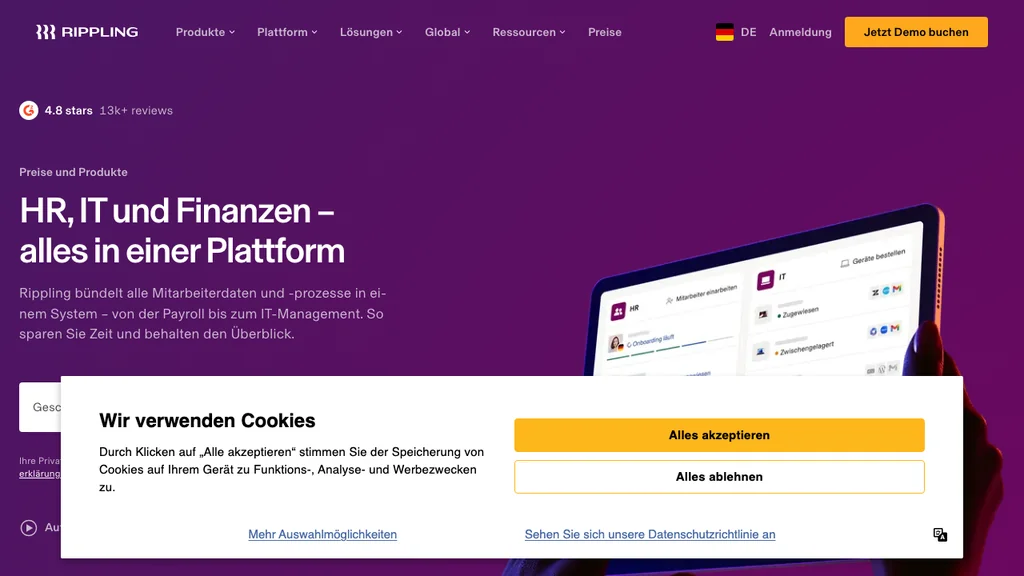
Best for: Mid-market companies (roughly 50–500+) that want HRIS automations bundled with IT provisioning and payroll — frequently ranked for automation in US HRIS listicles — with budget for a broader platform.
Rippling treats the employee record as the hub for HRIS, payroll, and IT. Workforce and scheduling modules exist, but buyers should validate frontline mobile flows if most staff are hourly store or care workers. Ask for a demo of clock-in, shift swap, and manager approvals on a phone — not only the HQ admin console.
Rippling shines when IT and HR share the same hire workflow (laptop, apps, and pay starting together). That value is real for distributed desk teams; it is less decisive for a three-store bakery where the pain is Sunday cover, tip pooling, and break documentation.
Pros: Deep automation, unified employee identity, scalable payroll. Cons: Custom pricing; can be heavier than a 30-person restaurant needs.
Verdict: Strong when HRIS must connect to IT and multi-entity payroll — overkill for a single-site hourly shop.
Gusto
Best for: US small businesses that want HRIS basics and payroll in one package — often praised for benefits administration in US roundups — especially when running payroll correctly is the buying trigger.
Gusto bundles employee onboarding, benefits, and US payroll. Scheduling and time exist but are lighter than dedicated workforce HRIS tools. Non-US payroll is outside its core sweet spot. If you already run payroll with Gusto, keeping HRIS records in the same system reduces reconciliation errors — a real advantage for US SMBs.
Treat Gusto as the default shortlist when your accountant’s first question is “who is taxable this period?” and your GM’s first question is secondary. If the reverse is true — missed punches and broken cover before tax forms — validate scheduling depth in a live trial before you lock the stack.
Pros: Clear US SMB packaging, payroll and HRIS together. Cons: Limited for EU multi-site shift ops; scheduling depth trails specialists.
Verdict: A top pick when “HRIS” means US payroll-first people ops — not when EU rota compliance drives the purchase.
Homebase
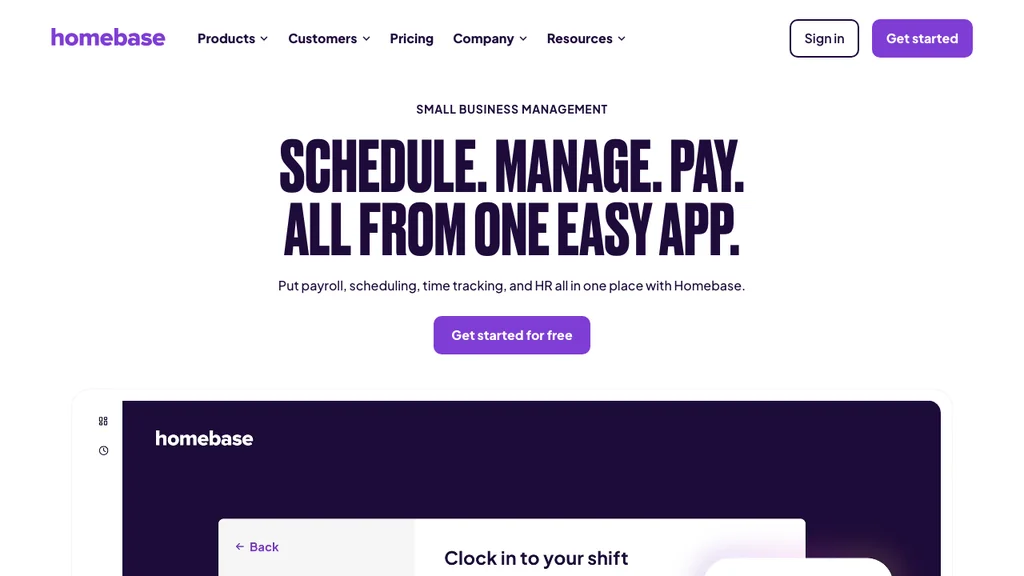
Best for: US restaurants and retailers that want a free starting tier plus scheduling, time, and payroll pathways for hourly staff — then add hiring paperwork as headcount grows.
Homebase markets clearly to hourly SMBs: publish rotas, track attendance, and add payroll services as you grow. Core HR features lean operational — hiring paperwork, team messaging, and tip pooling — rather than deep talent management. That is often the right trade-off when the “HR department” is a general manager and an accountant.
Free tiers help you prove mobile adoption before you commit budget, but watch for location or feature caps that appear just as you open a second site. Price the paid tier you will need at peak season, not the free plan you use in January.
Pros: Free entry, strong hourly UX, US payroll pathways. Cons: Less suited to EU multi-country HRIS programs.
Verdict: Excellent for US hourly teams that need scheduling and people data together; validate EU needs elsewhere.
Deputy
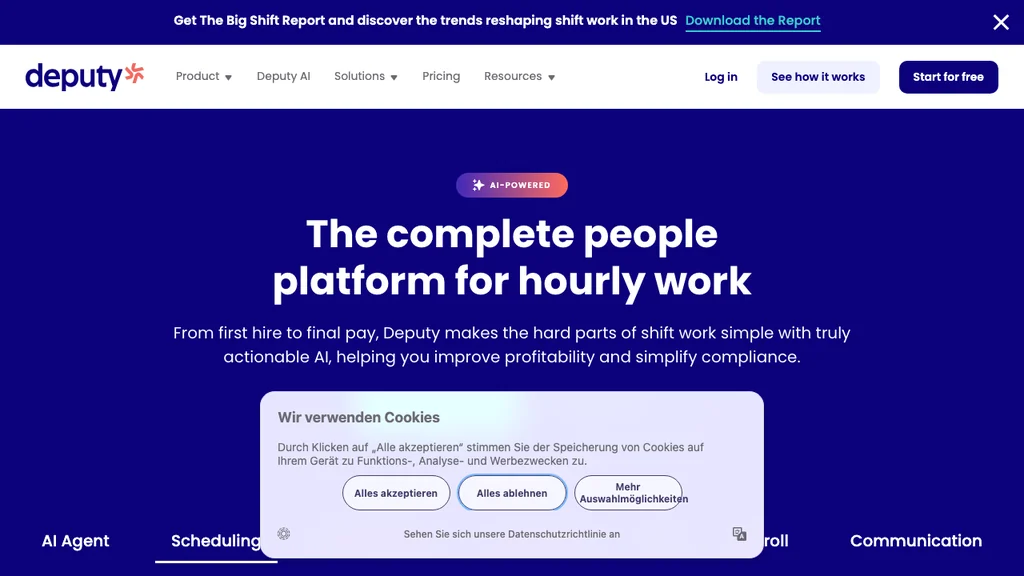
Best for: Multi-site hourly teams in the US, UK, or Australia that need auto-scheduling, time, and leave with compliance templates — especially when the rota is what managers open every morning.
Deputy sits at the HRIS–workforce boundary: strong scheduling and time, with profiles and leave that cover many SMB HRIS needs. Talent and deep benefits administration are lighter than BambooHR or Rippling. UK and Australian operators often shortlist Deputy when Working Time–style rules and multi-site rotas matter more than a US benefits marketplace.
Shortlist Deputy when employee profiles exist mainly to make the rota legal and payable. If you also need deep recruiting pipelines or US benefits shopping, plan a second system — or expect to outgrow Deputy’s HR breadth.
Pros: Multi-country hourly footprint, compliance templates, solid mobile. Cons: Not a full mid-market talent HRIS.
Verdict: Shortlist when scheduling accuracy is non-negotiable inside your HRIS.
Connecteam
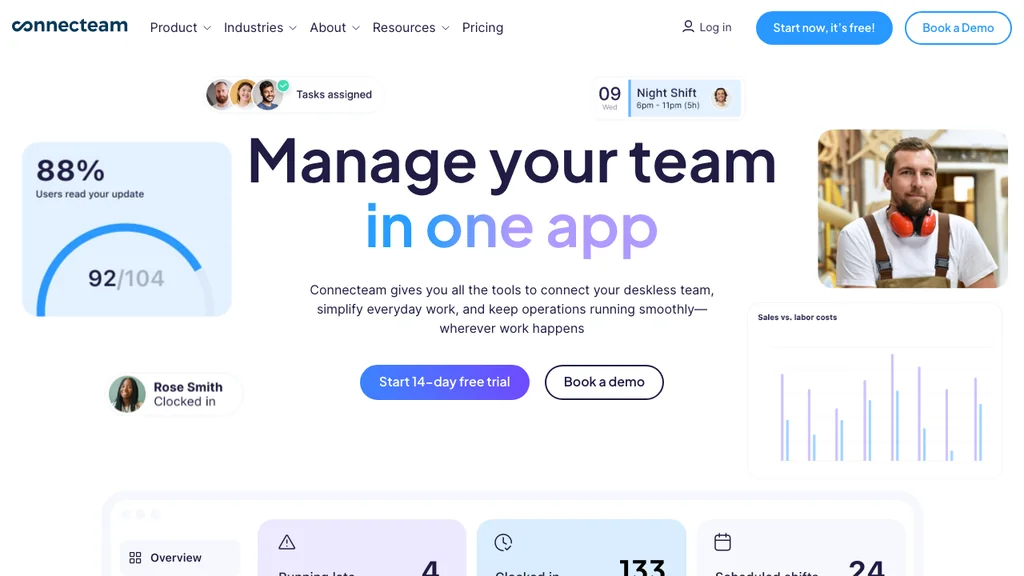
Best for: Deskless field, retail, and service teams that want a mobile hub for directory, forms, training, and scheduling — where phone adoption beats desktop HR portals.
Connecteam packages employee directory, task forms, training, and time clocks for frontline workforces. It is less of a traditional corporate HRIS and more of an operations-centered people system — which is exactly what many deskless employers need before they outgrow a free or starter plan.
Choose Connecteam when adoption risk is higher than feature risk: teams that ignore email and never open a desktop HR portal. Confirm whether your country needs stronger payroll exports or formal employee-file retention than starter tiers provide. Many operators start here, then graduate to a fuller HRIS once headcount and compliance load grow.
Pros: Free tier for tiny teams, strong mobile, training and forms. Cons: Limited enterprise HRIS depth (global payroll, complex benefits).
Verdict: A strong deskless alternative; confirm payroll and compliance exports for your country.
When I Work
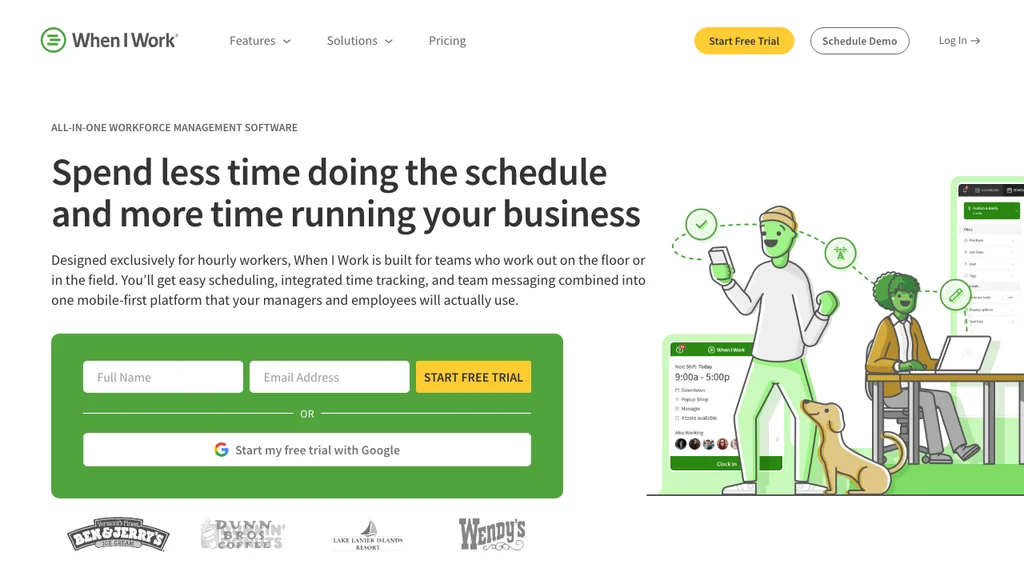
Best for: Small hourly teams graduating from spreadsheets that need scheduling and clock-in with light employee profiles at a low per-user price — and are not ready for a full mid-market HRIS.
When I Work focuses on rotas and attendance with enough profile data to run a small team. It is not a replacement for BambooHR-style HRIS depth on recruiting and talent. Use it to stop the spreadsheet fire, then plan a fuller HRIS once you have more than one site or a formal HR owner.
Many micro teams fail HRIS projects by buying a mid-market suite before anyone publishes a reliable weekly rota. When I Work (or a similar light scheduler) can be a 90-day bridge — as long as you set a date to migrate employee documents and leave history into a proper HRIS before the second location opens.
Pros: Affordable, simple scheduling UX. Cons: Limited core HRIS breadth.
Verdict: A practical starter when scheduling is urgent and a full HRIS can wait.
HRIS system vs HR software vs HCM vs HRMS
Buyers mix these labels. Here is a practical split — including HRIS vs HCM and HRIS vs HRMS:
- HRIS — the information system for employee data and core HR transactions (records, onboarding, time, leave, reporting).
- HR software — the broader marketing term for the same category; often used interchangeably with HRIS in SMB search.
- HRMS — historically overlapping with HRIS; sometimes used when talent and performance modules are included.
- HCM — human capital management: strategic suite language (workforce planning, advanced talent, often enterprise scale).
When to use which label in your RFP: Write “HRIS” when you mean employee database, self-service, and audit trail. Write “HR software” when stakeholders search Google more than they read specs. Write “HCM” only when you truly need strategic talent and workforce planning — otherwise you invite enterprise quotes for an SMB problem.
If you searched for hr software because you need shift planning and employee files together, start with our best HR software for shift-based teams guide. Stay on this page when you need HRIS definitions, types, and HRIS-vs-HCM language alongside an SMB shortlist. For rota-first depth, see workforce management software; for scheduling-only tools, see employee scheduling software; for clock-in depth, see time tracking software.
Vendor marketing often blurs these labels on purpose. List required modules in plain language — employee database, onboarding, leave, scheduling, time, payroll — then score vendors against that list instead of chasing the most impressive acronym. Many shift businesses also run a combined stack (desk HRIS + floor ops tool) until they consolidate. That is normal, not a failed purchase.
Types of HRIS systems (5 categories)
What are the 5 types of HRIS? Training materials and vendor glossaries usually group systems like this:
- Operational HRIS — day-to-day employee records, attendance, and transactions (Ordio, Deputy, and Homebase lean here when shifts are core)
- Tactical HRIS — recruiting, training, and job analysis workflows (Connecteam’s training and forms angle sits partly here)
- Comprehensive HRIS — broad suites covering most HR domains for SMBs (BambooHR, Rippling, Gusto)
- Limited-function or specialty systems — deep in one area such as benefits-only or ATS-only tools
- Strategic / HCM platforms — workforce planning, advanced analytics, and talent suites (Workday, Oracle, UKG, SAP)
Most shift-based SMBs need a strong operational HRIS with scheduling and time — not a specialty ATS or a global HCM program. Match the type to the problem you are solving this quarter. If your top question is recruiting volume, an ATS may belong beside the HRIS rather than inside a suite you will never fully implement — compare dedicated ATS software when hiring is the bottleneck, then onboarding software when the gap is post-offer paperwork and first-shift readiness.
Example of an HRIS in practice: a 40-person restaurant group storing contracts and certifications in employee files, publishing weekly rotas, capturing clock-ins, approving holiday, and exporting hours to payroll. That flow is an operational HRIS — whether the vendor’s homepage says “HRIS,” “HR software,” or “workforce management.”
HRIS systems for small business and shift-based teams
An HRIS system for small business should be live in weeks, priced for roughly 10–100 employees, and usable on a phone. Shift businesses add three requirements: managers publish rotas without spreadsheets, staff clock in without paper, and leave requests do not break coverage. Desk-first suites that bolt on scheduling later are the most common failure mode we see in hospitality and retail rollouts.
Rule of thumb: if more than half of your staff do not work at a desk, evaluate mobile clock-in and shift-swap flows before you evaluate performance-review templates. Corporate “best HRIS systems” lists rarely weight those flows highly enough for frontline employers.
UK and Ireland buyers often see BrightHR or Breathe HR in local SMB search alongside the tools above. Compare them on Working Time reporting and accountant exports the same way you would Deputy or Ordio — then shortlist by how managers actually publish next week’s rota.
Hospitality and restaurants
Hospitality teams live with high turnover and last-minute cover. Prioritize onboarding checklists, tip or hourly pay exports, and mobile rotas. Ordio, Homebase, Deputy, and Connecteam appear often here; a desk-first HRIS alone usually fails the Saturday night test. If you run multiple concepts or locations, centralize employee files but let each site publish its own rota template — managers should not re-enter the same hire data at every venue.
Retail and multi-store
Retail chains need central employee records with local schedule control — one hire record, many store rotas. Look for role-based availability, certification flags, and labor cost by location. Cross-store cover without duplicate profiles is the HRIS test most spreadsheet setups fail. Peak-season hiring also strains onboarding: the HRIS should make a new cashier productive on the floor in days, not weeks of paper forms.
Healthcare and care
Healthcare and care sites need qualification tracking beside shifts. Pair employee files with scheduling so expired credentials block unsafe assignments. Lightweight schedulers without document depth create compliance risk even when the rota looks tidy. Care settings often need named cover for skill mix (for example medication-trained staff on night shifts) — treat that as an HRIS requirement, not a nice-to-have.
Confirm pricing against location count and peak-season headcount before you sign — seasonal hospitality and retail swing harder than desk SMBs.
HRIS pricing and integrations
SMB HRIS pricing usually follows per-employee, per-location, or platform-plus-seat models. Approximate July 2026 starting points from public pages: When I Work from roughly $2.50/user/mo, Deputy from roughly $5/user/mo, Homebase paid tiers from roughly $24/location/mo, Gusto from roughly $40/mo plus per person, Ordio from roughly €89/location/mo, and BambooHR or Rippling on custom quotes. Enterprise HCM (Workday, UKG, Oracle, SAP) is almost always custom and implementation-led.
Always check what is included: time clocks, absence, SSO, and integrations frequently sit in higher tiers. A “cheap” per-user plan that forces a second tool for documents is not cheaper once you count manager hours.
Integrations matter as much as modules. Confirm accounting exports, POS or identity SSO if you use them, and a clean path to payroll. Many teams successfully run an HRIS without payroll — Ordio, Deputy, and BambooHR support ops-first setups in regions where native pay is limited — as long as hour exports are reliable. Ask for a sample timesheet CSV and a sample employee master file before you sign; gaps show up fastest there.
How to choose an HRIS system (5 steps)
- Map your must-have modules — Write a one-page list: employee database, onboarding, leave, scheduling, time, payroll. Anything not on the list is a “nice to have” for year two.
- Lock payroll geography — US-native pay (Gusto, Homebase pathways) vs EU/UK accountant exports (Ordio, Deputy) changes the shortlist before brand preference does.
- Test mobile adoption — Have two managers and two hourly staff try clock-in, swap, and leave in a trial. If they need a desktop, the HRIS will not stick on the floor.
- Check compliance exports — Confirm breaks, overtime, and audit history before peak season — not after the first labor inspection or Working Time dispute.
- Price the real footprint — Model locations, seasonal headcount, and add-on modules. Compare total cost for your busiest month, not the homepage “from” number.
Trial checklist: Import at least ten real employee records, publish next week’s rota, complete one full pay-period clock-in cycle, and produce one payroll export (or accountant hand-off file). If any step still needs a spreadsheet, note which module failed — that gap matters more than a glossy demo.
Shortlist two tools that pass all five steps, run a two-week pilot on one live site, and only then negotiate annual terms. Involve a shift manager in the trial, not only HR or finance.
When Ordio fits — and when you need a full HCM
Ordio fits when your HRIS problem is operational: employee files, rotas, time, and absence for multi-site shift teams, especially in Europe with UK/IE expansion. Choose BambooHR, Rippling, or Gusto when desk HRIS, IT provisioning, or US payroll is the main buying trigger. Choose Workday, Oracle, UKG, or SAP when you are running an enterprise HCM program with dedicated HRIT — not when you need next month’s rota fixed.
Choose Ordio when: you need one employee record tied to shifts and hours across locations, and payroll can stay with an accountant or regional provider. Choose another HRIS when: you need US-native payroll as the product core (Gusto), IT provisioning plus HR (Rippling), or classic desk HRIS depth without dense floor ops (BambooHR).
Ordio is a strong ops-first HRIS for frontline teams, not a replacement for global talent suites. If you need both deep talent HCM and dense shift operations, expect a two-system architecture with clear ownership — rather than forcing one vendor to cover both halves of the problem.
Conclusion
The best HRIS system is the one your managers and hourly staff will actually use. Start with a clear list of modules, separate HRIS needs from HCM ambition, and shortlist tools that match your payroll country and shift intensity. Use the comparison table above, validate July 2026 pricing with vendors, and cross-check our HR software guide if your search journey began on that keyword instead.
Next step: pick two finalists, run a two-week pilot on one live location, and measure schedule publish time, missed punches, and leave approval lag. Those three metrics usually tell you more than another feature matrix.