Improvement
Scheduling and time tracking: permissions now separate
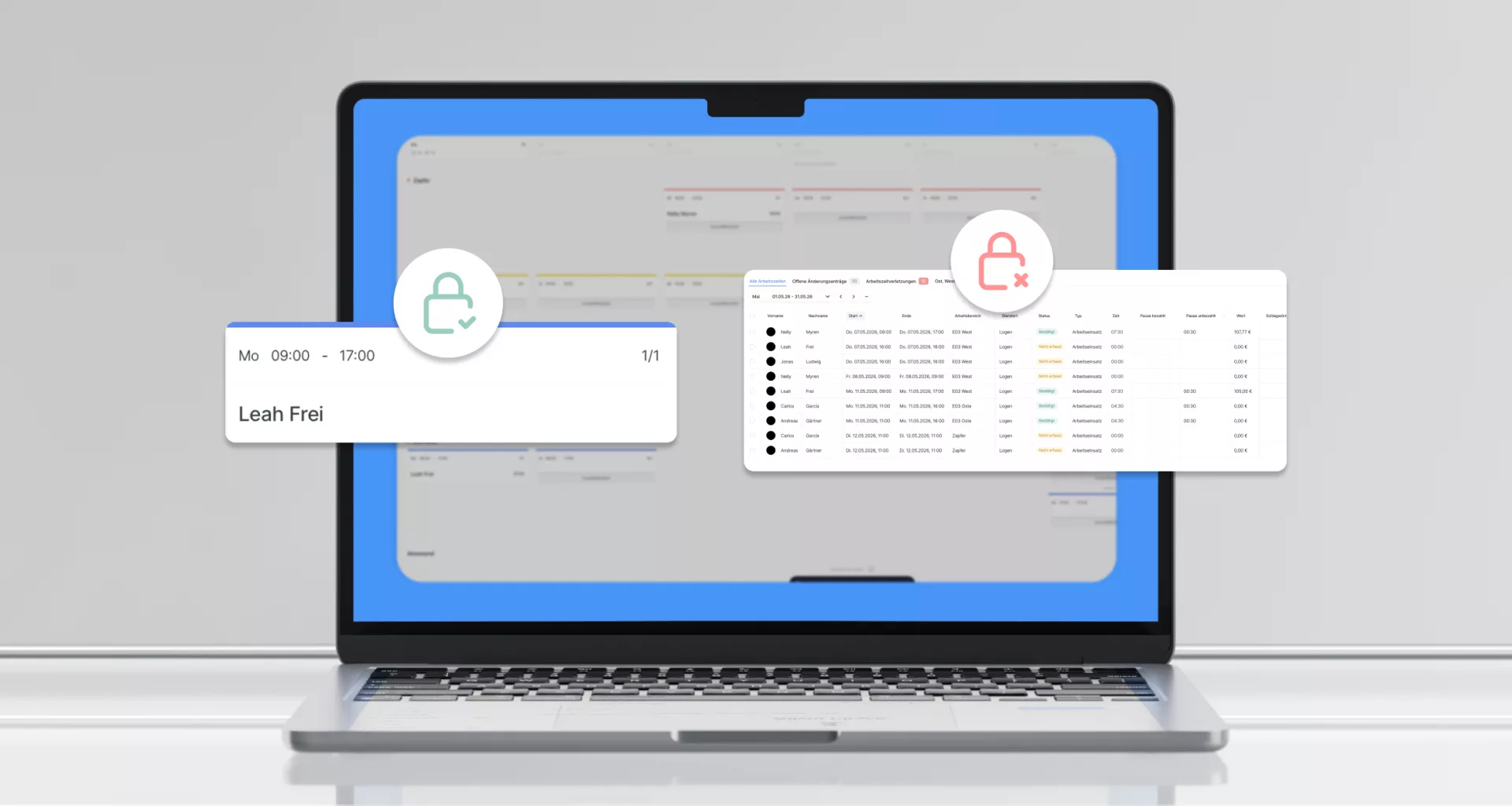
Summary: Scheduling and working-time permissions are now separate in role settings.
Planners no longer see every clock-in by default. Existing roles keep their access until you change them.
Two permission groups in settings
Role settings now have two areas: Which shifts can people see or edit? and Which working times can people see or edit? Each can be configured from "none" through "own" to "all".
Clock labels only with time permission
Small timeclock labels on shifts in the schedule, during assignment and in availability appear only when users have working-time permission.
The working-time list and all exports are fully tied to that permission. Shift-only roles no longer see the time-tracking page in navigation.
Past shifts still need time permission
Creating, moving or deleting past shifts would create or change working time, so that stays locked without time permission. Future planning works as before.
Migration without disruption
Existing roles keep their previous access until you adjust them in role settings.
What this means for you
- Cleaner roles, scheduling and time visibility can finally be separated
- Fewer over-privileged accounts, planners no longer see colleagues' clock-ins by default
- No migration effort, change only where it makes sense
Explore: shift planning, time tracking and payroll.
Never miss a release
Email updates on what's new in Ordio: plus practical tips on scheduling, time tracking and HR. Free, unsubscribe anytime.
- Hear about new features first
- Guides & glossary tips you can use
- One-click unsubscribe
More product updates
Discover more features and improvements from past releases.

Outstanding ratings
Thousands of businesses rely on Ordio: and independent platforms recognise the product.

40 reviews

87 reviews
New Ordio features for your business?
You're reading our product updates, we'll call and show what's relevant for shift planning and time tracking right now.