
When someone calls in sick at 7am, you do not just need a leave form — you need cover, an updated schedule, and a clean payroll line before the doors open. That is the real job of absence management software for hourly and shift-based teams: recording PTO, vacation, sick leave, and unpaid absence in one place, then making sure the floor still runs.
If you only need vacation booking for desk staff, a dedicated leave management tracker is usually enough. Hourly shift teams need more. Below is a 2026 comparison of eight absence management tools for shift teams — pricing, homepage screenshots, and an honest fit guide, including where our own product, Ordio, is not the right answer. We cover hospitality, retail, and healthcare, with deeper context in our HR software, workforce management, scheduling, and time tracking guides.
If leave still lives in a shared spreadsheet, balances drift, approvals get lost, and nobody knows who is actually available when a shift falls through. The right absence management system ties every request to a person, a balance, and — for shift teams — a live schedule.
What is absence management software?
Absence management software is a digital system for requesting, approving, tracking, and reporting employee time off. It replaces spreadsheets and paper forms with a live record of leave balances, approval chains, and absence history, so managers can see who is off, who is available, and how much PTO, vacation, or holiday each person has left — without recalculating anything by hand.
Vendors also sell it as a leave management system, PTO tracking software, or vacation booking app. The labels overlap heavily. A pure leave tracker handles requests and balances; a broader absence management platform adds accruals, multiple leave types, reporting, and — for shift teams — a link to scheduling and time tracking so an approved absence opens a gap on the schedule automatically.
Typical capabilities include:
- Leave types — holiday, sick, parental, bereavement, unpaid, and custom categories
- Accruals and balances — automatic calculation of entitlement, carryover, and remaining days
- Approval workflows — requests routed to the right manager, with audit trail
- Team calendar — a shared view of who is off and when, with clash warnings
- Self-service — staff book leave and check balances from a phone, not through HR
- Reporting — absence rates, pattern scores (for example the UK Bradford Factor), and exports for payroll or HRIS
Desk teams often buy leave software just for vacation booking. If your people work rotating shifts across sites, prioritize a tool where an approved absence actually changes the schedule — otherwise you fixed the paperwork and left the cover gap untouched. Buyers usually meet three overlapping categories: dedicated leave and PTO apps, absence modules inside HR software, and absence built into workforce management platforms. The comparison sections below show when each category wins.
Best absence management software at a glance (2026)
Which absence management software is best? There is no universal winner — it depends on team size, desk vs shift work, which country's leave rules apply, and whether leave must connect to your schedule and payroll. Fast answer: shift teams should shortlist tools that link leave to scheduling and time tracking; desk teams booking vacation weeks ahead can use a lightweight dedicated tracker; larger HR teams may prefer absence inside an HRIS. The table compares eight options for shift-based SMBs. Prices are starting points as of July 2026 — confirm on each vendor site, because plans and per-seat tiers change.
| Software | Core leave features | Scheduling / time link | Pricing (from) | Best for |
|---|---|---|---|---|
| Ordio | Leave types, accruals, approvals, employee files | Integrated shift planning & time | from approx. €89/location/mo | EU shift ops linking leave to the schedule |
| Deputy | Leave profiles, approvals, compliance templates | Auto-scheduling & time | from approx. $4.50/user/mo (confirm) | US/UK/AU multi-site hourly |
| Homebase | PTO tracking, time-off requests | Scheduling & time (US) | Free basic; paid from approx. $24/location/mo | US hourly SMB on a budget |
| Connecteam | PTO policies, requests, directory | Scheduling & time clocks | Free for small teams; paid from approx. $29/mo | Deskless mobile-first teams |
| BambooHR | Time-off in a full HRIS, reporting | Add-on time; light shifts | Custom quote (time-off in HRIS) | Desk-light SMB HR admin |
| When I Work | Time-off requests, availability | Scheduling & clock-in | from approx. $2.50/user/mo | Small hourly teams |
| Timetastic | Holiday booking, calendar, allowances | Calendar sync only | from approx. $1.50/user/mo | Simple UK-style leave booking |
| Vacation Tracker | Leave requests in Slack/Teams | Calendar sync only | from approx. $1/user/mo | Distributed teams in chat tools |
Prices approximate — as of July 2026. Source: vendor pricing pages; verify before purchase. Per-user tools can look cheaper until you count part-time headcount.
Note: Enterprise leave and absence suites — Workday absence, Dayforce, and specialist tools like AbsenceSoft — target large employers managing statutory leave programs and complex case management at scale. For 10–200 shift workers, the SMB tools above are usually faster to deploy and far cheaper. We cover this boundary in the methodology and honesty sections below.
How we evaluated these tools
We scored each platform against what shift operators actually need from absence management software — not the feature counts on an enterprise HR checklist. Seven criteria shaped the shortlist:
- Leave types — holiday, sick, parental, and custom categories, not just a single "time off" bucket
- Accruals and balances — automatic entitlement, carryover, and pro-rata for part-time staff
- Approval workflows — requests routed to the right manager with a clean audit trail
- Schedule integration — approved leave opening a gap on the live schedule, not just a calendar entry
- Mobile access — frontline staff booking leave and checking balances from a phone
- Reporting — absence rates, patterns, and return-to-work insights (including Bradford Factor-style scores where teams use them)
- Payroll / HRIS sync — clean exports so approved leave reaches pay without re-keying
We weighted schedule integration heavily — the criterion most desk-focused roundups ignore, and the one that matters most on a shop floor. A tool can show beautiful vacation charts and still leave you scrambling for cover if the approval never updates the schedule.
We deliberately excluded deep enterprise absence programs — Workday absence, Dayforce, and specialist compliance platforms such as AbsenceSoft — from the head-to-head profiles. They are strong products, but they are built for large employers managing statutory leave case management (FMLA, ADA accommodations, disability) at hundreds or thousands of seats. Ranking them beside a $1/user tracker would mislead an SMB buyer. If that is your world, treat this guide as background and shortlist enterprise suites directly.
How we tested: We reviewed public pricing pages (July 2026), captured homepage screenshots, and compared documented leave, accrual, and integration features against a shift-operator checklist. We did not run paid mystery-shopping or access every sandbox. Confirm quotes, leave-rule support, and compliance claims with each vendor before you sign.
The 8 best absence management software options for shift teams
Below are concise profiles with July 2026 homepage screenshots, strengths, limitations, and who should shortlist each tool. Use the table above for a scan; use these write-ups when two tools look similar on paper. Ordio is our own product — we flag its limits as clearly as its strengths.
Ordio
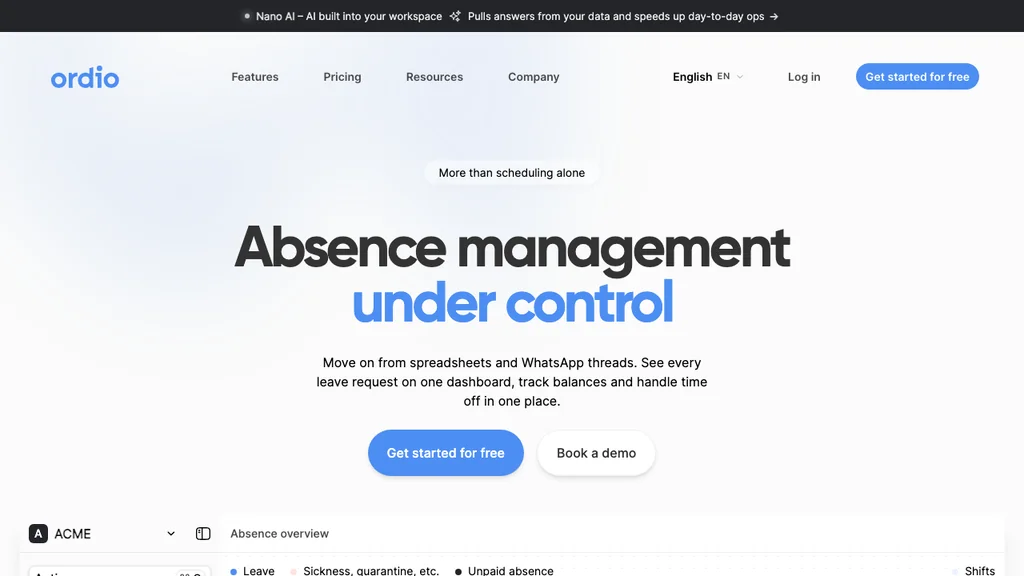
Best for: Multi-location hospitality, retail, and healthcare teams (often 10–200 shift workers) that want leave, scheduling, time tracking, and employee files connected in one EU-friendly stack.
Who it's for: Operators who currently track leave in a spreadsheet next to an Excel schedule, and who lose time whenever an approved absence has to be typed into the schedule again by hand.
Ordio treats absence management as part of operations rather than a standalone form. An approved holiday or sick day flows straight into shift planning, so the gap is visible the moment leave is granted, and time tracking keeps planned hours and worked hours in one record. Leave types, accruals, and approvals sit alongside employee files, and staff request time off from the employee app instead of messaging a manager.
Pros: Leave is linked to the schedule and to hours, not siloed; location-based pricing that suits high hourly turnover; EU/DACH labor-rule depth; industry workflows for shift teams. Cons: Not a US-native payroll engine; not an enterprise FMLA/ADA case-management platform; the location model is less intuitive for single-desk teams with no shifts.
Operators with a mix of salaried and hourly staff should confirm how accruals are calculated for part-time and variable contracts during a trial. Ordio's per-location pricing is an advantage when headcount swings seasonally but the number of sites stays stable.
Verdict: A strong pick when leave, scheduling, and worked hours must live together for shift teams — not when you only need a lightweight holiday booker for a desk office, or full statutory leave case management at enterprise scale.
Try absence management linked to shift planning and time tracking:
Deputy
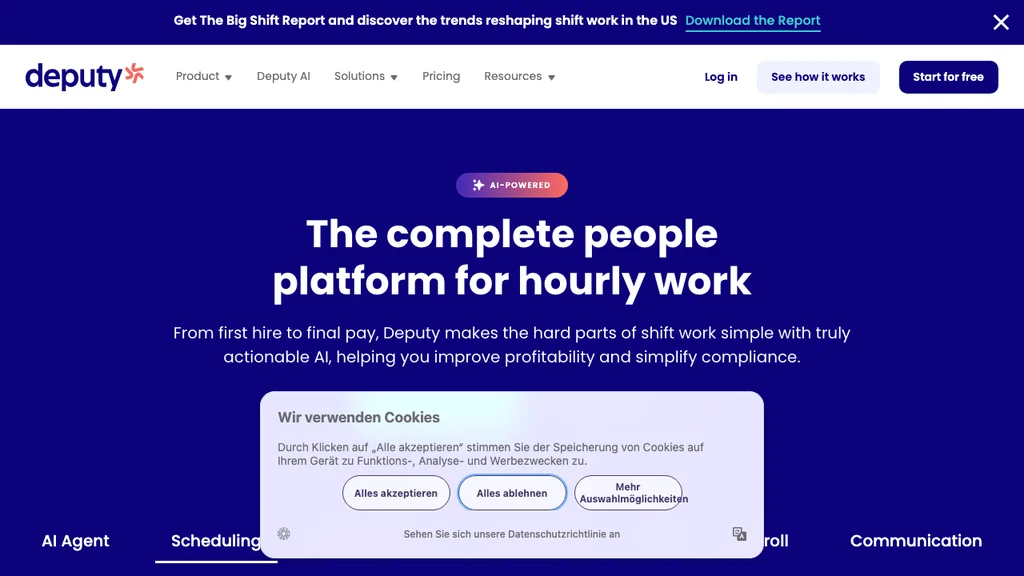
Best for: Multi-site hourly teams that want leave, auto-scheduling, and time capture with regional compliance templates across the US, UK, and Australia.
Who it's for: Ops leads at hospitality and retail groups replacing spreadsheet rotas who need leave profiles and approvals alongside demand-based scheduling — without rolling out a full HRIS.
Deputy sits between pure schedulers and full HR platforms. Employee leave profiles, time-off approvals, and absence sit next to mature auto-fill scheduling and mobile clock-in, so an approved absence is reflected when the next schedule is built.
Pros: Strong scheduling automation; solid mobile apps; region-specific compliance templates. Cons: Per-user cost scales quickly with large part-time rosters; leave reporting is lighter than a dedicated HR analytics tool; less DACH-specific depth than EU-first vendors.
Deputy's compliance templates vary by country — export a sample leave and break report during trial and hand it to whoever signs off labor compliance. If you operate in Germany or Austria, confirm local rest-period and leave-carryover rules are documented the way your auditor expects.
Verdict: Choose Deputy when auto-fill rotas plus US/UK/AU compliance templates matter more than deep HRIS leave reporting.
Homebase
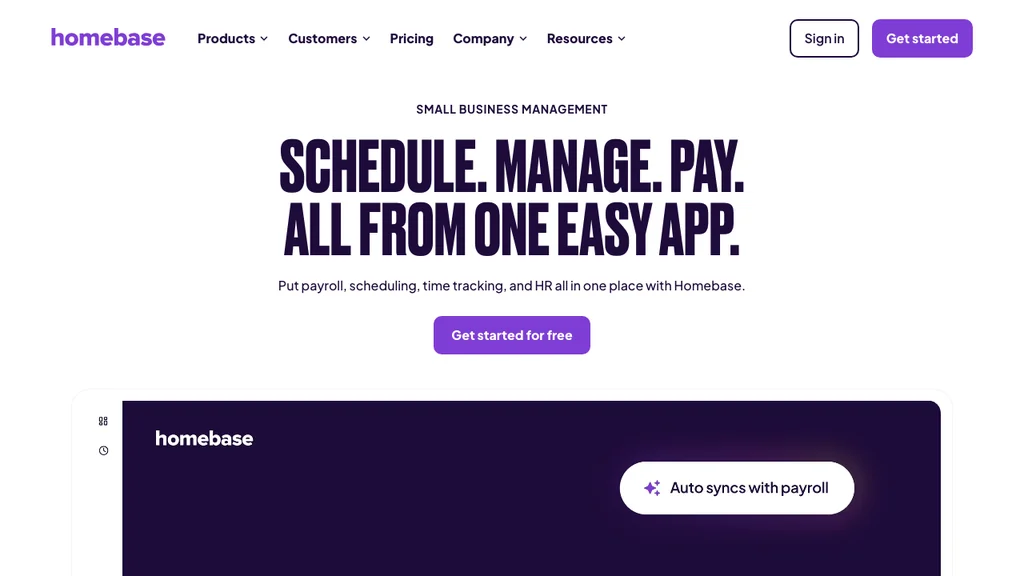
Best for: US restaurants and retailers that want free scheduling plus PTO tracking, time-off requests, and a payroll pathway for hourly staff.
Who it's for: US hourly businesses — especially single-location restaurants and stores under ~75 staff — that start with free scheduling and add paid time-off and payroll features as they grow.
Homebase markets clearly to US hourly SMBs: publish rotas, track attendance, approve time-off requests, and add payroll as headcount grows. Leave features are operational and easy to run rather than deep on entitlement policy.
Pros: Genuinely useful free tier; strong US hourly fit; simple manager UX; PTO tied to the same app as scheduling. Cons: Limited EU/DACH labor-law depth; leave policy configuration is thinner than a dedicated HR tool; US-centric.
If you run tipped wages, verify how PTO and payroll interact in trial — some US payroll-led tools need add-ons for complex policies. Homebase shines when you want rotas, clock-ins, PTO, and US pay in one place rather than country-specific leave archives.
Verdict: Shortlist Homebase when US payroll and a free starting tier matter more than EU leave-compliance depth.
Connecteam
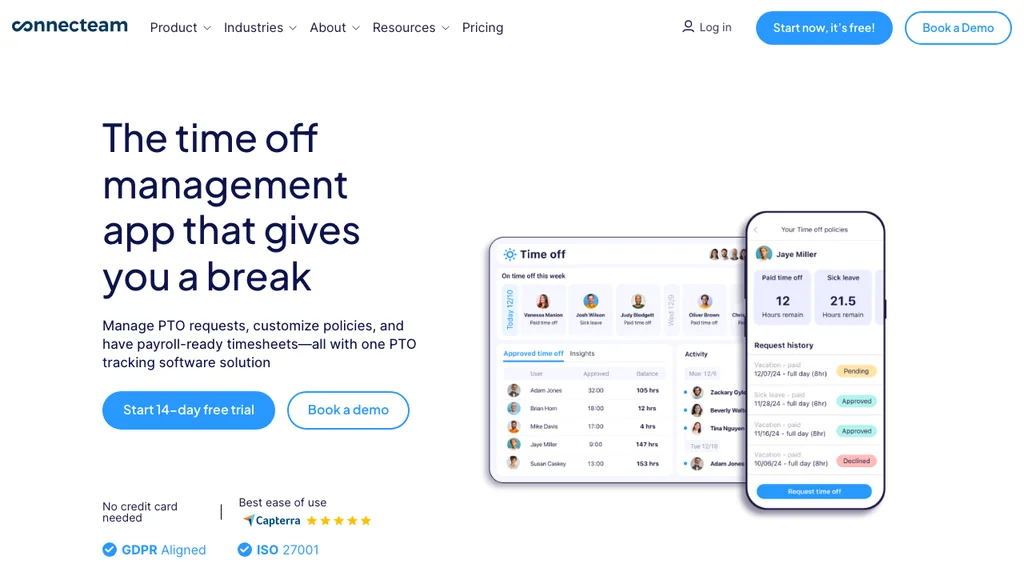
Best for: Deskless teams that want PTO policies and time-off requests inside a broader mobile hub of scheduling, chat, forms, and training.
Who it's for: Field supervisors and small operators who already run daily operations through mobile checklists and want leave requests, a directory, and scheduling in the same app.
Connecteam bundles PTO policies, time-off requests, employee directory, scheduling, and time clocks with frontline communication. Absence here is one module in an operational hub rather than a specialist leave product.
Pros: Generous free tier for small teams; strong frontline mobile UX; fast rollout; leave lives beside scheduling and comms. Cons: Hub pricing grows as you add modules; leave reporting and audit trails are lighter than dedicated tools; policy depth is basic.
Module sprawl is the main risk — start with scheduling, time, and PTO only, then add training or forms once managers use the core daily. If you need long-term leave records for audits, validate document retention before relying on Connecteam as your only absence archive.
Verdict: A fit for operators who want an all-in-one deskless app with built-in PTO, rather than a specialist leave platform.
BambooHR
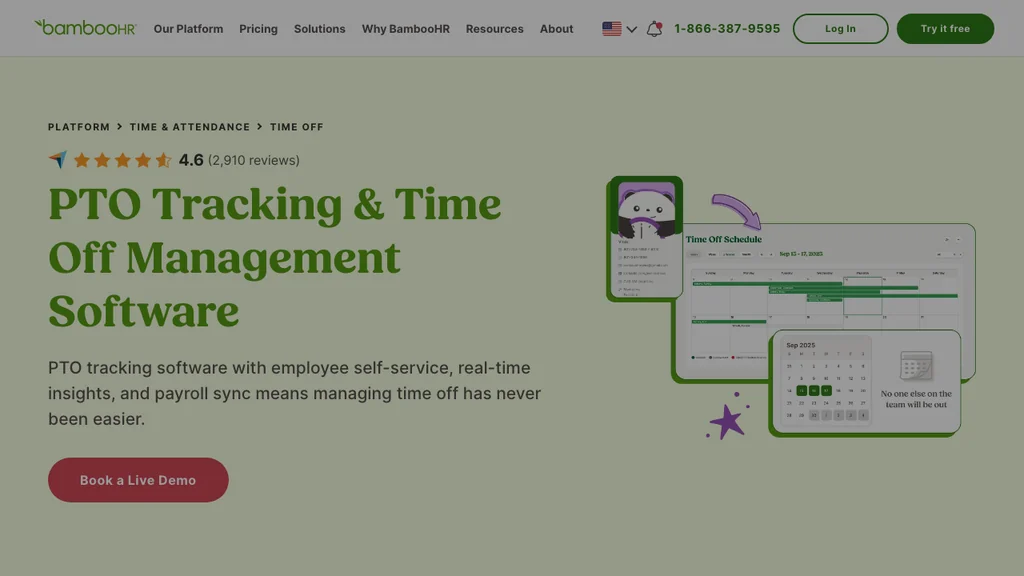
Best for: SMBs (often 25–500 employees) that want time-off and absence tracking inside a full HRIS, with clean reporting and onboarding.
Who it's for: Office-light SMBs with an HR generalist who needs accurate leave balances, approval workflows, and absence reporting as part of a broader employee record — not complex multi-site schedules.
BambooHR is the benchmark SMB HRIS in many US listicles, and its time-off module handles leave types, accruals, approvals, and reporting cleanly. Scheduling and shift tools exist but are not built for complex hourly schedules. For deeper context on where an HRIS fits, see our HR software guide.
Pros: Polished leave and HR admin UX; strong reporting; accruals and carryover handled well; time-off sits inside one employee record. Cons: Shift-heavy teams still need a scheduling tool for floor operations; pricing is custom and scales per employee; overkill if you only need holiday booking.
BambooHR's strength is HR admin depth — pair it with a scheduling tool if floor operations are mission-critical, since an approved absence in BambooHR will not rebuild tomorrow's schedule on its own.
Verdict: Pick BambooHR when leave belongs inside a full SMB HRIS and desk-based HR admin matters more than hourly schedule complexity.
When I Work
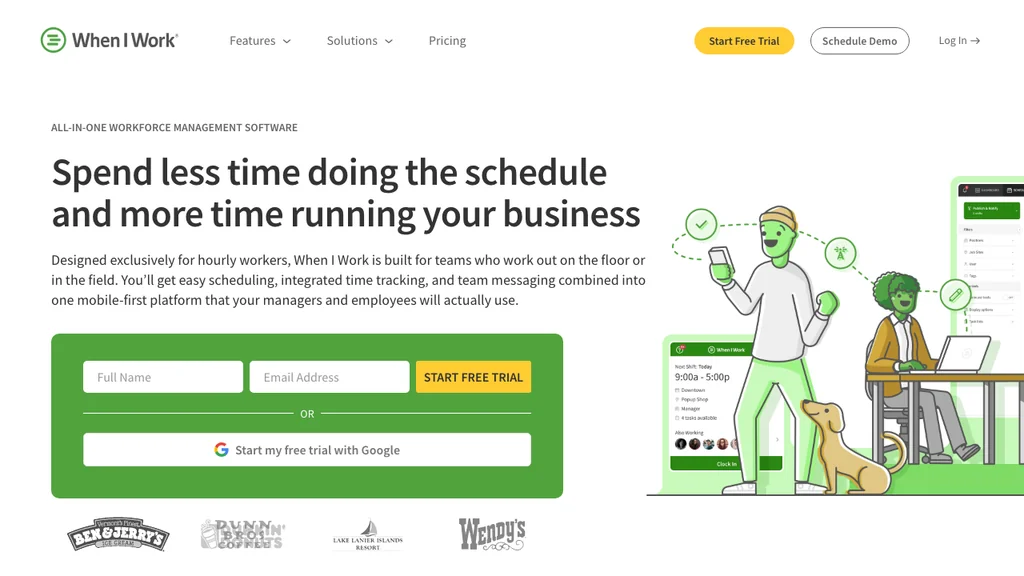
Best for: Small US/UK teams that need fast scheduling, clock-ins, and simple time-off requests without HRIS overhead.
Who it's for: Single-site cafes, clinics, and front desks under ~25 staff that prioritize speed and low cost over deep leave policy and reporting.
When I Work keeps the stack minimal: schedules, attendance, availability, and time-off requests in one mobile-first product. Leave management is lighter than a dedicated tracker, but requests and availability feed directly into scheduling — which is the whole point for a small shift crew that does not want a second login for holidays.
Pros: Low entry price per user; intuitive mobile apps; time-off requests tied to the schedule; quick onboarding for managers who hate admin. Cons: Limited accrual policy, leave reporting, and multi-site absence analytics compared with dedicated tools; complex carryover and part-time pro-rata usually need workarounds.
When I Work can be a stepping stone — budget for a migration once accruals, carryover, and absence reporting become bottlenecks. For a 12-person team it is often the easiest tool to adopt in a single shift. Run your trial with a real Saturday open and a same-day sick call; if managers still fall back to group chat for cover, the leave layer is too light for your operation.
Verdict: Works when scheduling simplicity and cost beat deep leave policy — plan an upgrade before you hit 25+ staff, multi-site reporting, or complex entitlements.
Timetastic
Best for: UK-style small teams that want a dead-simple holiday and leave booking tool with allowances and a shared calendar.
Who it's for: Small businesses — desk or mixed — that only need to book, approve, and track holiday and sick leave, without scheduling or time tracking attached.
Timetastic is a dedicated leave tool done well: staff book time off, allowances and carryover update automatically, and a shared wall chart shows who is away. It syncs to calendars but does not build schedules or capture worked hours.
Pros: Very low per-user cost; fast to set up; clean allowances and absence tracking; strong for UK statutory leave patterns. Cons: No scheduling or time-tracking link, so shift teams still need a separate scheduling tool; limited operational depth.
Timetastic is a good example of when a dedicated leave tracker beats a suite — a small team that books holiday weeks ahead and has no schedule to rebuild. If a sick call forces same-day cover, you will feel the missing schedule link.
Verdict: Ideal for simple holiday booking; not the pick if leave needs to reshape a live shift schedule.
Vacation Tracker
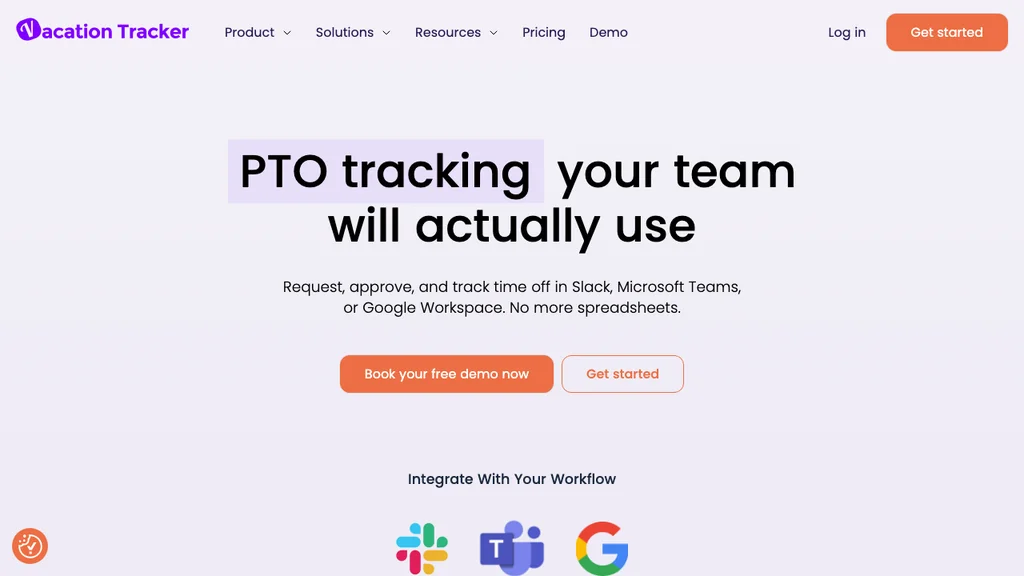
Best for: Distributed teams that live in Slack or Microsoft Teams and want to request and approve leave without leaving chat.
Who it's for: Remote-first and hybrid teams whose people already work in Slack/Teams and who want leave requests, balances, and a shared calendar embedded there.
Vacation Tracker specialises in leave inside collaboration tools: request PTO from Slack or Teams, route approvals to a manager, and keep a shared leave calendar and balances. It is a dedicated tracker, not a scheduling or time system.
Pros: Lowest headline per-user price; frictionless for chat-based teams; multiple leave types and locations; quick setup. Cons: No schedule or time-tracking link; less useful for deskless shift staff who do not live in Slack/Teams; reporting is functional rather than deep.
Vacation Tracker is the right shape for an office or remote team, and the wrong shape for a kitchen or shop floor — frontline staff rarely have Slack open mid-shift, so leave requests still need a mobile app tied to the schedule.
Verdict: Excellent for Slack/Teams-native teams; not built for shift operations that need leave connected to a live schedule.
When you trial several vendors in one week, use the same team, the same leave policy, and the same awkward scenario: a sick call the night before a busy shift. The tools that keep leave, cover, and hours in one audit trail will separate themselves quickly from the ones that only produce a pretty vacation chart. Next, decide whether you need a dedicated leave layer, an HRIS module, or leave inside your workforce stack.
Absence management software vs HR software — when do you need which?
Search results for absence management software blur into HR software, because most HRIS platforms include a time-off module. The distinction is about scope, not just features.
- Absence management software / leave management system: Focused on requesting, approving, tracking, and reporting time off — sometimes as a standalone tool, sometimes linked to scheduling.
- HR software (HRIS): A broader system covering the whole employee lifecycle — records, onboarding, performance, and payroll hooks — with absence as one module among many.
When a dedicated absence tool is enough: You already run payroll and records elsewhere and just need leave booking, balances, and reporting to stop breaking. When HR software makes more sense: You want leave inside a single employee record with onboarding, documents, and reporting — and you are willing to pay for the wider platform. For that comparison, see our HR software guide; for the operational layer beneath both, see workforce management software.
Many shift businesses end up with a combined stack: an HRIS or payroll tool for records, plus a workforce tool that keeps leave tied to the schedule. That hybrid is not a failure — it is often the right answer until headcount or multi-site complexity justifies consolidation.
- Hybrid works when finance owns payroll/HRIS and operations owns the schedule — and both systems exchange leave dates cleanly
- Hybrid fails when managers must re-key the same absence into two systems, or when the HRIS calendar never reaches the people who build shifts
The mistake is expecting a desk-first HRIS to solve last-minute cover, or expecting a standalone leave app to store contracts and onboarding packs. Buy for the job that breaks most often on your floor.
Absence management software vs leave trackers and PTO apps
Dedicated leave trackers and PTO tracking apps — Timetastic and Vacation Tracker above are good examples — do one job cleanly and cheaply: book time off, manage allowances, and show a shared calendar. Broader absence management platforms add accruals across many leave types, richer reporting, and, for shift teams, a link to scheduling and time. For the policy definition of paid time off itself — accrual, banks, and PTO vs vacation — see our PTO glossary.
When a dedicated leave tracker wins: A small desk or remote team that books vacation weeks in advance, has straightforward entitlements, and has no schedule to rebuild when someone is off. The lower per-user cost and quick setup are hard to beat. Chat-native tools also win when your team already lives in Slack or Microsoft Teams and refuses another login.
When you need more: The moment an approved absence has to reshape a live schedule, or leave data needs to reach payroll without re-keying, a pure tracker leaves a gap. Shift teams feel this weekly — the PTO is booked, but the Saturday cover, the corrected hours, and the payroll line are still manual.
A practical rule of thumb: if managers still rebuild the schedule in Excel after every approval, you do not have an absence problem alone — you have a scheduling handoff problem. See our employee scheduling software and time tracking software guides for the layers a standalone tracker cannot cover. Keep a dedicated PTO app only if leave never changes who must be on the floor.
Leave and scheduling — why integration matters for shift teams
For a desk team, approved PTO is just a calendar entry. For a shift team, it is a hole in the schedule that someone has to fill before the doors open. The feature that matters most is not the leave form itself — it is what happens after approval.
When leave and scheduling are integrated, an approved absence immediately shows as an open shift, availability is respected when the next schedule is built, and no one is accidentally scheduled on a day they booked off. When they are separate, a manager has to remember the leave, check it against the schedule by hand, and re-enter it — which is exactly where errors and no-shows come from.
Broken handoffs usually look like this:
- Holiday approved in a tracker, but the Saturday schedule still shows the person as working
- Sick leave noted in a group chat, never written into the schedule or payroll export
- Cover arranged verbally, so time tracking and overtime land on the wrong person
The same logic extends to time tracking. If leave, planned shifts, and worked hours share one record, payroll gets a clean picture: who was off, who covered, and what was actually worked. If they live in three tools, someone reconciles it manually at the end of every period. Tools like Dayforce solve this at enterprise scale by unifying schedule and pay; for SMB shift teams, Ordio, Deputy, Homebase, and Connecteam bring leave and scheduling together without an enterprise rollout. If your team already lives in a scheduling product, treat leave integration as a hard requirement — not a nice-to-have on the RFP.
Key features of absence management software for shift teams
Once you accept that leave has to update the schedule, feature lists on vendor pages start to look similar — until you filter for what an hourly site actually uses every week. These capabilities separate a useful absence management system from a vacation calendar that never touches operations. Desk-first HR modules often tick "time off" without proving any of the items below under real cover pressure.
- Same-day sick leave — request, approve, and surface cover in minutes, not the next morning
- Part-time and irregular accruals — pro-rata entitlement that matches hours worked, not a full-time desk assumption
- Clash and blackout rules — stop approving three servers off on the same Saturday or ignoring peak blackout dates
- Open-shift handoff — approved leave creates a visible gap managers can fill from the schedule, not a sticky note
- Manager and staff notifications — push or in-app alerts so approvals and cover asks do not die in email
- Multi-site policy control — shared rules with local exceptions so a chain does not invent five spreadsheet policies
- Mobile self-service — staff book leave and check PTO balances from a phone between shifts
- Document attachments — sick notes or certificates where your policy requires them, with an audit trail
- Exports managers trust — absence reports and payroll-ready files that match what finance actually imports
If a demo cannot show those flows with a part-time employee and a last-minute sick call, treat the tool as desk-first even if the marketing says otherwise. Dedicated trackers excel at calendars and allowances; shift-linked platforms earn their keep when leave changes who is on the floor. Score every vendor against this list in writing — “nice UI” is not a feature that fills Saturday cover.
How absence management software works day to day
How does a leave management system work? In practice it is a five-step loop — the same whether you call it absence management, leave management, or PTO tracking — and the loop only helps shift teams when step four updates the live schedule.
- Request — the employee picks dates, leave type, and (if needed) a note or document from web or the employee app
- Validate — the system checks balance, blackout rules, and clash warnings before the request is submitted
- Approve — the right manager accepts, declines, or asks for more detail, with a timestamped audit trail
- Publish impact — the calendar updates; for shift teams, availability and open cover update on the schedule
- Report and pay — absence feeds reporting and payroll or HRIS exports so hours and leave stay aligned
Picture a Saturday brunch service: a server books sick leave at 7:15am. Validation confirms they have sick balance left; the floor manager approves on a phone; the schedule shows an open shift; a colleague claims cover; and payroll later sees sick leave for one person and worked hours for the other — without a WhatsApp thread as the system of record.
Building that loop in Excel is possible for a tiny desk team, but formulas break as soon as you add carryover, part-time pro-rata, and multi-manager approvals. A bought leave management system owns the rules; your managers own the cover decisions. That is the buy-vs-build line most PAA questions are really asking about.
Absence management for hospitality, retail, and healthcare
The same product rarely wins every industry. Use the notes below to prioritize features for your operation — then pressure-test any shortlist on a real peak day in your vertical, not a quiet Tuesday desk demo.
Hospitality and restaurants
High turnover and volatile demand make same-day absence the norm, not the exception. Prioritize mobile leave requests, instant cover visibility, and a shared calendar managers can check between services. Ordio, Homebase, Deputy, and Connecteam appear most often for hospitality teams because leave sits next to the schedule — when a chef calls in sick, the gap and the cover request appear together rather than in a spreadsheet nobody opens mid-shift.
Run your trial through a busy Saturday service, not a quiet midweek lunch. Confirm managers can approve on a phone between tickets, that open shifts stay visible when someone is off, and that seasonal staff get their own balances without breaking the permanent team’s accruals. If cover still happens only in WhatsApp after approval, the tool is not hospitality-ready yet.
Retail and multi-store chains
Peak-season leave requests and cross-store cover strain manual trackers. Look for central leave policies with per-store execution, clash warnings so you do not approve three people off on the same Saturday, and reporting that shows absence patterns by location. Compare Ordio and Deputy if you run both EU and UK retail sites and need consistent allowances with local rules applied per store.
Ask whether you can see who is available for late shopping nights without logging into each store, and whether approved leave blocks open shifts in the store schedule automatically. Stress-test a holiday trading week: that is when balances, approvals, and multi-location reports either stay in sync or collapse into spreadsheet triage. For chains with five or more sites, a regional absence view usually matters more than a polished single-store app.
Healthcare and care teams
Absence cover is a safety issue as much as an admin one: a booked leave day must not leave a shift without the right skill mix. Prioritize tools that respect qualifications when cover is arranged and keep an audit trail for regulators. Pair leave with employee files so expired credentials block unsafe assignments, and check that your chosen tool documents absence the way your healthcare regulator expects before rollout.
Combine leave with reliable time tracking if you run nights and weekends that must stay within rest rules. Trial a night-shift cycle, not only a daytime office workflow — approvals and schedule changes have to work under pressure. This is operational guidance, not legal advice: your contracts and local labor rules still lead; the software should make those rules visible when someone requests leave or claims cover.
How to choose absence management software (5-step checklist)
Use this checklist before you sign — it is designed for operators comparing absence management software for hourly teams, not for enterprise RFP theatre. Write the answers down; they become your trial script.
- Map your leave reality — how many sites, which leave types, part-time vs full-time mix, and which country's rules apply (US PTO, UK statutory leave, EU entitlements)
- Decide if leave must touch the schedule — desk teams can use a standalone tracker; shift teams should insist on schedule integration
- Shortlist 3–4 tools from the table and run a 14-day trial with a real team and a real sick-call scenario
- Test mobile self-service — staff must request leave and check balances from a phone without messaging a manager; adoption fails otherwise
- Validate accruals, reporting, and exports — check carryover, absence reports, and the payroll or HRIS export before you migrate historical balances
Involve a shift manager in the trial, not only HR or finance. A tool can win on holiday-chart looks and still fail the one test that matters: turning an approved absence into visible cover before the shift starts. Document your current error rate — missed cover, double-booked leave, payroll corrections — because those hours fund the business case. Score each vendor 1–5 on the seven evaluation criteria above and discard any tool that cannot show schedule impact in the trial.
When Ordio is (and is not) the right fit
We build Ordio, so here is the honest boundary. Ordio is a strong fit for ops-first shift teams that want leave connected to the schedule and to worked hours — not a replacement for every leave tool or a complex statutory-leave case manager.
- Ordio fits when you run 10–200 shift workers per site in hospitality, retail, or healthcare; you want absence management, scheduling, time tracking, and employee files in one system; you need EU/DACH labor-rule depth; and same-day cover is a weekly reality.
- Ordio is not the default when you only need lightweight holiday booking for a desk office (a dedicated tracker like Timetastic or Vacation Tracker is cheaper and simpler); you need US-native payroll as the primary buy (consider Homebase or a payroll-led tool); or you need complex FMLA/ADA leave case management at enterprise scale (consider AbsenceSoft, Dayforce, or Workday absence).
We publish this comparison because buyers deserve an honest map, not a claim that one tool solves every leave problem. Partial fit is normal — plenty of operators run a payroll tool in one place and manage shift leave in another until they consolidate. See Ordio pricing if the shift-ops fit matches your team.
Conclusion
The best absence management software for shift teams does more than store PTO requests — it turns an approved absence into visible cover, protected availability, and clean hours for payroll. Timetastic and Vacation Tracker win for simple desk or remote leave booking; BambooHR keeps leave inside a full HRIS; Homebase, Deputy, When I Work, Connecteam, and Ordio bring leave and scheduling together for hourly teams; and enterprise suites like Dayforce or AbsenceSoft handle statutory case management at scale.
Start from your own reality: how many sites, which leave rules, and whether an absence needs to reshape a live schedule. Then trial a short shortlist with a real manager and a real sick-call scenario — and score each tool on the seven criteria above, not on homepage polish alone. If two tools tie, pick the one your floor managers will actually open on a phone at 7am.
Explore Ordio absence management, shift planning, and time tracking if you need leave that treats hourly operations as core — not an afterthought. For broader people-stack context, return to the HR software and workforce management guides.