Guides
Best Work From Home Apps for Hybrid Teams (2026)

A remote Tuesday should not mean seventeen unread threads and no idea who is covering the lunch shift. Work from home apps are software that help employed teams communicate, coordinate tasks, protect credentials, and share docs when people are not in the same room — employer time clocks live in dedicated time tracking software, not this desk stack. This guide covers productivity tools for people already on payroll — not job boards, gig marketplaces, or “earn money from home” listings.
Starting a business from home — not the same as picking apps for an employed remote team — is covered in our home based business ideas guide.
Who this guide is for: HR leads, ops managers, and small-business owners building a sane hybrid stack for US teams (UK/IE notes in the FAQs).
Search results for work from home apps still mix job boards and gig marketplaces with real team software — this comparison stays on the employed-team side: eight desk-grade platforms with September 2026 pricing, screenshots, and fit notes for hospitality, retail, and hybrid HQ. If hourly scheduling is the pain, start with time management tools or employee scheduling software instead of rebuilding chat from scratch.
What are work from home apps?
Work from home apps are the software employed teams use to stay aligned when people are not in the same room — messaging, meetings, shared files, async video, credential security, and (where needed) project time visibility. People also search for work from home software and remote work apps with the same intent. That is different from remote work software in the workforce-management sense (labour forecasting, compliance, enterprise WFM), which we cover in our workforce management software guide.
Common categories include:
- Team chat — Slack, Microsoft Teams
- Meetings — Zoom, Google Meet (via Workspace)
- Documents and wiki — Google Workspace, Notion
- Async video — Loom
- Security — 1Password or similar password managers
- Task lists — Todoist and similar (payroll-grade clocks live in time tracking software, not chat apps)
Hybrid operators with stores or clinics still need a floor system for rotas and clock-ins — comms apps alone do not publish Saturday coverage.
Used well, these tools cut reply-all email, give new hires one place for policies, make handovers searchable, and let managers approve work without another standing meeting. They do not replace fair scheduling on shift floors; they reduce day-to-day coordination overhead for people who already have a job and a manager.
Best work from home apps at a glance (2026)
There is no universal winner. A ten-person agency might standardise on Workspace plus Slack; a regional restaurant group might use Todoist for HQ project tasks but keep rotas in a scheduling tool. Use the table to shortlist, then pilot two finalists for one busy week before you add seats.
How to read this table: “Hybrid-team fit” means how well the app serves desk and HQ staff who work from home — not whether it replaces store rotas. “Starting price” is entry paid tier per user or host; confirm bundles (especially Teams + M365) on vendor sites.
| App | Best for | Starting price | Hybrid-team fit | Free tier |
|---|---|---|---|---|
| Slack | Team messaging and integrations | Free; Pro from approx. $7.25/user/mo | Strong (HQ / desk) | Yes |
| Microsoft Teams | M365 chat, files, meetings | Often bundled with Microsoft 365 | Strong (enterprise) | Limited free |
| Zoom | Video meetings and webinars | Free; paid from approx. $13.33/host/mo | Strong | Yes |
| Google Workspace | Email, docs, calendar | from approx. $7/user/mo | Strong | No (trial) |
| Loom | Async screen video | Free; Business from approx. $15/user/mo | Moderate | Yes |
| 1Password | Shared passwords and vaults | from approx. $7.99/user/mo | Strong | No (trial) |
| Todoist | Personal and team task lists | Free; Pro from approx. $5/user/mo | Moderate | Yes |
| Notion | Wiki, tasks, databases | Free; Plus from approx. $10/user/mo | Moderate | Yes |
Prices approximate — as of September 2026. Confirm on vendor sites before purchase.
Note: This table excludes job-search apps (FlexJobs, Upwork, etc.). If you are hiring remote roles, use your ATS and careers site — not a “WFH apps” roundup.
How we evaluated these work from home apps
We scored each app against what breaks hybrid weeks for operators:
- Async vs meeting load — does the tool reduce calendar time or add another login?
- Mobile quality — can managers and crew complete core actions on phones?
- Security posture — SSO, guest access, and audit trails for remote access
- Integration depth — payroll, HRIS, calendars, and ticketing without fragile one-off automations
- Time visibility — ethical tracking for projects without confusing shift clocks
- Onboarding friction — time-to-first-value for non-technical managers
- Pricing transparency — per-seat maths before you add contractors
- Frontline adjacency — honest fit when part of the company works on site
Rollout note: document channel naming, meeting-free blocks, and which app owns rotas versus chat in the same handbook page new hires read on day one — before you invite the whole company. We excluded pure meditation apps, consumer gig marketplaces, and remote-desktop tools aimed at IT support — different buyer intent than HR productivity stacks.
For any app you adopt: assign an owner, define three approved use cases, connect SSO where available, and record a 30-minute training in Loom. Measure success by fewer “where is that file?” messages, not by login counts alone.
The 8 best work from home apps for hybrid teams
Profiles below include September 2026 homepage screenshots for the eight third-party tools in the comparison table — not Ordio. For operational rotas and hours when HQ works remotely, see the Where Ordio fits section below.
Slack
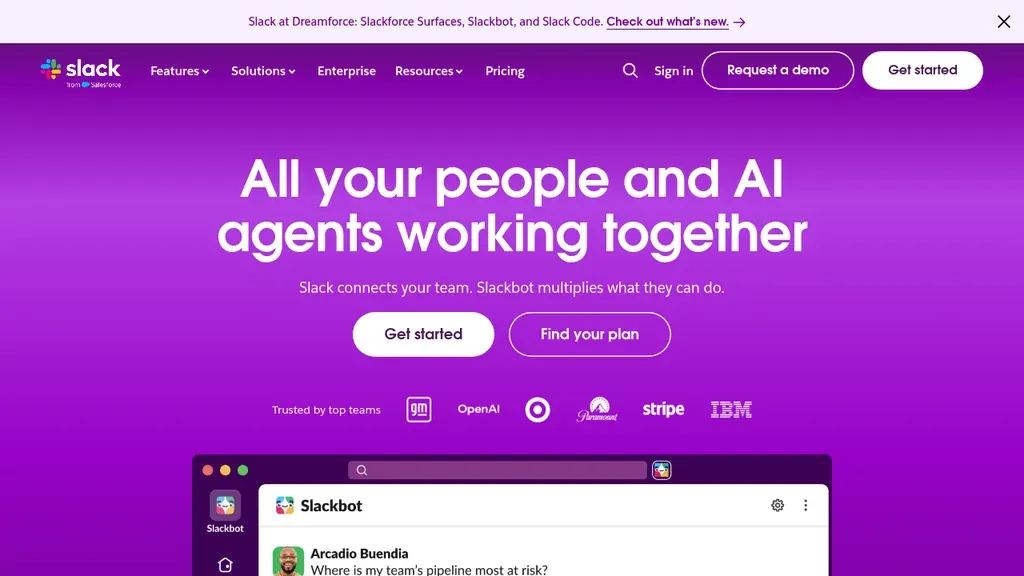
Best for: Async team chat with integrations and searchable history
Who it's for: Distributed product, marketing, and ops teams that live in channels instead of email threads
Slack remains the default work from home app for many US teams because channels map cleanly to projects and on-call rotations. Huddles cover quick voice checks without scheduling a Zoom. Connect payroll, ticketing, and doc bots so managers approve requests without leaving chat.
For shift-heavy businesses, keep Slack for HQ and area managers while rotas stay in a scheduling tool — otherwise crew never see updates posted at 2 a.m.
Pros: Deep integrations; strong mobile apps; flexible channel permissions. Cons: Noise and notification overload without norms; per-seat cost rises with headcount.
UK and IE teams often standardise on Slack or Teams alongside Google Workspace; confirm data residency and DPA terms with your IT lead before rolling out guest channels for contractors.
Verdict: Default comms layer for remote knowledge workers; pair with scheduling for frontline sites.
Microsoft Teams
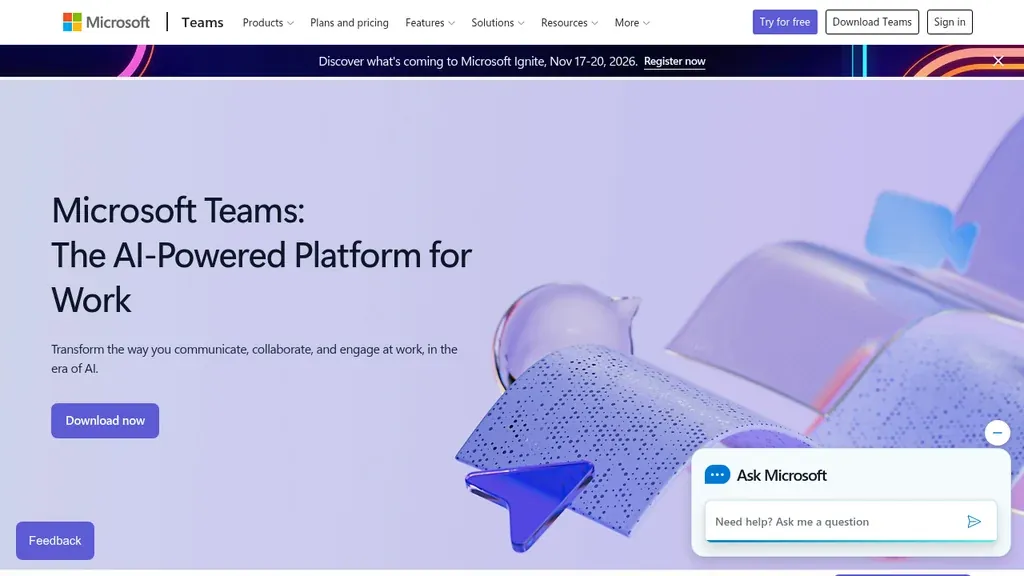
Best for: Organisations standardised on Microsoft 365
Who it's for: Enterprises and SMBs already paying for Exchange, SharePoint, and Office apps
Teams bundles chat, meetings, files, and lightweight tasks inside the Microsoft graph — attractive when IT wants one vendor and SSO everywhere. Live captions and meeting recordings help hybrid stand-ups when half the room is remote.
Frontline workers can use Teams Shifts for basic scheduling, but multi-site hospitality operators often outgrow it and add a dedicated scheduler — see our employee scheduling software guide.
Pros: Included in many M365 bundles; strong compliance story; familiar for corporate users. Cons: UI density; guest access and channel sprawl need governance.
Planner and Loop boards can cover light task tracking, but delivery teams shipping cross-functional projects still outgrow Teams tasks — that is when a dedicated PM guide matters, not another Teams channel.
Verdict: Choose Teams when M365 is already mandatory; otherwise Slack plus Workspace may feel lighter.
Zoom
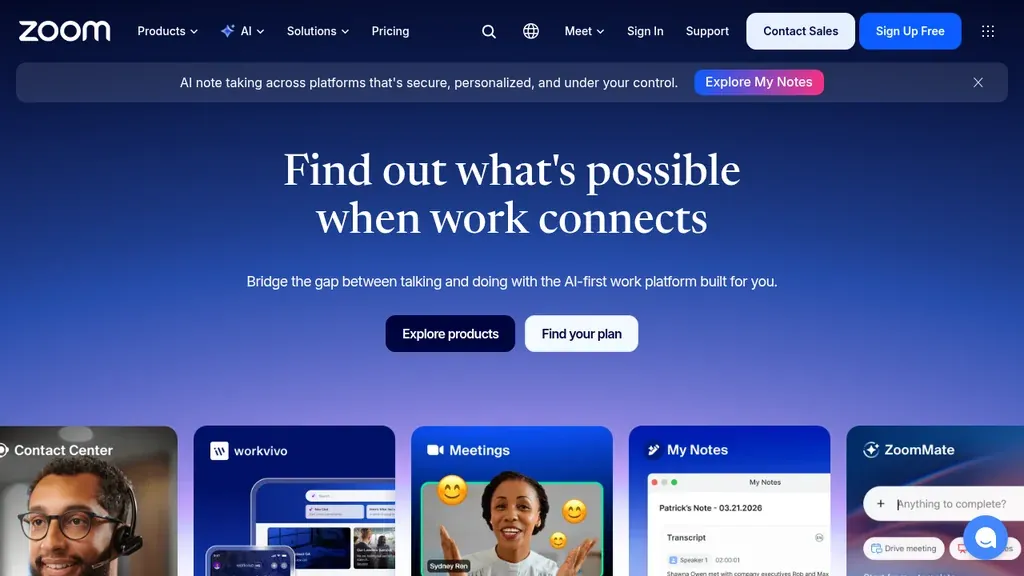
Best for: Reliable video meetings and webinars
Who it's for: Client-facing teams, trainers, and managers who need stable calls on variable home broadband
Zoom still wins on “join from a link” simplicity for external guests and all-hands. Pair with Slack or Teams for day-to-day chat so meetings stay intentional. Use waiting rooms and co-host roles when managers run hybrid interviews or vendor reviews from home.
Recording policies matter — store files in governed drives, not personal downloads.
Pros: Predictable meeting quality; broad dial-in; breakout rooms. Cons: Chat is weaker than dedicated comms apps; fatigue if meetings replace async updates.
For hybrid all-hands, publish a standing rule: camera optional for floor staff on dial-in, recording on for training, and chat Q&A in Slack so questions are not lost in the Zoom sidebar.
2026 reality: Many teams run internal stand-ups in Google Meet or Teams because those tools ship with suites you already pay for. Zoom remains common for external clients, vendor reviews, webinars, and stable dial-in — less often as the only meeting app in the stack.
Verdict: Keep Zoom when guests need a familiar link; default internal sync to Meet or Teams when you can.
Google Workspace
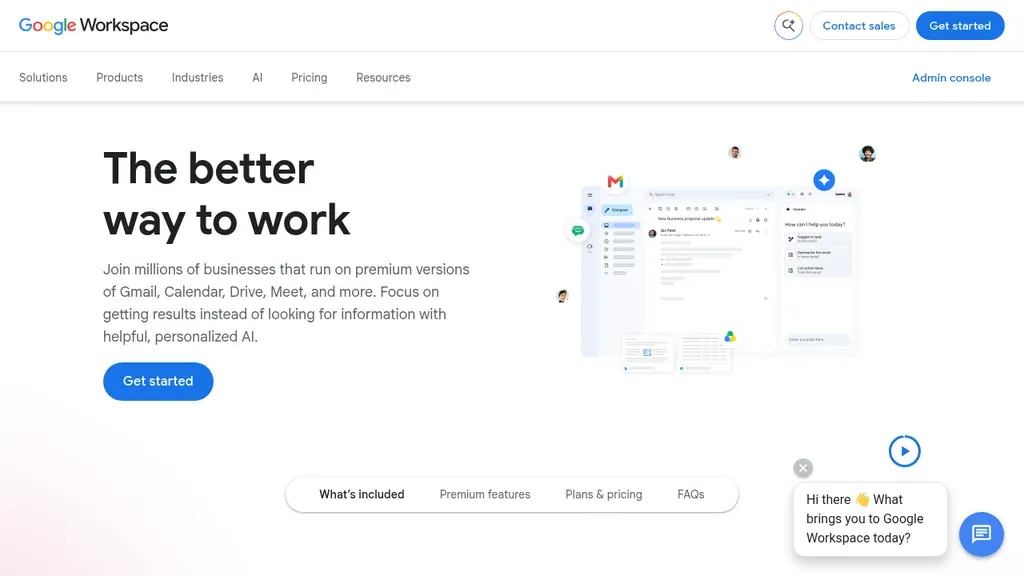
Best for: Email, calendar, docs, and shared drives in one suite
Who it's for: SMBs and agencies that collaborate in Docs/Sheets daily
Workspace is the quiet backbone of many remote work apps stacks: Gmail for external mail, Calendar for focus blocks, Drive for contracts, and Meet for quick syncs. Shared drives beat emailing attachments when finance and ops work from home on month-end.
Set naming conventions for folders and restrict “anyone with link” sharing — remote work increases accidental oversharing risk.
Pros: Familiar UX; real-time co-editing; generous SMB tiers. Cons: Admin setup required for DLP and retention; Meet quality varies by plan.
Verdict: Baseline docs layer for most hybrid teams; add Slack or Teams for high-velocity chat.
Loom
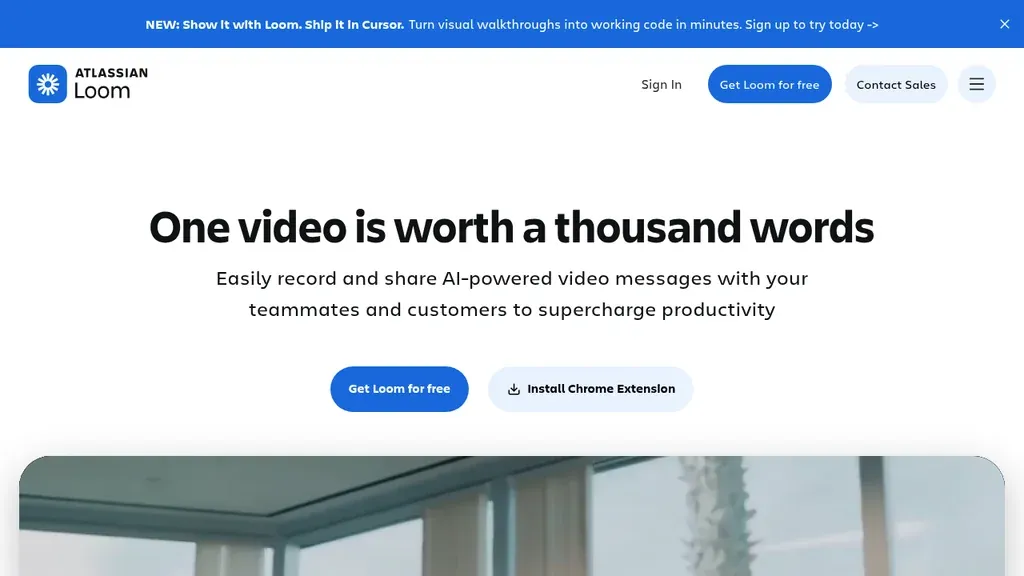
Best for: Async screen recordings for updates and training
Who it's for: Team leads documenting processes, support teams, and HR rolling out policy changes
Loom reduces meeting load by letting you record a walkthrough once — pricing updates, POS changes, or new checklist steps for store managers. Viewers watch on their own schedule across time zones.
Pair Loom with Notion or Workspace pages so recordings sit next to written SOPs frontline staff can open on mobile.
Pros: Fast record-and-share; viewer analytics on paid tiers. Cons: Not a live meeting replacement; searchability depends on where you embed links.
Verdict: Add Loom when repetitive explanations clog calendars.
1Password
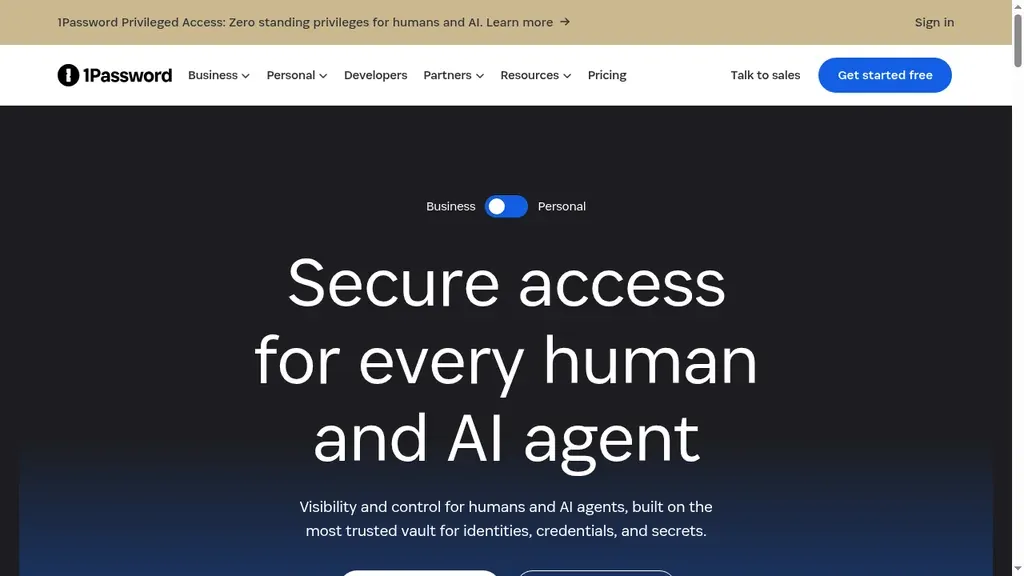
Best for: Shared vaults and SSO-friendly credentials
Who it's for: IT-light SMBs securing vendor logins for remote finance, marketing, and ops
Remote work multiplies shared accounts — POS portals, delivery platforms, ad managers. A password manager with shared vaults and role-based access beats spreadsheets on shared drives. Require unique passwords for each vendor and rotate when people leave.
Document which vaults managers may access from personal devices versus company laptops.
Pros: Auditable sharing; travel mode; family plans for very small teams. Cons: Requires adoption discipline; Bitwarden is a common lower-cost alternative in FAQs.
Verdict: Treat security apps as non-optional in any WFH policy.
Todoist
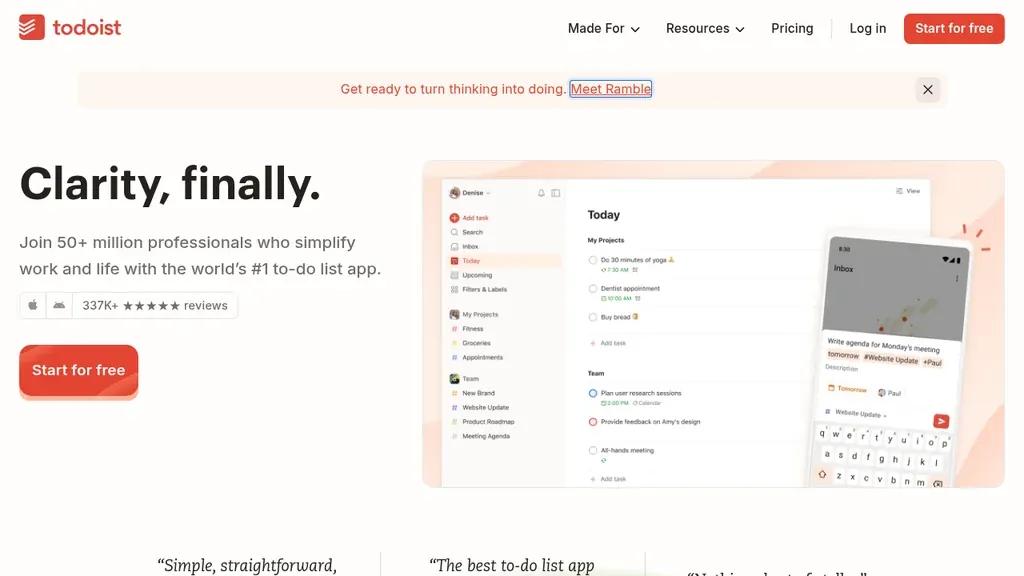
Best for: Lightweight personal and team task lists
Who it's for: Managers and ICs who need clear next actions without adopting a full project suite
Todoist fits the “what do I do today?” layer of work from home apps — due dates, labels, and quick capture on mobile when you are between meetings. It is not a substitute for employer time clocks or store rotas. When payroll-grade hours matter, use our time tracking software comparison (Ordio, Deputy, Connecteam, and desk timers) instead of bolting timers onto chat.
Pair Todoist with Notion or Workspace for longer SOPs; keep one system authoritative for deadlines managers actually review.
Pros: Fast setup; natural language dates; solid mobile UX. Cons: Not built for shift compliance, kiosk punches, or payroll exports.
Verdict: Add Todoist for task clarity; route hour compliance to time-tracking tools built for employers.
Notion
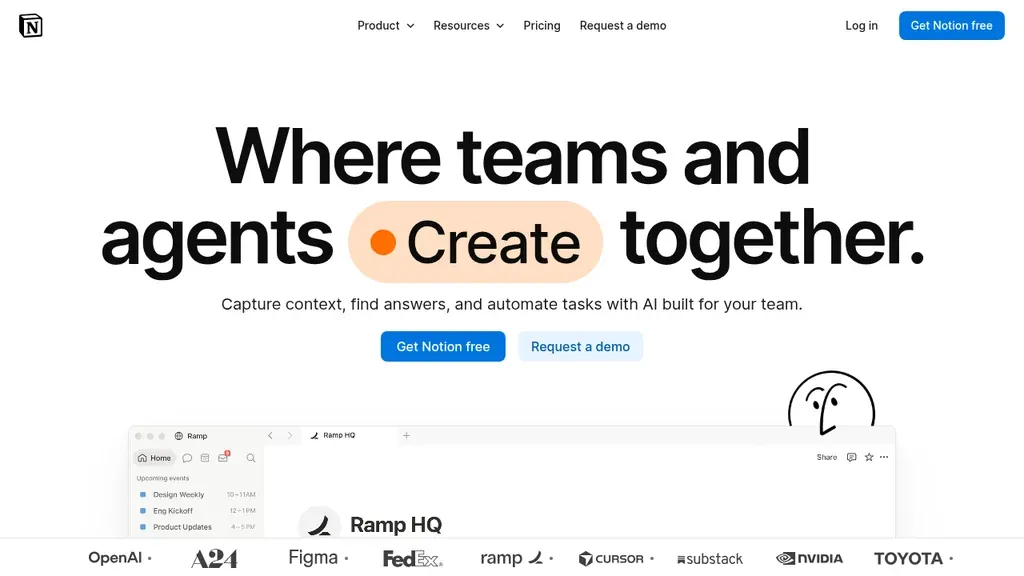
Best for: Flexible wiki, tasks, and lightweight databases
Who it's for: Ops and HR teams building handbooks, onboarding hubs, and project trackers
Notion centralises policies, meeting notes, and project boards when everyone works from different kitchens. Template galleries speed up employee handbooks and vendor lists. Avoid duplicating live rotas in Notion databases — numbers go stale fast; link out to your scheduling source of truth.
For delivery-heavy work, compare with dedicated project management software before scaling complex Gantt needs.
Pros: Highly customizable; good for async documentation. Cons: Can sprawl without editors; mobile editing is weaker than desktop.
Verdict: Strong second brain for HQ; not a substitute for comms or time clocks on the floor.
Work from home apps vs time management tools
Work from home apps usually means chat, meetings, docs, and security — the collaboration layer. Time management tools focus on how individuals and teams allocate hours: rotas, timers, tasks, and calendars for hourly crews. Remote HQ staff need the first stack; site managers often need both. Do not ask Notion to replace a published rota.
If your managers already juggle When I Work or Google Calendar for shifts, adding Slack does not remove that layer — it coordinates people between rota changes. Start with the pain you measured last quarter: missed messages versus missed coverage.
Example: a district manager works from home on Fridays in Slack but still publishes Sunday rotas through a scheduling app. That is two layers working together — not a reason to buy another Todoist-style app for the whole company.
Personal productivity apps (focus timers, habit trackers) can help individuals, but they do not fix org-wide coordination. Keep those optional for desk workers; do not roll them out as a company mandate when the real issue is unpublished rotas or missing hour data.
Work from home apps vs time tracking software
Time tracking software centres on clock-ins, breaks, approvals, and payroll exports. Todoist and Notion in this guide handle tasks and docs — not compliant time clocks. When accuracy at the time clock is the bottleneck, read our time tracking software comparison (including Ordio for shift-heavy sites) before buying another chat app. Keystroke logging, always-on screenshots, and insider-risk analytics belong in dedicated employee monitoring software — not in your Teams or Slack rollout.
Desk timers can coexist with wall-clock attendance when policies are clear. Finance may need project exports from a dedicated tracker while stores use punch clocks — reconcile both in payroll review, not in one overstuffed app.
Red flag: if managers chase hours in Slack threads, you need a time system — not another integration bot. Green flag: WFH staff use employer-approved time tools while stores clock in on site; payroll sees both feeds with documented rules.
Work from home apps vs project management software
Project management software delivers Gantt charts, dependencies, and portfolio views for delivery teams. Notion or Teams tasks cover light PM; complex implementations need Asana, Monday.com, or similar — see project management software. WFH apps keep everyone talking; PM tools ship milestones.
Delivery teams shipping client work need milestones and owners; HQ chat alone loses tasks in threads. Promote PM software when dependencies cross departments; keep WFH apps for communication around those milestones.
Opening a new location is a common split: Loom and Slack coordinate the project team; PM software tracks tasks and dates; scheduling software still owns who works opening weekend on the floor. Mixing all three into Notion without owners guarantees duplicate work.
Work from home apps vs workforce management software
Workforce management software forecasts labour, enforces rules, and connects scheduling to demand — common in retail and healthcare enterprises. The remote work software head term often maps here, not to Slack. If you are optimising labour cost across locations, start with workforce management software instead of stacking more comms tools.
Enterprise WFM connects demand, schedules, and labour rules — a different purchase committee than IT rolling out Teams. Do not expect chat adoption to lower overtime; that requires forecasting and scheduling discipline.
If the real question is how to staff Sunday lunch across twelve sites, start with WFM — not another chat licence.
Work from home apps vs employee scheduling software
Employee scheduling software publishes rotas, swaps, and availability for hourly staff. Hybrid policies still require fair notice for on-site days. Use scheduling software for the floor and WFH apps for desk coordination — link policies in Notion so people know which tool to open.
Hybrid policies should state how many days on site are required and where swaps are approved. Scheduling software publishes truth; chat only notifies people after truth exists.
Never ask crew to “check Slack for your hours.” If the rota lives in a scheduler, deep-link that app in your handbook and use chat only for exceptions. Area managers working from home still need mobile scheduler access — not a desktop-only PM board.
How to stack work from home apps (four layers)
A stable hybrid stack builds in order — skipping layers is how teams end up with five chat apps and no handbook.
- Comms — Slack or Teams norms (channels, response times, escalation). Pilot with HQ first; add site-facing channels only when managers will moderate them.
- Documents — Workspace or Notion as system of record. Pick one source for policies and SOPs; link to it from chat pins.
- Time — Time tracking software for employer clocks; Todoist for personal deadlines; scheduling tool for shifts. Never merge project timers and store clock-ins in one spreadsheet.
- Security — password manager plus MFA on email and chat. Roll out before you invite contractors to vendor portals.
Add Zoom or Meet when async video (Loom) is not enough for live Q&A. Add Loom when managers repeat the same training weekly. Review the stack quarterly — unused licenses are the hidden tax of remote work.
Remote collaboration software in buyer language often means layers 1–2 plus video. You do not need a separate “collaboration suite” SKU if channels, docs, and meeting norms are already defined.
Pricing and free tiers for remote work apps
Many vendors offer free tiers for small teams: Slack, Zoom, Todoist, and Notion can start at $0 with caps. Microsoft Teams is often bundled with existing Office licences. Budget for SSO and admin on 1Password or Teams when you pass roughly thirty users. Model per-seat growth before signing annual contracts — hybrid hiring spikes are lumpy.
Illustrative monthly stack (September 2026, verify on vendor sites): 25 desk users on Slack Pro at approx. $7.25/user ≈ $181; Workspace Business Starter at approx. $7/user ≈ $175; 1Password at approx. $8/user ≈ $200; Zoom paid host ≈ $13–$22 depending on plan. Total ≈ $570/month before Loom or Todoist paid tiers — meaningful for a 25-person HQ, so audit unused seats every quarter.
Watch for guest-user charges and webinar add-ons on Zoom. Model three-year headcount scenarios before annual prepay — hybrid hiring and layoffs both happen in the same year in hospitality and retail.
Common mistakes when choosing work from home apps
Most failed rollouts start with too many tools and no owner. Agree on one comms hub and one docs hub before buying security or analytics add-ons — otherwise every vendor demo looks essential.
- Buying five tools before agreeing where rotas and policies live
- Letting job-board SEO distract you into gig apps when you need internal comms
- Recording every meeting without retention rules
- Ignoring mobile UX for area managers who live between sites
- Skipping security basics because “we are small”
- Duplicating PM in Notion and a dedicated PM tool without owners
- Measuring success by “everyone installed the app” instead of fewer missed handovers
- Letting executives keep shadow tools that bypass retention and security policy
Run a 30-day retro after rollout: count repeated questions in chat that should be answered by a doc page, and fix the doc — not another bot.
How to choose work from home apps in 5 steps
Use this sequence before you sign annual contracts — it works for ten-person agencies and regional operators alike.
- List failure modes from last month (missed shift messages, lost files, audit panic).
- Mark which roles are desk-only, hybrid, or site-only.
- Shortlist one comms app and one docs hub; defer the rest.
- Pilot with one department for two weeks; measure meeting hours and ticket backlog.
- Document decisions in an employee handbook page; when floor coverage is the gap, compare shift planning and time tracking alongside desk tools.
Vendor selection workshops work well remotely: score each finalist 1–5 on security, mobile UX, admin burden, and integration with your payroll or HR stack. Invite one sceptical line manager — if they cannot complete a task in ten minutes, crew will not adopt it either.
Contract tips: ask about data export on exit, sub-processor lists, and whether guest accounts bill at full seat price. Annual prepay discounts help cash flow but lock you in before workflows are proven.
Training debt is real: every new app adds login fatigue. When leadership announces “one more platform,” sunset something else the same quarter.
Where Ordio fits for hybrid teams with shift floors
When part of your workforce cannot work from home, hybrid policy must be explicit: which days are on site, how swaps are approved, and where hours are recorded. HQ may live in Slack while GMs use shift planning and time tracking on mobile. Bridging those worlds is operational — not something a video call alone fixes.
Connecteam or When I Work often appear when frontline chat and tasks matter; this guide focuses on desk-grade WFH apps but expects you to pair them with scheduling reality. Review HR software when onboarding and records must stay consistent across locations.
Ordio is not a chat or video suite. It complements Slack, Teams, and Workspace when hybrid pain is store-level rotas and hour records — not another messaging licence.
Remote headquarters cannot run on Slack alone when Saturday coverage still depends on published rotas and clock data from the floor. Ordio keeps shift planning and time tracking aligned for locations crew actually work in — complementary to the comms and doc apps in this guide.
Limitations: No native Slack-style channels or Zoom meetings; pair with the desk apps above. US-centric payroll integrations may differ from EU multi-location packaging — compare Ordio pricing alongside your WFH stack.
See how shift planning and hour records support hybrid ops:
Policies that keep hybrid stacks sane
Tools only work when rules are written down. Keep employee policies and SOPs in Notion or Workspace, linked from your HR software onboarding checklist — not in pinned chat threads that new hires cannot find.
Match software to role: desk staff need comms and docs; crew on site often need a scheduling app and SMS-style alerts more than a full Slack seat. Review AI features in chat the same way you would any new cloud product: legal sign-off on data handling before you turn them on for employee messages.
For hiring versus internal productivity, keep job boards and ATS workflows separate from this stack — see ATS software when recruiters need tooling, not another messaging licence.
Work from home apps in healthcare administration
Clinical staff usually cannot work from home, but billing, HR, and regional ops often can. Those teams need HIPAA-aware vendor choices, strict guest access on chat, and clear rules about patient data in messages or recordings. Workspace or Teams may host administrative docs while schedulers handle clinical rotas in specialised systems. Never use consumer gig apps or personal WhatsApp threads for staffing decisions — audit trails matter when accreditation surveys arrive.
When administrators approve extra shifts from home, pair chat approvals with published schedules crew can see on mobile. The same discipline applies in healthcare as in hospitality: one system of record for hours, separate comms for coordination.
BAAs, guest access, and recording retention are non-negotiable for admin teams touching PHI-adjacent workflows. Keep clinical scheduling in certified systems; use WFH apps only where your compliance lead has signed off.
Work from home apps for hospitality and retail HQ
Brand and ops teams in hospitality often work remotely on menus, marketing, and vendor contracts while GMs run service on site. Slack keeps HQ aligned on promos; Workspace stores signed agreements; Loom trains new cocktail specs without flying trainers to every property. Area managers join Zoom for weekly trading reviews. None of that replaces publishing Sunday rotas — treat store scheduling as a separate system with clear owners.
In retail, district managers live in chat apps between store walks. Photo policies for planograms fit naturally in Notion or Drive. Todoist can track HQ merchandising sprint tasks while stores use scheduling apps for coverage. When district leaders also approve PTO and swaps, ensure HR policies say which app is authoritative to avoid “I thought I Slack’d you” disputes.
Seasonal hiring spikes often start in HQ chat before stores are staffed — publish a single onboarding checklist in Workspace or Notion that links to scheduling and time tools crew will actually use on day one.
Security and compliance basics for remote teams
Remote work expands phishing surface area. Require MFA on email and chat, ban shared passwords in spreadsheets, and use a vault like 1Password for vendor portals. Document acceptable use for personal devices versus company laptops. If you record Zoom calls, store files in governed drives with retention limits. EU operators should align DPA choices with where customer and employee data is processed — software alone does not make you compliant.
Review vendor SOC reports when you store employee messages or recordings. Offboarding must revoke chat, docs, and vault access the same day — remote work makes stale accounts linger.
- MFA on email, chat, and vault admin accounts
- Shared vaults with role-based access — no passwords in Slack DMs
- Device policy: which apps may hold customer or employee data on personal phones
- Recording rules: who may record, where files live, and retention limits
When to add or remove a work from home app
Add a tool when a repeated workflow fails twice in a month — for example, managers re-explaining the same POS change (add Loom) or finance chasing hours in email (add time tracking software, not another chat bot). Remove a tool when active users drop below half the licences you pay for two quarters running. Consolidation beats “we might need it later” stacks that confuse new hires reading the handbook.
Quarterly stack reviews with finance and HR prevent zombie subscriptions. If two tools solve the same problem, merge or cut before the next renewal email arrives.
Signals to add: repeated “where is the latest file?” threads (docs), training sessions re-recorded weekly (Loom), or vendor logins shared in email (1Password). Signals to remove: duplicate chat spaces, PM boards nobody updates, or meeting tools with fewer than ten hours/month usage.
Related guides for hybrid operators
Deep dives live in sibling comparisons: time management tools, time tracking software, project management software, workforce management software, and employee scheduling software. Product pages for shift planning and time tracking explain where Ordio fits operationally.
If you are building a hybrid policy from scratch, standardise desk comms and docs first, then add scheduling and time tracking when site coverage still fails after chat is live.
For hire-to-retain and records depth beyond desk tooling, pair this guide with HR software when onboarding, files, and approvals must stay consistent across locations.
Feature checklist by app category
Use this checklist when you shortlist vendors — score each category 1–5 before you sign annual contracts.
Team chat and notifications
When you evaluate Slack versus Teams, score threaded conversations, guest access, workflow bots, and mobile push controls. Remote teams fail when every ping is urgent — publish response-time norms and use channel prefixes (#proj-, #site-, #announce-). For hybrid companies, restrict HQ-only channels so store managers are not buried in product roadmap threads they cannot act on.
- Searchable history and export for HR investigations
- Integrations with ticketing, HRIS, and calendar holds
- Huddles or quick calls without scheduling Zoom
- Admin controls for retention and legal hold
Video meetings and webinars
Zoom remains the default for external guests; Meet is enough for internal stand-ups when you already pay for Workspace. Compare waiting rooms, registration pages for training, and cloud recording storage limits. Hybrid all-hands need camera policies that do not shame frontline staff joining from noisy back offices — offer dial-in and async Loom recap.
- Waiting rooms and co-host controls for interviews and vendor reviews
- Cloud recording storage limits and auto-delete rules
- Dial-in numbers for low-bandwidth sites
- Breakout rooms for training cohorts
Documents, wiki, and knowledge
Workspace excels when finance lives in Sheets and contracts live in Drive with shared drives per department. Notion fits handbook-style knowledge with databases for vendor contacts. Either way, assign page owners and review dates — stale SOPs hurt stores faster than HQ because crew follow outdated opening checklists.
- Shared drive or wiki structure with naming conventions
- Version history and comment workflows for policy updates
- Mobile readability for floor managers opening SOPs on phones
- Guest access rules for agencies and auditors
Security and identity
Password managers should integrate with SSO where possible. Ban credential sharing in chat. Run phishing simulations quarterly when remote work increases click-through risk. Document which apps may be used on personal phones for MFA only versus full email access.
- SSO and SCIM where headcount exceeds ~30 users
- Shared vaults per function (finance, marketing, ops)
- Emergency access and offboarding checklists
- Audit logs for vault access on sensitive vendors
Time visibility without surveillance
Project timers help agencies; they do not replace clock rules on shift floors. If HQ adopts desk timers from our time tracking software guide, keep policies transparent — what is tracked, who sees it, and how it ties to billing or performance reviews. Pair ethical time data with published schedules so crew trust the system.
- Clear policy on what is tracked and who approves timesheets
- Separate project timers from store clock-ins in payroll review
- Exports that finance can reconcile without manual CSV fixes
- Mobile timer UX for managers between site visits
Integrations worth wiring in year one
Most teams under-invest in integrations until month six. Prioritise calendar sync between chat and video, SSO across chat and docs, and HRIS provisioning when headcount grows. Payroll exports from time tools matter when hybrid finance works from home on close weeks. POS and scheduling integrations matter for operators — chat integrations alone will not fix missed coverage.
- Calendar holds between chat status and Zoom/Meet scheduling
- HRIS / SCIM user provisioning into chat and docs
- Ticketing or HR requests from chat without copy-paste
- Payroll or billing exports from time tools on a fixed cadence
Zapier or native connectors can bridge gaps, but document who maintains automations when the ops lead leaves. Prefer first-party integrations for SSO and user lifecycle — fewer shadow accounts when people join or exit.
Change management for hybrid rollouts
Announce one tool at a time with a named champion. Run office hours recorded in Loom. Collect friction logs from site managers — if they cannot approve a swap from mobile, your WFH stack is incomplete. Celebrate reduction in reply-all email, not vanity login metrics.
- Publish channel naming and response-time norms before invite waves
- Record one Loom per tool for “how we use this here”
- Name an internal help channel with a weekly office hour
- Sunset legacy tools with a hard date — not “optional” parallel run forever
When leadership mandates return-to-office days, update handbook pages the same week — not only a Slack announcement crew may miss. Hybrid policies fail when HQ assumes everyone read the same thread.
Conclusion
The best work from home apps for your company depend on whether you are fixing communication, documentation, security, or hour visibility. Start with one comms tool and one docs hub, add Loom or Zoom intentionally, and keep job-search apps out of your internal stack. Hybrid operators should wire HQ collaboration to floor scheduling so remote work does not blur who is actually on site.
Shortlist two vendors from the table, run a two-week pilot, and only then expand. When rotas and clock data are the weak link, explore shift planning and time tracking alongside these desk tools — not another chat license.
Job boards and gig marketplaces belong in recruiting and careers workflows — keep them out of your internal stack so employed teams know which apps govern real work.
Frequently asked questions about Best Work
What counts as a work from home app for employed teams?
Work from home apps are software that help people who are already employed work remotely or in hybrid setups — team chat, video meetings, shared documents, password security, and task lists. They are not job-search or gig apps (FlexJobs, Upwork, etc.). Common examples include Slack, Microsoft Teams, Zoom, Google Workspace, Loom, 1Password, Todoist, and Notion. Employer time clocks and payroll exports belong in time tracking software, not this desk stack.
Which work from home apps are best for hybrid teams in 2026?
The best work from home apps depend on your workflow. Many US teams start with Slack or Microsoft Teams for chat, Google Workspace for email and docs, Zoom for external meetings, and 1Password for shared logins. Hybrid businesses with stores should pair those desk tools with employee scheduling software and time tracking for on-site staff — the comparison table in this guide lists eight vetted options.
What is the best app for working from home?
For people already on payroll, pick one team chat app and one document hub before you add extras. There is no single winner: marketing teams often use Slack and Notion; Microsoft-centric companies may run Teams end-to-end. Pilot two stacks for two weeks and track meeting hours plus missed shift messages separately if you operate hybrid sites.
What is the best app for finding work-from-home jobs?
This guide does not rank job-search apps. Candidates typically use LinkedIn, Indeed, or niche boards such as FlexJobs for remote listings. Employers should use an ATS and a careers site — not internal productivity software. For hiring tool comparisons, see our ATS software guide.
Which apps are best for mobile work from home?
For desk and hybrid HQ roles, Slack, Microsoft Teams, Zoom, Google Workspace, Todoist, and 1Password all ship solid mobile apps for chat, meetings, light edits, tasks, and vault access. Loom and Notion work on mobile but are stronger for watching or reading than heavy editing. On shop floors, mobile scheduling apps usually matter more than another chat install — match the app to where work actually happens.
What apps can I use to work from home?
If your employer provides tools, follow internal policy. Typical stacks include chat (Slack or Teams), video (Zoom or Google Meet), documents (Google Workspace or Notion), async video (Loom), security (1Password), and tasks (Todoist). When employers need hour visibility or payroll exports, they use time tracking software — separate from this desk roundup. Your handbook should name which systems are official for policies versus casual chat.
Which work from home apps have free plans?
Yes. Slack, Zoom, Todoist, and Notion offer free tiers with user or feature limits that suit small pilots. Google Workspace and 1Password usually require paid plans after trials. Free tiers are fine for testing; model per-seat costs before you roll the same stack out to managers and contractors.
What is the difference between work from home apps and remote work software?
In everyday search, work from home apps usually means chat, meetings, and document tools for desk teams. Remote work software in HR contexts often means workforce management — labour forecasting, multi-site scheduling, and compliance. For WFM comparisons, read our workforce management software guide instead of buying another messaging licence.
Should we use Microsoft Teams or Slack for remote work?
Choose Microsoft Teams when you already pay for Microsoft 365 and want chat, files, and meetings under one IT admin console. Choose Slack when you want a fast, channel-first hub with a large integration catalog and you are not tied to Microsoft. Most companies should not pay for both at full seat counts unless a client contract forces Teams for one division only.
How much do work from home apps cost?
Typical ranges (September 2026 — confirm on vendor sites): team chat from $0–$15 per user/month, Google Workspace from about $7/user/month, Zoom paid hosts from about $13/month, 1Password from about $8/user/month, Todoist free or from about $5/user/month. Budget extra for SSO, storage, guest users, and webinar add-ons; the guide includes an illustrative 25-user stack example.
What should UK teams look for in remote work apps?
UK and Ireland buyers should confirm GDPR-aligned processing, documented data residency, and workable mobile access for non-desk workers. Microsoft Teams and Google Workspace are common; many retailers add UK-centric scheduling tools for rotas. This is operational guidance, not legal advice — involve your DPO before you enable meeting recording or employee monitoring features.
What security apps do remote workers need?
At minimum: multi-factor authentication on email and chat, a password manager with shared vaults (for example 1Password), and clear rules for company versus personal devices. Ban vendor logins in spreadsheets or chat DMs. Remote-desktop tools for IT support are a separate category from the productivity apps compared in this guide.
Do people still use Zoom in 2026?
Yes — often for external meetings. Many teams run internal stand-ups in Microsoft Teams or Google Meet because those tools ship with suites they already pay for. Zoom remains popular for client calls, webinars, dial-in, and guests who expect a familiar join link. Use Zoom when outsiders are on the calendar; default internal sync to Meet or Teams when you can.