# Partner Resources Library
**Last Updated:** 2026-02-07
## Recent Changes (2026-02-07)
- **Color filter**: Filter images by dominant colors using a curated palette (14 colors); Canva-style UI: grid of swatches only (no labels in dropdown), multi-select, tooltips for accessibility; trigger shows mini swatches when selected; filter chips show swatch+label; `--colors-only` flag for re-analysis without Gemini
- **PDF modal preview**: PDFs use iframe for scrollable in-page viewing (no static deck-cover); "PDF öffnen" link below for full-screen/native viewer
- **PDF embed code**: Embed code now includes actual PDF iframe + CTA link ("Jetzt Ordio testen") for affiliate tracking; partners can embed the full PDF on their sites
- **.htaccess**: Partner PDFs (`/v2/img/partner/assets/*.pdf`) allow iframe embedding from third-party sites (frame-ancestors *)
- **PDF embed button**: Embed button shown for all PDFs (card and modal); embed modal handles PDFs with/without hosted file
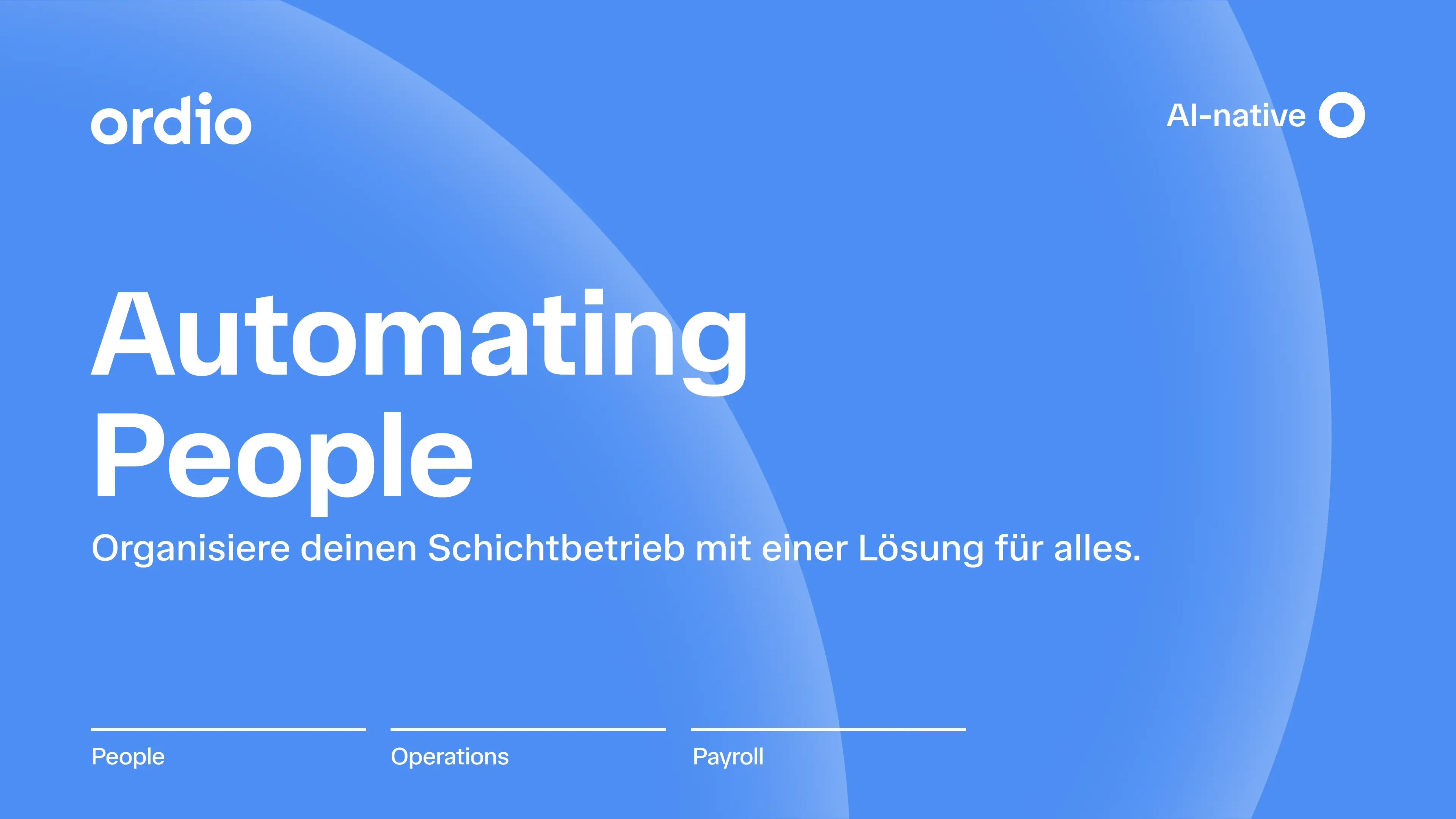
- **PDF preview_image**: PDFs can have a `preview_image` field (e.g. deck-cover.webp) for card thumbnails only; modal and embed use iframe
- **2026 subfolder**: Images can live in `v2/img/partner/assets/2026/`; use `--dir` and `--output-subdir` in analyze-assets.py
- **Download API subdir support**: Image downloads resolve full path including subdirectories
- **add-pdf-resource.php**: Default PDF is Ordio-Sales-Deck-2026.pdf with deck-cover.webp preview; supports `--file` and `--preview-image` flags
- **Scripts**: `rename-assets-2026.py`, `generate-asset-review-report.py` for SEO-friendly renaming and manual review
- **Renames applied**: All 78 images in 2026/ renamed to SEO-friendly names (2026-02-07); duplicate targets get `-2`, `-3` suffixes
- **Orientation filter**: "Abmessungen" replaced with "Orientierung" (Quadrat, Querformat, Hochformat); filter by orientation derived from dimensions; card badges show actual dimensions (e.g. 2183 × 1080) with orientation-based color (indigo/teal/amber)
## Overview
The Partner Resources Library provides affiliates with a comprehensive library of marketing assets (images, videos, PDFs) that they can use to promote Ordio products. All resources include automatic affiliate tracking via UTM parameters and custom affiliate IDs.
## Features
- **Resource Types:** Images, Videos (YouTube), PDFs
- **Filtering:** By format, product, tag, color (curated palette), orientation (square/horizontal/vertical), and search
- **Download:** Direct download with affiliate tracking
- **Link Generation:** Custom affiliate URLs with UTM parameters
- **Embed Codes:** Pre-formatted embed codes for images, videos, and PDFs (PDF embed = iframe + CTA link for affiliate tracking)
- **Pagination:** Efficient browsing of large resource collections
## Architecture
### Data Storage
Resources metadata is stored in `v2/data/partner_resources.json` following the same multi-tier fallback pattern as `affiliate_partners.json`:
1. `v2/data/partner_resources.json` (primary)
2. `writable/partner_resources.json` (fallback)
3. `/tmp/partner_resources.json` (last resort)
### File Structure
```
v2/
├── data/
│ ├── partner_resources.json # Resources metadata
│ └── partner_color_palette.json # Curated color palette for filter
├── helpers/
│ └── partner-resources.php # Helper functions
├── api/
│ ├── partner-resources.php # List API
│ ├── partner-resource-download.php # Download API
│ └── partner-resource-link.php # Link generation API
├── pages/
│ └── partner-resources.php # Main page
├── css/
│ └── affiliate-resources.css # Styles
├── js/
│ └── affiliate-resources.js # JavaScript
└── scripts/
└── partner/
├── analyze-assets.py # Image analysis (Gemini Vision)
├── add-pdf-resource.php # PDF resource addition
├── extract-youtube-videos.php # YouTube extraction
├── remove-image-resources.php # Remove all image resources (one-off)
├── rename-assets-2026.py # SEO-friendly rename from analysis
└── generate-asset-review-report.py # Manual review report
```
## Resource Schema
```json
{
"version": "1.0",
"last_updated": "2026-02-05T...",
"resources": {
"resource-id": {
"id": "resource-id",
"type": "image|video|pdf",
"title": "Asset Title",
"description": "Optional description",
"filename": "asset-name.png",
"file_path": "/v2/img/partner/assets/asset-name.png",
"url": "https://www.ordio.com/v2/img/partner/assets/asset-name.png",
"preview_image": "/v2/img/partner/assets/deck-cover.webp",
"dimensions": { "width": 1200, "height": 628 },
"file_size": 123456,
"mime_type": "image/png",
"tags": ["Payroll", "Zeiterfassung"],
"products": ["schichtplanung", "zeiterfassung"],
"colors": ["ordio-blue", "white"],
"youtube_id": null,
"youtube_url": null,
"embed_code": "",
"created_at": "2026-02-05T...",
"updated_at": "2026-02-05T..."
}
}
}
```
## API Endpoints
### GET /v2/api/partner-resources.php
List resources with filtering and pagination.
**Query Parameters:**
- `format`: Filter by type (`image`, `video`, `pdf`)
- `product`: Filter by product (e.g., `schichtplanung`)
- `tag`: Filter by tag
- `color`: Filter by palette ID (`ordio-blue`, `white`, `gray`, etc.) — images only; resources with at least one matching color
- `orientation`: Filter by orientation (`square`, `horizontal`, `vertical`) — derived from dimensions; square = min/max ratio ≥ 0.9
- `search`: Search in title/description
- `limit`: Items per page (1-100, default: 20)
- `offset`: Pagination offset (default: 0)
**Response:**
```json
{
"success": true,
"data": {
"resources": [...],
"total": 50,
"limit": 20,
"offset": 0,
"filters_applied": {...}
}
}
```
### GET /v2/api/partner-resource-download.php
Generate download URL with affiliate tracking.
**Query Parameters:**
- `resource_id`: Resource ID (required)
- `utm_source`, `utm_medium`, `utm_campaign`, `utm_content`, `utm_term`: Optional UTM parameters
**Response:**
```json
{
"success": true,
"data": {
"url": "https://www.ordio.com/v2/img/partner/assets/file.pdf?affiliate=AP-...&utm_source=...",
"type": "pdf",
"filename": "file.pdf",
"resource": {...}
}
}
```
### POST /v2/api/partner-resource-link.php
Generate affiliate-specific URLs and embed codes linking to Ordio pages (not direct asset URLs).
**Request Body (JSON):**
- `resource_id`: Resource ID (required)
- `landing_page`: Path to Ordio page (e.g., `/schichtplan`, default: `/`)
- `custom_url`: Custom ordio.com URL (alternative to `landing_page`, must be ordio.com domain)
- `utm_source`, `utm_medium`, `utm_campaign`, `utm_content`, `utm_term`: Optional UTM parameters
- `custom_tracking_params`: Optional object with additional tracking parameters (key-value pairs)
**Response:**
```json
{
"success": true,
"data": {
"url": "https://www.ordio.com/schichtplan?affiliate=AP-...&utm_source=...",
"embed_code": "",
"clean_image_url": "https://www.ordio.com/v2/img/partner/assets/image.png",
"clean_pdf_url": "https://www.ordio.com/v2/img/partner/assets/file.pdf",
"youtube_embed_url": "https://www.youtube-nocookie.com/embed/videoId",
"resource": {...}
}
}
```
**Note:** Links point to Ordio pages (not asset URLs) for proper tracking attribution. Clean asset URLs are returned separately for embed codes. `embed_code` format varies by type: images = `![]() `, PDFs = iframe + CTA link, videos = YouTube iframe.
## Adding New Resources
### Images
1. Place image files in `v2/img/partner/assets/` or in a subfolder (e.g. `v2/img/partner/assets/2026/`)
2. Run analysis script:
```bash
# Root assets folder
python3 v2/scripts/partner/analyze-assets.py
# 2026 subfolder (use --dir and --output-subdir)
python3 v2/scripts/partner/analyze-assets.py --dir v2/img/partner/assets/2026 --output-subdir 2026 --delay 2.0
```
3. (Optional) Generate review report, manually review, then rename:
```bash
python3 v2/scripts/partner/generate-asset-review-report.py --output docs/audit/asset-review-2026.md
python3 v2/scripts/partner/rename-assets-2026.py --dry-run
python3 v2/scripts/partner/rename-assets-2026.py [--mapping rename-mapping.json]
```
4. Script extracts:
- Dimensions (via PIL)
- Dominant colors (mapped to palette IDs in `partner_color_palette.json`)
- Title, tags, products (via Gemini Vision API)
- Description
### Videos
1. Extract from existing sources:
```bash
php v2/scripts/partner/extract-youtube-videos.php
```
2. Or manually add to `partner_resources.json`:
```json
{
"id": "video-{hash}",
"type": "video",
"youtube_id": "...",
"youtube_url": "...",
"embed_code": "",
...
}
```
### PDFs
1. Place PDF in `v2/img/partner/assets/`
2. Run:
```bash
php v2/scripts/partner/add-pdf-resource.php
# With custom file or preview: --file Ordio-Sales-Deck-2026.pdf --preview-image /v2/img/partner/assets/deck-cover.webp
```
3. Add `preview_image` field for PDF card thumbnail. Embed code (iframe + CTA) is generated automatically for PDFs with `file_path`.
4. Or manually add entry to `partner_resources.json`
## Image Analysis Script
The `analyze-assets.py` script uses Google Gemini Vision API to extract metadata from images.
**Requirements:**
- Python 3
- Pillow: `pip install Pillow`
- GEMINI_API_KEY environment variable
**Usage:**
```bash
export GEMINI_API_KEY=your-key-here
python3 v2/scripts/partner/analyze-assets.py [--limit N] [--skip-existing]
```
**Options:**
- `--limit N`: Process only first N images
- `--skip-existing`: Skip images already in resources JSON
- `--colors-only`: Re-extract and re-map dominant colors to palette IDs only (no Gemini); use when palette or mapping logic changes
- `--delay N`: Delay between API requests (default: 1.0s)
- `--model MODEL`: Gemini model (default: gemini-2.5-flash; override `GEMINI_VISION_MODEL`)
- `--dir PATH`: Directory to scan (default: v2/img/partner/assets)
- `--output-subdir NAME`: Subdir for file_path/url (e.g. 2026 → /v2/img/partner/assets/2026/filename.png)
**Color handling:** Extracted dominant colors (PIL) are mapped to the curated palette in `v2/data/partner_color_palette.json` via RGB distance. Stored as palette IDs (e.g. `["ordio-blue","white"]`), not hex.
## Filtering & Search
### Format Filter
- `image`: PNG, JPG, WebP images
- `video`: YouTube videos
- `pdf`: PDF documents
### Product Filter
Extracted from resource metadata:
- `schichtplanung`
- `zeiterfassung`
- `payroll`
- `mobile-app`
### Tag Filter
User-defined tags for categorization:
- `Customer Spotlight`
- `Dashboard`
- `Screenshot`
- `Sales`
- etc.
### Color Filter
Images only. Dominant colors are mapped to a curated palette (`v2/data/partner_color_palette.json`). **Only colors that appear in at least one image resource are shown** in the filter dropdown; unused palette colors are hidden. Resources must contain at least one of the selected colors. Videos and PDFs have empty `colors` and are excluded when a color filter is active. The color filter group is hidden when no images have color data.
### Orientation Filter
Derived from dimensions:
- `square`: min(w,h)/max(w,h) ≥ 0.9
- `horizontal`: width > height
- `vertical`: height > width
### Search
Full-text search in title and description fields.
## Link Generation
### Best Practices
Following affiliate marketing best practices, assets link to Ordio pages (not direct asset URLs) for proper tracking attribution:
- **Images**: Wrapped in `` tags - tracking link in `href`, clean image URL in `src`
- **PDFs**: Link to landing pages (not direct downloads) for proper tracking
- **Videos**: Tracking link provided separately (YouTube iframe remains unchanged)
### Page Selection
Partners can select which Ordio page to link to:
1. **Default**: Homepage (`/`) - most general, works for all assets
2. **Page Selector**: Choose from promotable pages (product pages, industry pages, etc.)
3. **Custom URL**: Enter any `ordio.com` URL (like UTM generator)
The page selector uses the same sitemap API (`/v2/api/affiliate-sitemap-pages.php`) as the Referral URLs page.
### Custom Tracking Parameters
Partners can add additional tracking parameters beyond standard UTM parameters:
- Toggle "Additional Tracking Parameters" in the link/embed modal
- Add custom key-value pairs (e.g., Impact.com tracking parameters)
- Parameters are merged with UTM parameters and affiliate ID
## UTM Parameter Strategy
Default UTM values:
- `utm_source`: `affiliate` or `partner`
- `utm_medium`: `referral` or `resource-library`
- `utm_campaign`: Resource ID or name
- `utm_content`: Resource type (`image`/`video`/`pdf`)
Partners can customize UTM parameters when generating links via the link/embed modal.
## Embed Code Format
### Images
Images are wrapped in anchor tags (best practice) with clean image URLs:
```html
`, PDFs = iframe + CTA link, videos = YouTube iframe.
## Adding New Resources
### Images
1. Place image files in `v2/img/partner/assets/` or in a subfolder (e.g. `v2/img/partner/assets/2026/`)
2. Run analysis script:
```bash
# Root assets folder
python3 v2/scripts/partner/analyze-assets.py
# 2026 subfolder (use --dir and --output-subdir)
python3 v2/scripts/partner/analyze-assets.py --dir v2/img/partner/assets/2026 --output-subdir 2026 --delay 2.0
```
3. (Optional) Generate review report, manually review, then rename:
```bash
python3 v2/scripts/partner/generate-asset-review-report.py --output docs/audit/asset-review-2026.md
python3 v2/scripts/partner/rename-assets-2026.py --dry-run
python3 v2/scripts/partner/rename-assets-2026.py [--mapping rename-mapping.json]
```
4. Script extracts:
- Dimensions (via PIL)
- Dominant colors (mapped to palette IDs in `partner_color_palette.json`)
- Title, tags, products (via Gemini Vision API)
- Description
### Videos
1. Extract from existing sources:
```bash
php v2/scripts/partner/extract-youtube-videos.php
```
2. Or manually add to `partner_resources.json`:
```json
{
"id": "video-{hash}",
"type": "video",
"youtube_id": "...",
"youtube_url": "...",
"embed_code": "",
...
}
```
### PDFs
1. Place PDF in `v2/img/partner/assets/`
2. Run:
```bash
php v2/scripts/partner/add-pdf-resource.php
# With custom file or preview: --file Ordio-Sales-Deck-2026.pdf --preview-image /v2/img/partner/assets/deck-cover.webp
```
3. Add `preview_image` field for PDF card thumbnail. Embed code (iframe + CTA) is generated automatically for PDFs with `file_path`.
4. Or manually add entry to `partner_resources.json`
## Image Analysis Script
The `analyze-assets.py` script uses Google Gemini Vision API to extract metadata from images.
**Requirements:**
- Python 3
- Pillow: `pip install Pillow`
- GEMINI_API_KEY environment variable
**Usage:**
```bash
export GEMINI_API_KEY=your-key-here
python3 v2/scripts/partner/analyze-assets.py [--limit N] [--skip-existing]
```
**Options:**
- `--limit N`: Process only first N images
- `--skip-existing`: Skip images already in resources JSON
- `--colors-only`: Re-extract and re-map dominant colors to palette IDs only (no Gemini); use when palette or mapping logic changes
- `--delay N`: Delay between API requests (default: 1.0s)
- `--model MODEL`: Gemini model (default: gemini-2.5-flash; override `GEMINI_VISION_MODEL`)
- `--dir PATH`: Directory to scan (default: v2/img/partner/assets)
- `--output-subdir NAME`: Subdir for file_path/url (e.g. 2026 → /v2/img/partner/assets/2026/filename.png)
**Color handling:** Extracted dominant colors (PIL) are mapped to the curated palette in `v2/data/partner_color_palette.json` via RGB distance. Stored as palette IDs (e.g. `["ordio-blue","white"]`), not hex.
## Filtering & Search
### Format Filter
- `image`: PNG, JPG, WebP images
- `video`: YouTube videos
- `pdf`: PDF documents
### Product Filter
Extracted from resource metadata:
- `schichtplanung`
- `zeiterfassung`
- `payroll`
- `mobile-app`
### Tag Filter
User-defined tags for categorization:
- `Customer Spotlight`
- `Dashboard`
- `Screenshot`
- `Sales`
- etc.
### Color Filter
Images only. Dominant colors are mapped to a curated palette (`v2/data/partner_color_palette.json`). **Only colors that appear in at least one image resource are shown** in the filter dropdown; unused palette colors are hidden. Resources must contain at least one of the selected colors. Videos and PDFs have empty `colors` and are excluded when a color filter is active. The color filter group is hidden when no images have color data.
### Orientation Filter
Derived from dimensions:
- `square`: min(w,h)/max(w,h) ≥ 0.9
- `horizontal`: width > height
- `vertical`: height > width
### Search
Full-text search in title and description fields.
## Link Generation
### Best Practices
Following affiliate marketing best practices, assets link to Ordio pages (not direct asset URLs) for proper tracking attribution:
- **Images**: Wrapped in `` tags - tracking link in `href`, clean image URL in `src`
- **PDFs**: Link to landing pages (not direct downloads) for proper tracking
- **Videos**: Tracking link provided separately (YouTube iframe remains unchanged)
### Page Selection
Partners can select which Ordio page to link to:
1. **Default**: Homepage (`/`) - most general, works for all assets
2. **Page Selector**: Choose from promotable pages (product pages, industry pages, etc.)
3. **Custom URL**: Enter any `ordio.com` URL (like UTM generator)
The page selector uses the same sitemap API (`/v2/api/affiliate-sitemap-pages.php`) as the Referral URLs page.
### Custom Tracking Parameters
Partners can add additional tracking parameters beyond standard UTM parameters:
- Toggle "Additional Tracking Parameters" in the link/embed modal
- Add custom key-value pairs (e.g., Impact.com tracking parameters)
- Parameters are merged with UTM parameters and affiliate ID
## UTM Parameter Strategy
Default UTM values:
- `utm_source`: `affiliate` or `partner`
- `utm_medium`: `referral` or `resource-library`
- `utm_campaign`: Resource ID or name
- `utm_content`: Resource type (`image`/`video`/`pdf`)
Partners can customize UTM parameters when generating links via the link/embed modal.
## Embed Code Format
### Images
Images are wrapped in anchor tags (best practice) with clean image URLs:
```html
 ```
**Key Points:**
- Tracking link in `` (points to Ordio page)
- Clean image URL in `
```
**Key Points:**
- Tracking link in `` (points to Ordio page)
- Clean image URL in `![]() ` (no affiliate codes)
- Proper alt text for accessibility
### Videos
Videos use YouTube iframe embed with tracking link provided separately:
```html
Jetzt Ordio testen
```
**Key Points:**
- YouTube iframe remains clean (no tracking parameters)
- Tracking link provided separately for description/CTA
- Link points to Ordio page (not YouTube URL)
### PDFs
PDFs without `preview_image` receive a landing page link only. PDFs with `preview_image` (e.g. Sales Deck) support embed code:
```html
` (no affiliate codes)
- Proper alt text for accessibility
### Videos
Videos use YouTube iframe embed with tracking link provided separately:
```html
Jetzt Ordio testen
```
**Key Points:**
- YouTube iframe remains clean (no tracking parameters)
- Tracking link provided separately for description/CTA
- Link points to Ordio page (not YouTube URL)
### PDFs
PDFs without `preview_image` receive a landing page link only. PDFs with `preview_image` (e.g. Sales Deck) support embed code:
```html
 ```
**Key Points:**
- PDFs with `preview_image`: Embed button shows clickable preview card
- PDFs without preview: Link to landing page only
- Download functionality remains separate (no tracking)
## Maintenance
### Updating Resources
1. Edit `v2/data/partner_resources.json` directly, or
2. Use helper functions:
```php
require_once 'v2/helpers/partner-resources.php';
$data = loadPartnerResources();
// Modify $data['resources']
savePartnerResources($data);
```
### Re-running Image Analysis
```bash
python3 v2/scripts/partner/analyze-assets.py --skip-existing
```
### Re-extracting Colors Only
When the palette or mapping logic changes, re-run color extraction without Gemini:
```bash
# Backup first
cp v2/data/partner_resources.json v2/data/partner_resources_backup.json
# Re-analyze colors for 2026 folder
python3 v2/scripts/partner/analyze-assets.py --colors-only --dir v2/img/partner/assets/2026 --output-subdir 2026
```
### Adding Bulk Resources
Create a PHP script:
```php
require_once 'v2/helpers/partner-resources.php';
$data = loadPartnerResources();
// Add resources to $data['resources']
savePartnerResources($data);
```
## Troubleshooting
### Resources Not Loading
1. Check `partner_resources.json` exists and is readable
2. Verify file permissions
3. Check error logs for path resolution issues
### Image Analysis Failing
1. Verify `GEMINI_API_KEY` is set
2. Check API quota/rate limits
3. Review script output for errors
### Download Links Not Working
1. Verify file exists at `file_path`
2. Check `.htaccess` routing
3. Verify affiliate ID in URL
### PDF Embed Testing
1. **Local modal test:** With `php -S localhost:8003` running, log in to partner dashboard, open `/partner/resources`, click Sales Deck 2026 → modal should show scrollable iframe and "PDF öffnen" link
2. **Embed code test:** In the modal, click "Embed-Code" → generated code should contain `
```
**Key Points:**
- PDFs with `preview_image`: Embed button shows clickable preview card
- PDFs without preview: Link to landing page only
- Download functionality remains separate (no tracking)
## Maintenance
### Updating Resources
1. Edit `v2/data/partner_resources.json` directly, or
2. Use helper functions:
```php
require_once 'v2/helpers/partner-resources.php';
$data = loadPartnerResources();
// Modify $data['resources']
savePartnerResources($data);
```
### Re-running Image Analysis
```bash
python3 v2/scripts/partner/analyze-assets.py --skip-existing
```
### Re-extracting Colors Only
When the palette or mapping logic changes, re-run color extraction without Gemini:
```bash
# Backup first
cp v2/data/partner_resources.json v2/data/partner_resources_backup.json
# Re-analyze colors for 2026 folder
python3 v2/scripts/partner/analyze-assets.py --colors-only --dir v2/img/partner/assets/2026 --output-subdir 2026
```
### Adding Bulk Resources
Create a PHP script:
```php
require_once 'v2/helpers/partner-resources.php';
$data = loadPartnerResources();
// Add resources to $data['resources']
savePartnerResources($data);
```
## Troubleshooting
### Resources Not Loading
1. Check `partner_resources.json` exists and is readable
2. Verify file permissions
3. Check error logs for path resolution issues
### Image Analysis Failing
1. Verify `GEMINI_API_KEY` is set
2. Check API quota/rate limits
3. Review script output for errors
### Download Links Not Working
1. Verify file exists at `file_path`
2. Check `.htaccess` routing
3. Verify affiliate ID in URL
### PDF Embed Testing
1. **Local modal test:** With `php -S localhost:8003` running, log in to partner dashboard, open `/partner/resources`, click Sales Deck 2026 → modal should show scrollable iframe and "PDF öffnen" link
2. **Embed code test:** In the modal, click "Embed-Code" → generated code should contain `